The best office headsets under 100 dollars balance clear calls, wearing comfort, and the connections your workday needs. Choose between dedicated boom microphones for meetings, longer battery life for mobile work, and simpler on-ear headphones for lighter call use.
Quick Top Products
JLab JBuds Work Wireless Headset
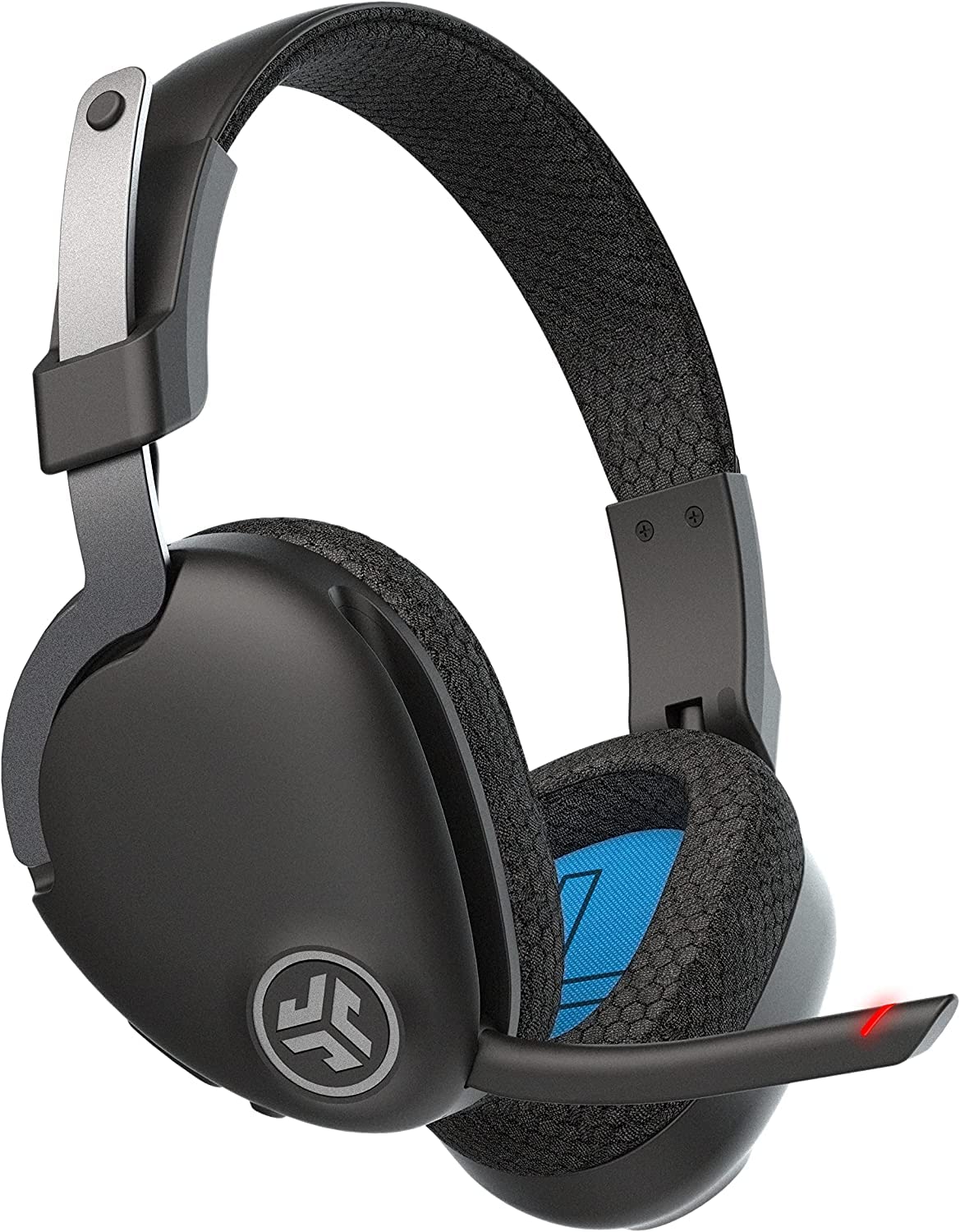
- Over-ear Cloud Foam earcups and a rotating boom microphone.
- More than 60 hours of playtime and Bluetooth multipoint for two devices.
- Includes a USB-C to 3.5 mm cable for wired use.
Best For: People who want over-ear comfort, a dedicated boom mic, and long battery life for frequent calls.

JLab Go Work Pop Headset
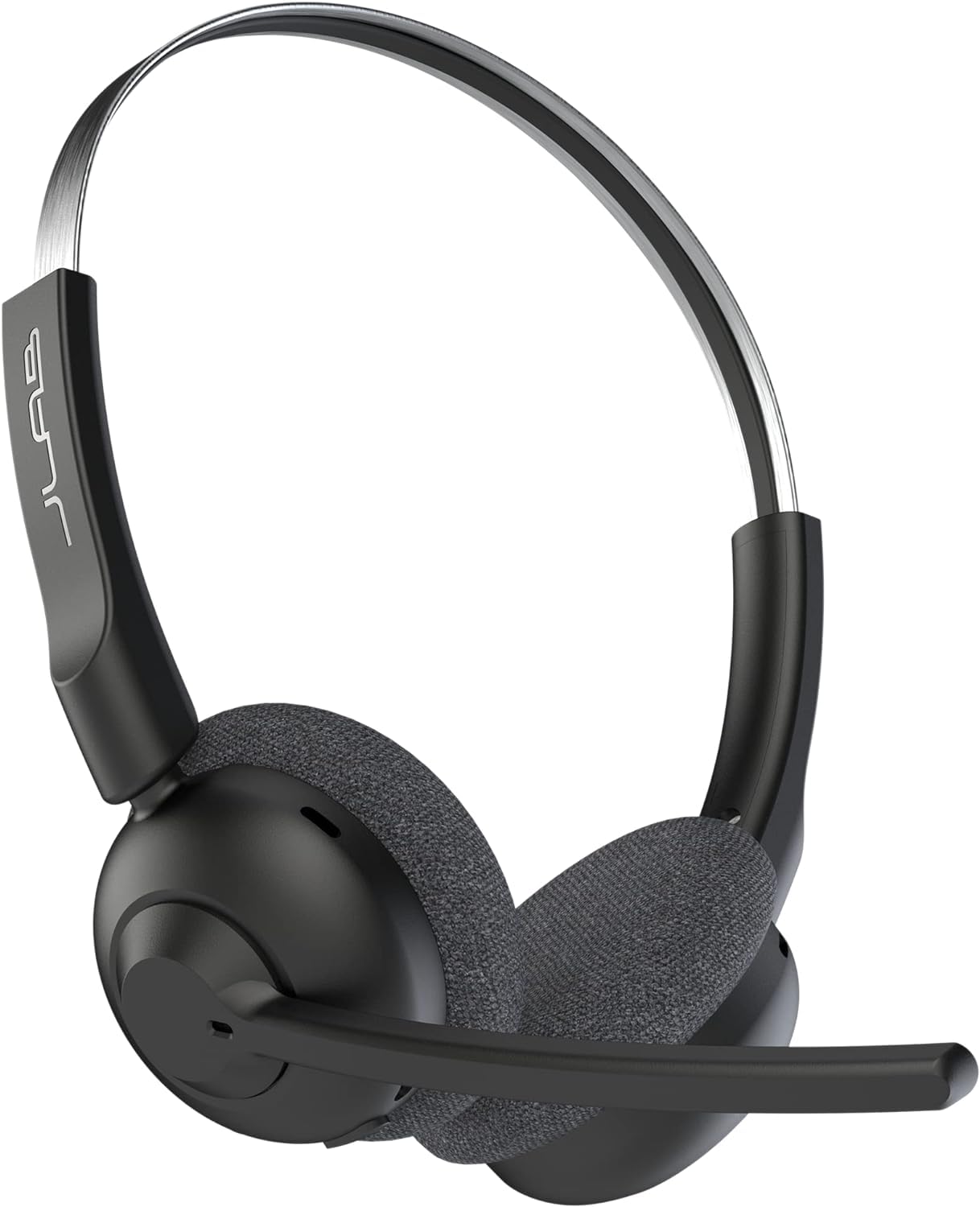
- Flip-up boom mic with mute control and a noise-canceling MEMS microphone.
- Bluetooth multipoint connects two devices simultaneously.
- More than 50 hours of playtime with USB-C charging.
Best For: Hybrid workers who want an on-ear headset with a flip-to-mute mic and two-device pairing.
JLab Go Work Wireless Headset
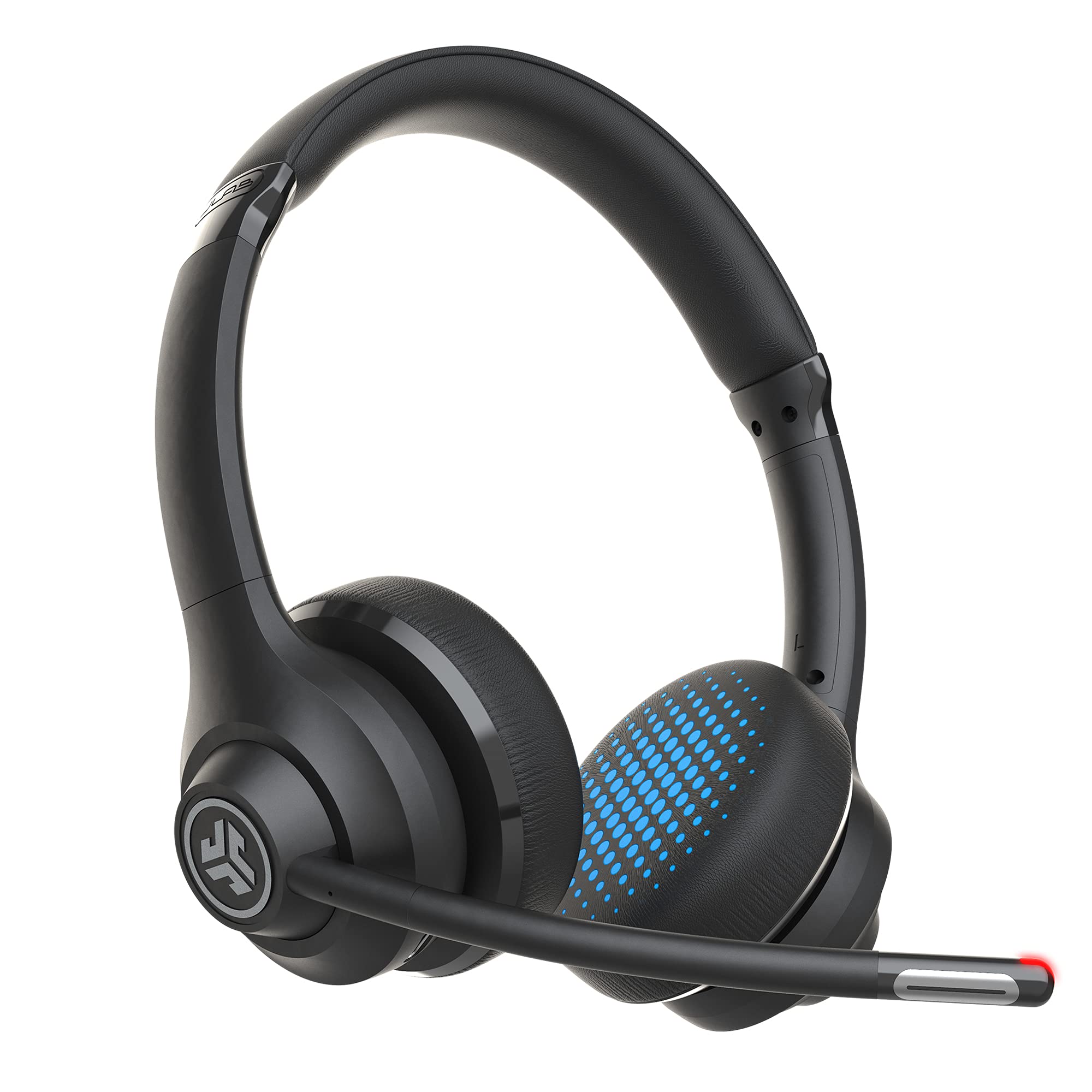
- Bluetooth multipoint plus an included USB-C to 3.5 mm cable.
- Rotating boom mic with a red mute indicator.
- More than 45 hours of playtime with Work and Music EQ modes.
Best For: Workers who want a boom mic, two-device Bluetooth, and an included wired connection.
JLab Go Lux ANC Headphones
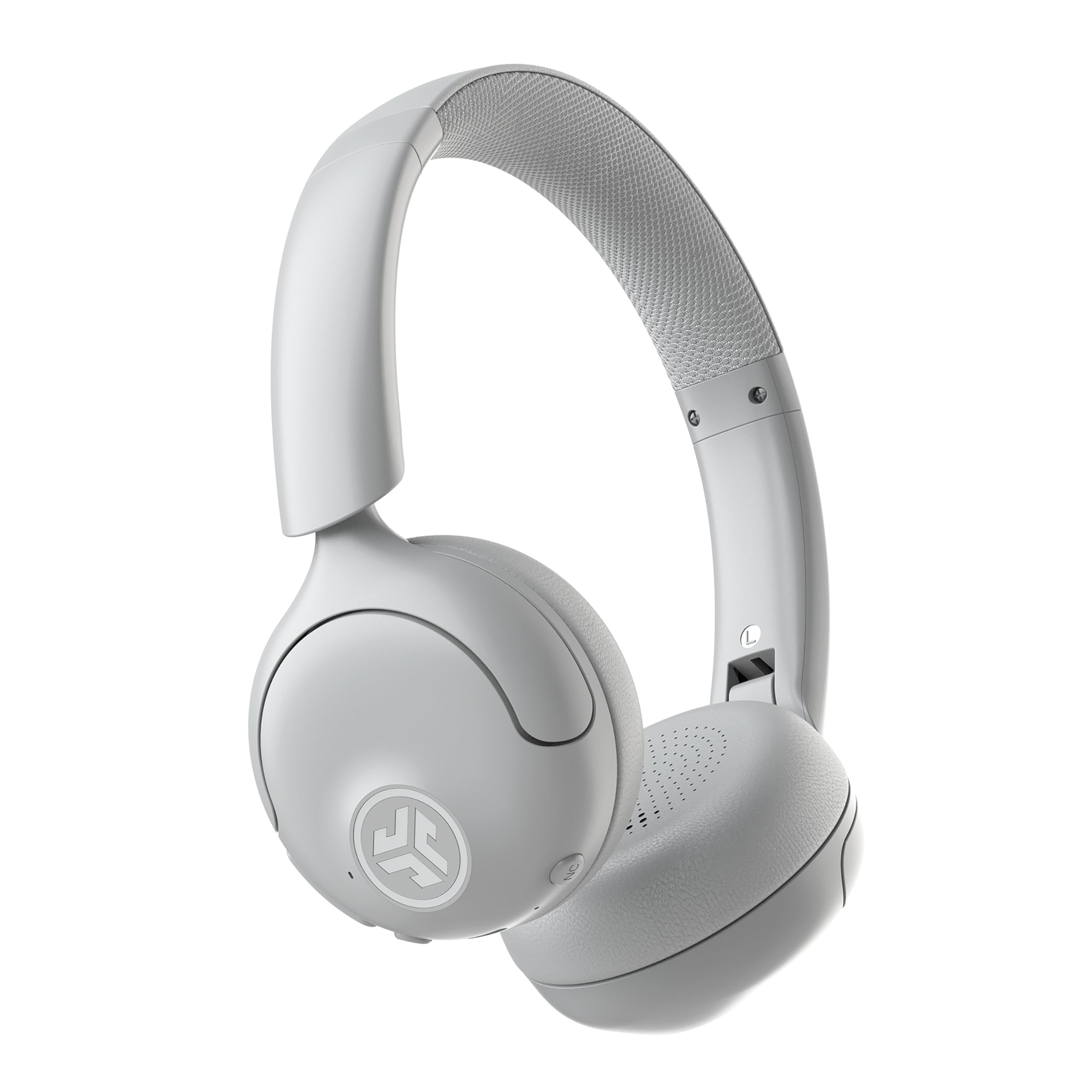
- Hybrid ANC reduces ambient sound by up to 30 dB, with an adjustable Be Aware mode.
- Bluetooth multipoint connects two devices simultaneously.
- Up to 50 hours of playtime and app-adjustable sound and controls.
Best For: People who want active noise control and Bluetooth multipoint for work and listening.
JLab Studio Wireless Headphones
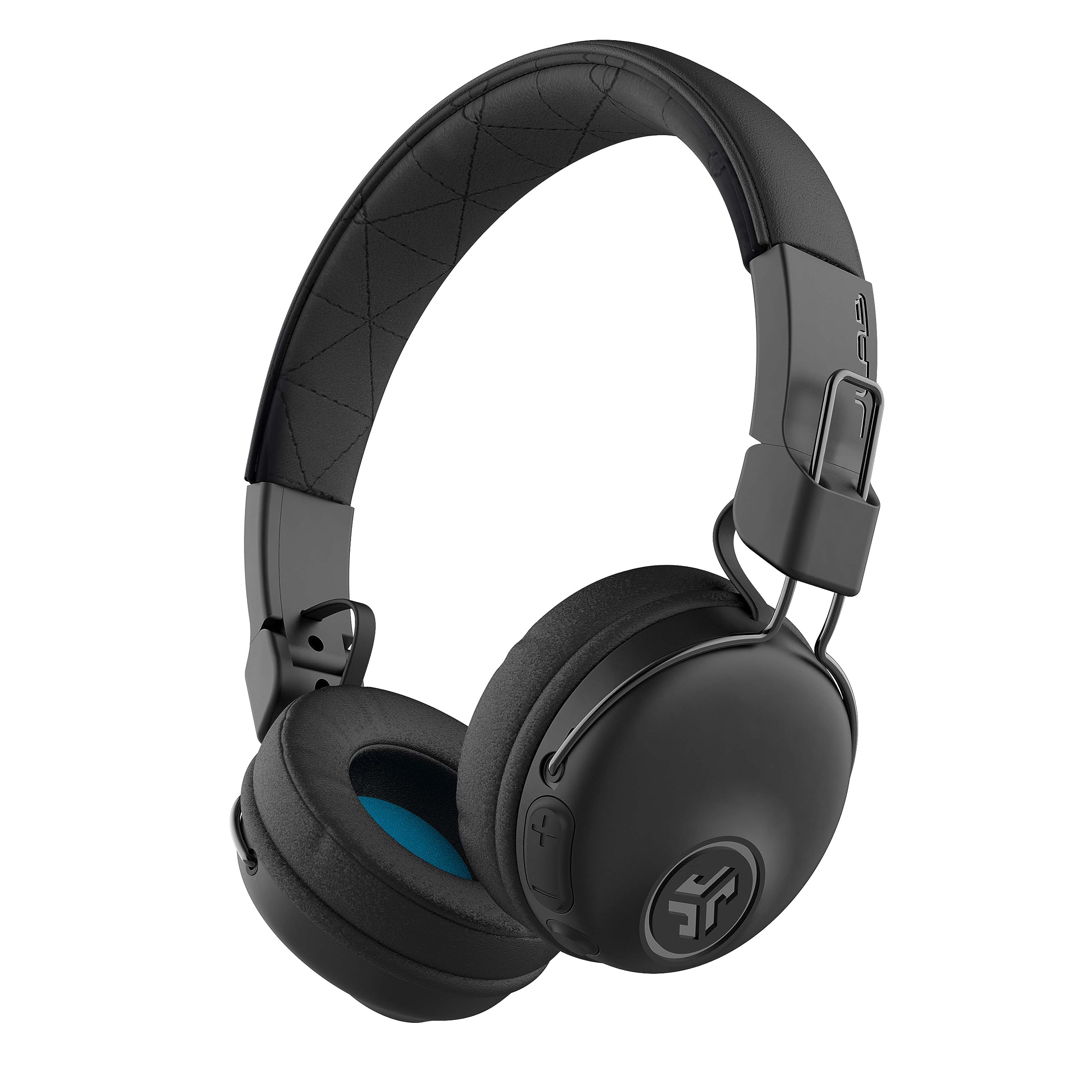
- More than 30 hours of Bluetooth playtime.
- Built-in microphone and Bluetooth 5 compatibility with phones, tablets, and PCs.
- Foldable design and three onboard EQ presets.
Best For: People who want foldable wireless headphones with a built-in mic for occasional calls.
Long-Shift Over-Ear Work Headset
JLab JBuds Work Wireless Headset with Microphone, Over Ear Computer Headsets, Wired or Wireless Headphones with 60+ Playtime, Multipoint Bluetooth Headset for Laptop Teams, Office with Mic (16 Pack)
The JLab JBuds Work pairs an over-ear fit with a rotating boom microphone and more than 60 hours of playtime. Bluetooth multipoint keeps two devices connected, while the included USB-C to 3.5 mm cable offers a wired option when you prefer one.
The mic flips up to hang up and down to answer calls, and an LED indicates when mute is on. Voice and Music EQ modes let you switch between call-focused sound and general listening.
Its 16-pack title makes the offer worth checking carefully if you need just one headset.
Best For: People who want over-ear comfort, a dedicated boom mic, and long battery life for frequent calls.
| Pros | Cons |
|---|---|
|
|
Choose this model if you want a dedicated boom mic, over-ear cushions, and both Bluetooth and wired listening. The 60-plus-hour figure and multipoint pairing make it suited to switching between a computer and phone.
Check the offer's package quantity: its title says 16-pack, while the described headset accessories are presented as one headset set. If you want a compact single-unit option, compare the Go Work Pop or Go Work instead.
Light On-Ear Design for Hybrid Calls
JLab Go Work Pop, On-Ear Wireless Headset, Bluetooth Multipoint, Noise Canceling Boom Mic, Black
The Go Work Pop is an on-ear Bluetooth headset built around calls and everyday desk use. Its boom microphone flips down for calls and up to mute, while the MEMS mic is designed to reduce environmental background sounds.
Bluetooth multipoint connects two devices, useful when a computer and phone share the workday. JLab gives it more than 50 hours of playtime and USB-C charging.
Voice and Music EQ modes provide a quick change between meetings and listening. The lightweight on-ear format keeps it more portable than an over-ear work headset, though the earcups rest directly on the ears.
Best For: Hybrid workers who want an on-ear headset with a flip-to-mute mic and two-device pairing.
| Pros | Cons |
|---|---|
|
|
Pick the Go Work Pop if an on-ear fit and simple flip-to-mute control matter more than a wired fallback. It offers longer stated playtime than the Go Work, plus two-device Bluetooth pairing and separate voice and music modes.
Confirm that your computer supports Bluetooth if you need wireless calls; the product details do not identify a wired connection.
Flexible Wired or Wireless Desk Use
JLab Go Work Wireless Headsets with Microphone, 45+ Playtime PC Bluetooth Headset and Multipoint Connect to Laptop Computer and Mobile, Wired or Wireless Headphones (1 Pack)
The JLab Go Work combines an on-ear fit with a rotating boom microphone and two ways to connect. Bluetooth multipoint links two devices at once, and the included USB-C to 3.5 mm cable supports wired use.
Its dual-microphone call setup is designed to pick up your voice while reducing surrounding sound. JLab gives it more than 45 hours of playtime, Cloud Foam earcups, headset controls, and Work and Music EQ modes.
A red LED at the boom mic indicates mute status. This combination makes it a practical choice when you alternate between computer meetings, phone calls, and listening.
Best For: Workers who want a boom mic, two-device Bluetooth, and an included wired connection.
| Pros | Cons |
|---|---|
|
|
Choose the Go Work if you want the flexibility of an included analog cable alongside Bluetooth multipoint. It has a boom mic, mute indicator, and Work EQ mode, which make it more call-focused than JLab's Studio wireless headphones.
Its playtime is stated at 45-plus hours, so compare the JBuds Work or Go Work Pop if longer intervals between charges are your priority.
Noise Control for Shared Workspaces
JLab, Go Lux ANC, On Ear Headphones, Active Noise Cancelling, Bluetooth MultIPoint, Cloud White
The Go Lux ANC is an on-ear headphone option for buyers who want noise control during desk work and commutes. Hybrid active noise cancelling is rated to reduce ambient sound by up to 30 dB, and Be Aware mode lets surrounding sound through.
Bluetooth multipoint connects two devices, while the JLab app can adjust ANC, Be Aware levels, EQ, and touch controls. It has up to 50 hours of playtime and Cloud Foam earcups and headband.
The product details do not describe a boom microphone, so check your meeting needs before choosing it as a dedicated office call headset.
Best For: People who want active noise control and Bluetooth multipoint for work and listening.
| Pros | Cons |
|---|---|
|
|
Choose the Go Lux ANC if managing ambient sound is central to your workday and you also want multipoint pairing. Its up-to-30 dB ANC figure is a rated maximum, and Be Aware mode gives you an alternative when you want surrounding sound.
For meetings where a dedicated boom mic and mute control are priorities, the Go Work models are a closer fit.
Simple Wireless Listening and Calls
JLab, Studio, Wireless On-Ear Headphones, Bluetooth, Foldable, Built-in Mic, Black
The JLab Studio Wireless keeps the feature set simple: Bluetooth 5, a built-in microphone, and a foldable on-ear design. It offers more than 30 hours of playtime and connects with phones, tablets, and PCs.
Three EQ presets—JLab Signature, Balanced, and Bass Boost—let you adjust general listening without an app. Cloud Foam earcups and a faux-leather headband provide cushioning, and the headphones fold for packing.
This is a less specialized choice for office calls because the microphone is built in rather than placed on a boom. It may suit people who split work calls with music and commuting.
Best For: People who want foldable wireless headphones with a built-in mic for occasional calls.
| Pros | Cons |
|---|---|
|
|
The Studio Wireless makes sense if you want one pair for music, commuting, and occasional calls rather than frequent meeting control. Its foldable frame and three EQ presets distinguish it from the call-oriented Go Work models.
If your work relies on a boom mic, quick mute access, or a wired fallback, consider the Go Work or JBuds Work instead.
How to Choose Office Headsets Under 100
How We Picked Office Headsets Under $100
This roundup focuses on headsets with documented work-call features, such as a boom microphone, mute control, Bluetooth multipoint, or a wired connection. It also includes one simpler wireless headphone option for people whose calls are occasional and who want a foldable pair for commuting.
The products serve distinct setups: over-ear comfort, lightweight on-ear wear, dual-device pairing, wired fallback, or active noise control. Children's models and general listening headphones without a dedicated call-oriented setup were left out.
Comparing Affordable Office Headsets
For call-focused desk work, compare the JBuds Work, Go Work Pop, and Go Work. The JBuds Work has an over-ear fit and the longest stated playtime; the Pop has an on-ear fit, flip-to-mute mic, and more than 50 hours of playtime; the Go Work adds an included cable for wired listening.
The Go Lux ANC is the noise-control option, with app-adjustable ANC and Be Aware mode, but a boom mic is not specified. The Studio Wireless is more general-purpose, with a built-in mic and foldable design rather than dedicated call controls.
| Product | Standout features | Best for |
|---|---|---|
| JLab JBuds Work Wireless HeadsetCheck Price |
| People who want over-ear comfort, a dedicated boom mic, and long battery life for frequent calls. |
| JLab Go Work Pop HeadsetCheck Price |
| Hybrid workers who want an on-ear headset with a flip-to-mute mic and two-device pairing. |
| JLab Go Work Wireless HeadsetCheck Price |
| Workers who want a boom mic, two-device Bluetooth, and an included wired connection. |
| JLab Go Lux ANC HeadphonesCheck Price |
| People who want active noise control and Bluetooth multipoint for work and listening. |
| JLab Studio Wireless HeadphonesCheck Price |
| People who want foldable wireless headphones with a built-in mic for occasional calls. |
Choosing a Headset for Meetings and Calls
Check how you connect before choosing an office headset. Bluetooth multipoint is useful when you need both a computer and phone connected.
If your work computer requires a wired connection, the Go Work and JBuds Work include a USB-C to 3.5 mm cable; the other selected products do not specify a wired option.
For frequent meetings, look for a boom mic and a clear mute method. The Go Work models have rotating or flip-up boom microphones and mute controls.
The Studio Wireless has a built-in mic, while the Go Lux ANC details do not specify a boom mic.
Comfort, Battery, and Everyday Use
On-ear and over-ear fit are different tradeoffs. The Go Work Pop, Go Work, Go Lux ANC, and Studio Wireless rest on the ears; the JBuds Work uses an over-ear design.
Consider which fit you can wear comfortably for your typical meeting block, and whether portability or ear coverage matters more.
Playtime figures also differ: more than 60 hours for the JBuds Work, more than 50 for the Go Work Pop, more than 45 for the Go Work, up to 50 for the Go Lux ANC, and more than 30 for the Studio Wireless. Treat these as stated maximum or minimum figures, not a guarantee of a particular runtime in your setup.
Who Should Buy Which Office Headset?
Choose the JBuds Work for over-ear cushions, a boom mic, and long stated playtime, after confirming the package quantity. Pick the Go Work Pop for a lighter on-ear headset with flip-to-mute and multipoint.
The Go Work suits people who want both Bluetooth and an included wired cable.
Choose the Go Lux ANC when adjustable ambient noise control matters more than a documented boom mic. The Studio Wireless fits lighter call use and commuting.
Match the microphone controls, connection type, and ear fit to how you actually work.