The best microphones for video calls make your voice easier to hear and give you controls that fit your desk and meeting habits. Choose between compact USB setups and dynamic models with mute, monitoring or XLR options, while checking compatibility and included stands.
Quick Top Products
FIFINE K669B
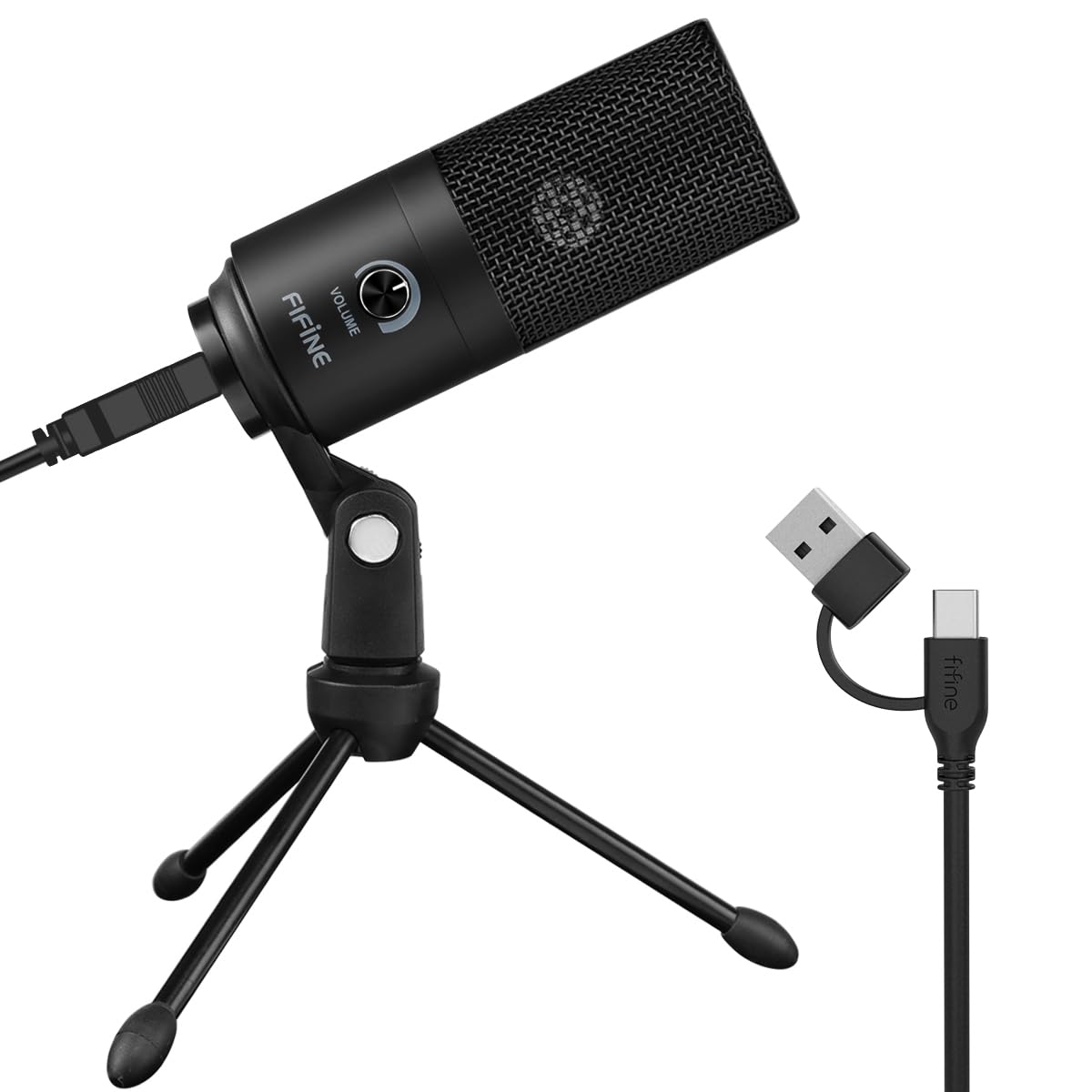
- USB-A plug-and-play connection for computers
- Cardioid condenser pickup with on-mic volume control
- Includes a tripod stand and 5.9-foot cable
Best For: People who want a straightforward USB microphone with a physical volume control for calls.

Samson Meteor Mic
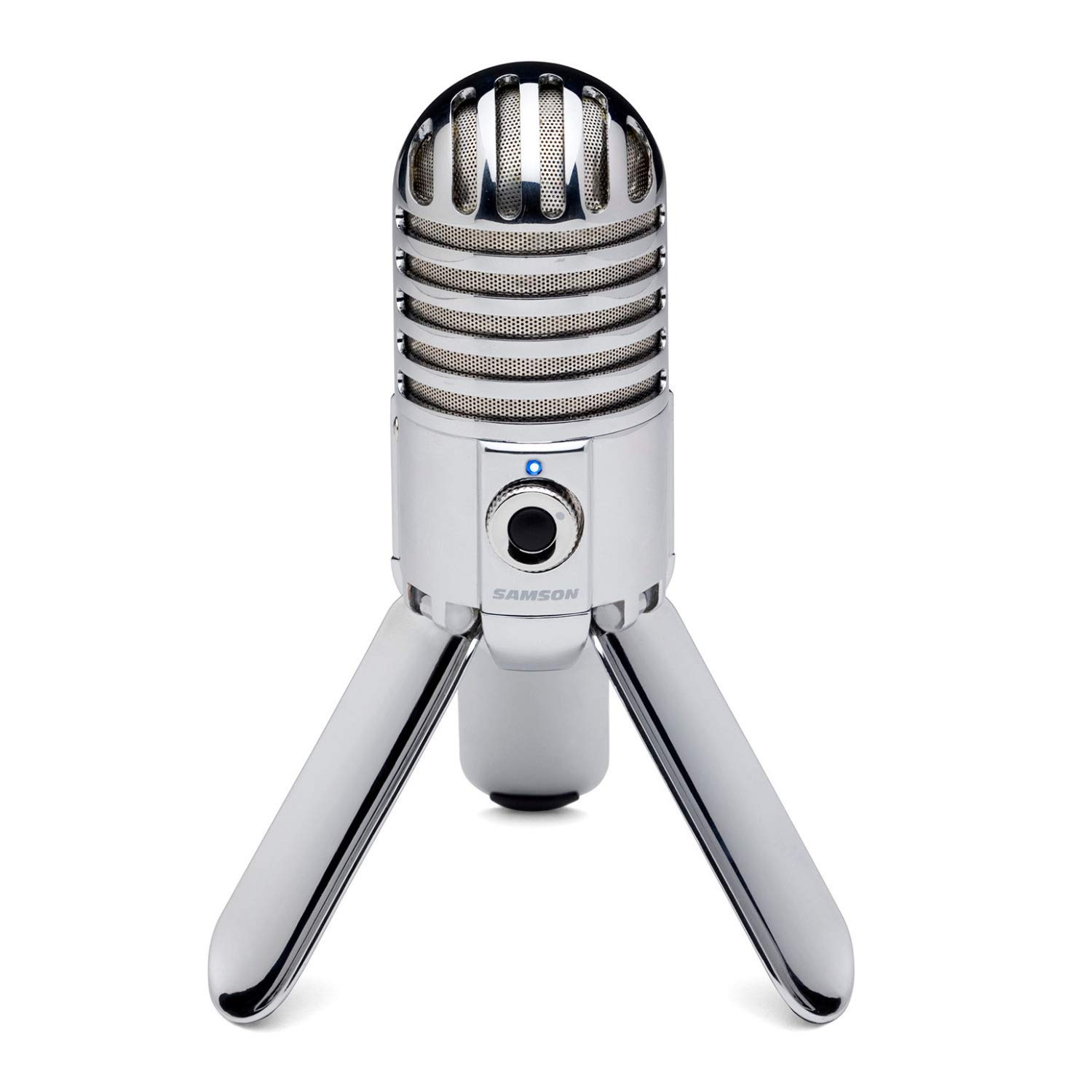
- USB condenser microphone with fold-back legs
- Cardioid pickup and zero-latency headphone monitoring
- 1-inch capsule and zinc die-cast construction
Best For: Callers who want a portable USB microphone with foldable legs and direct headphone monitoring.
MAONO DGM20
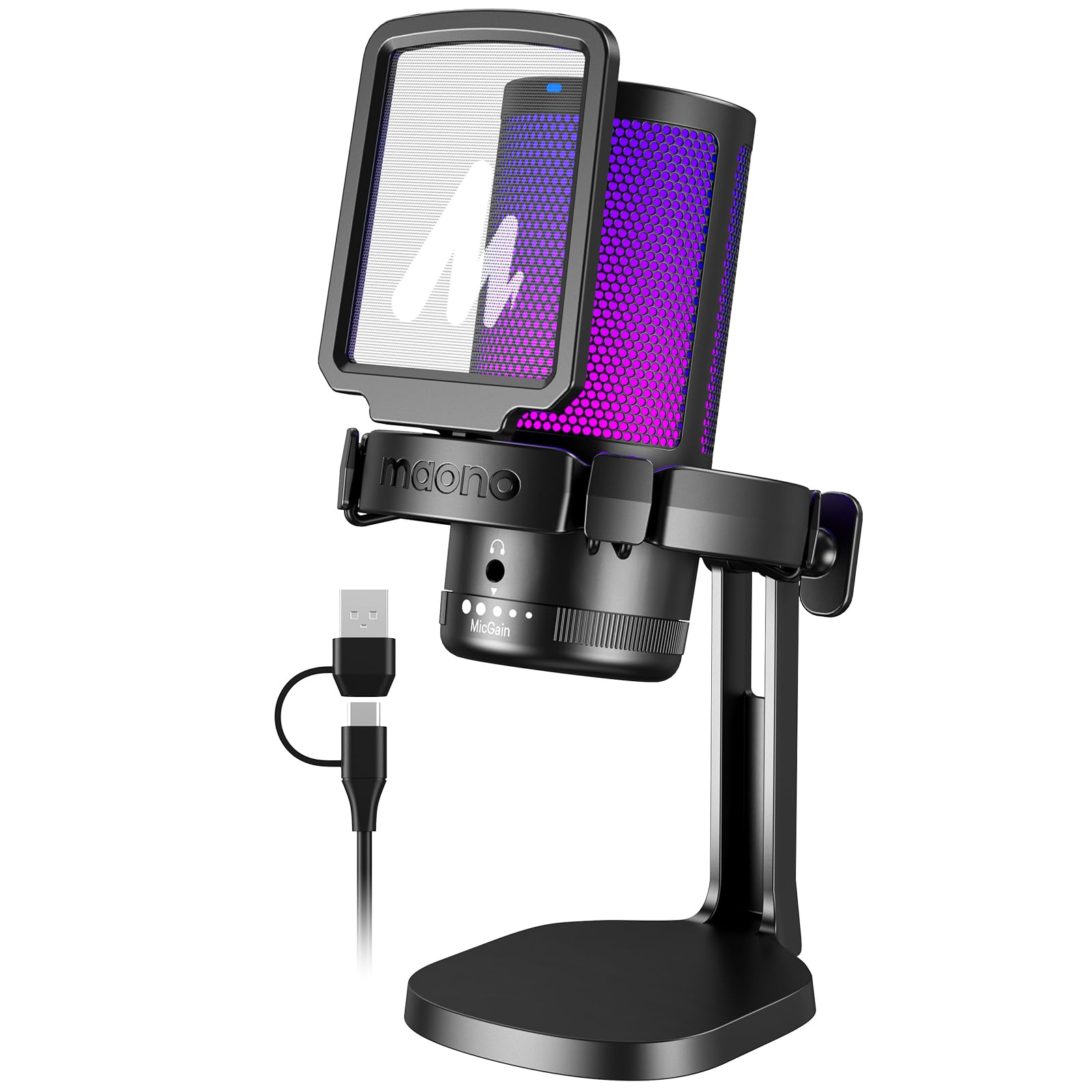
- USB/USB-C cable for compatible computers and PS5
- On-device mute, gain and headphone monitoring
- One-key noise cancellation and RGB modes
Best For: PC and console users who want a USB mic with on-device mute, gain and noise-cancellation controls.
FIFINE AmpliGame A6V White
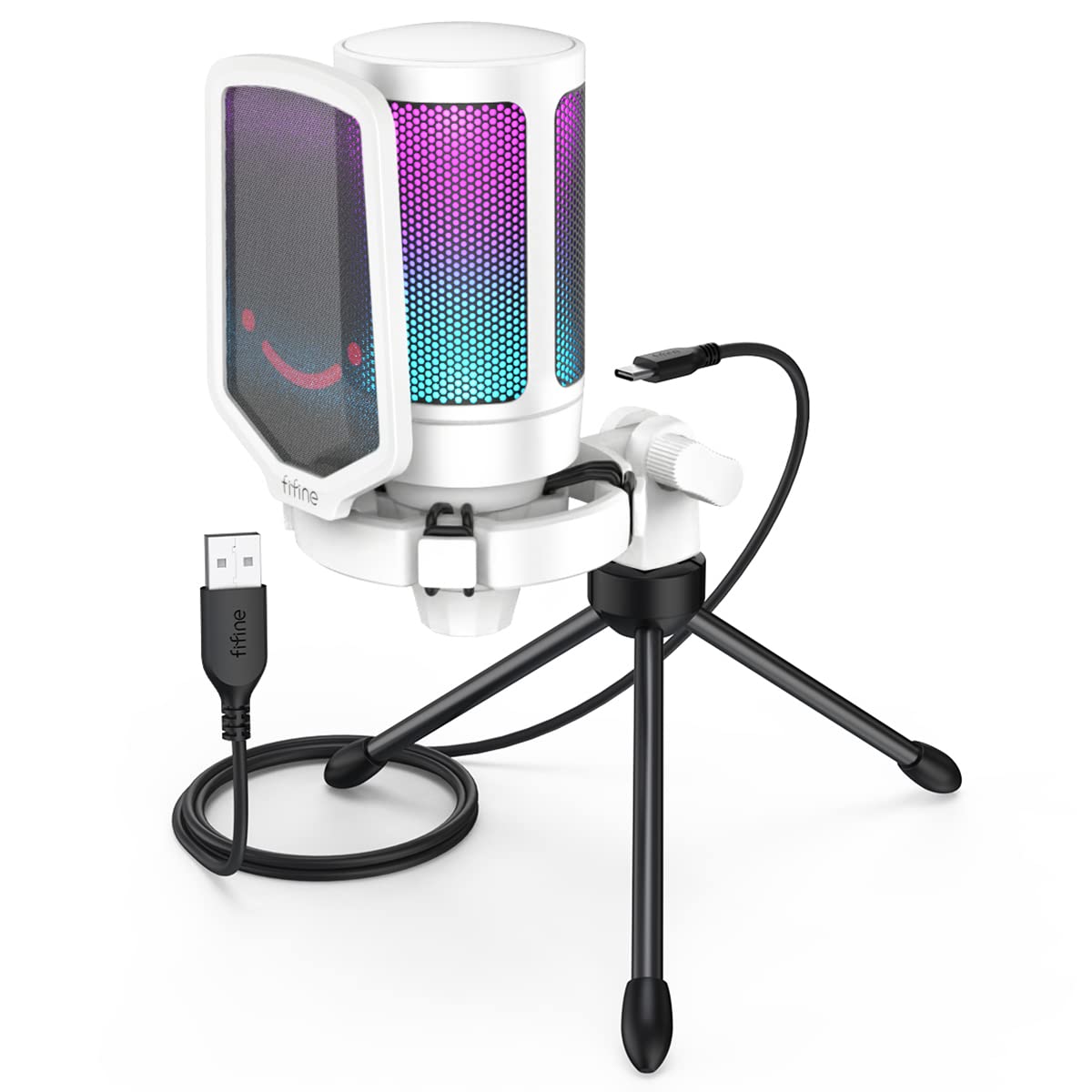
- USB plug-and-play compatibility with Windows, Mac OS and PS4/5
- On-device mute button and gain knob
- Includes a white pop filter and shock mount
Best For: Callers who prefer a white USB desktop microphone with a mute button and gain knob.
FIFINE AmpliGame A6V Pink
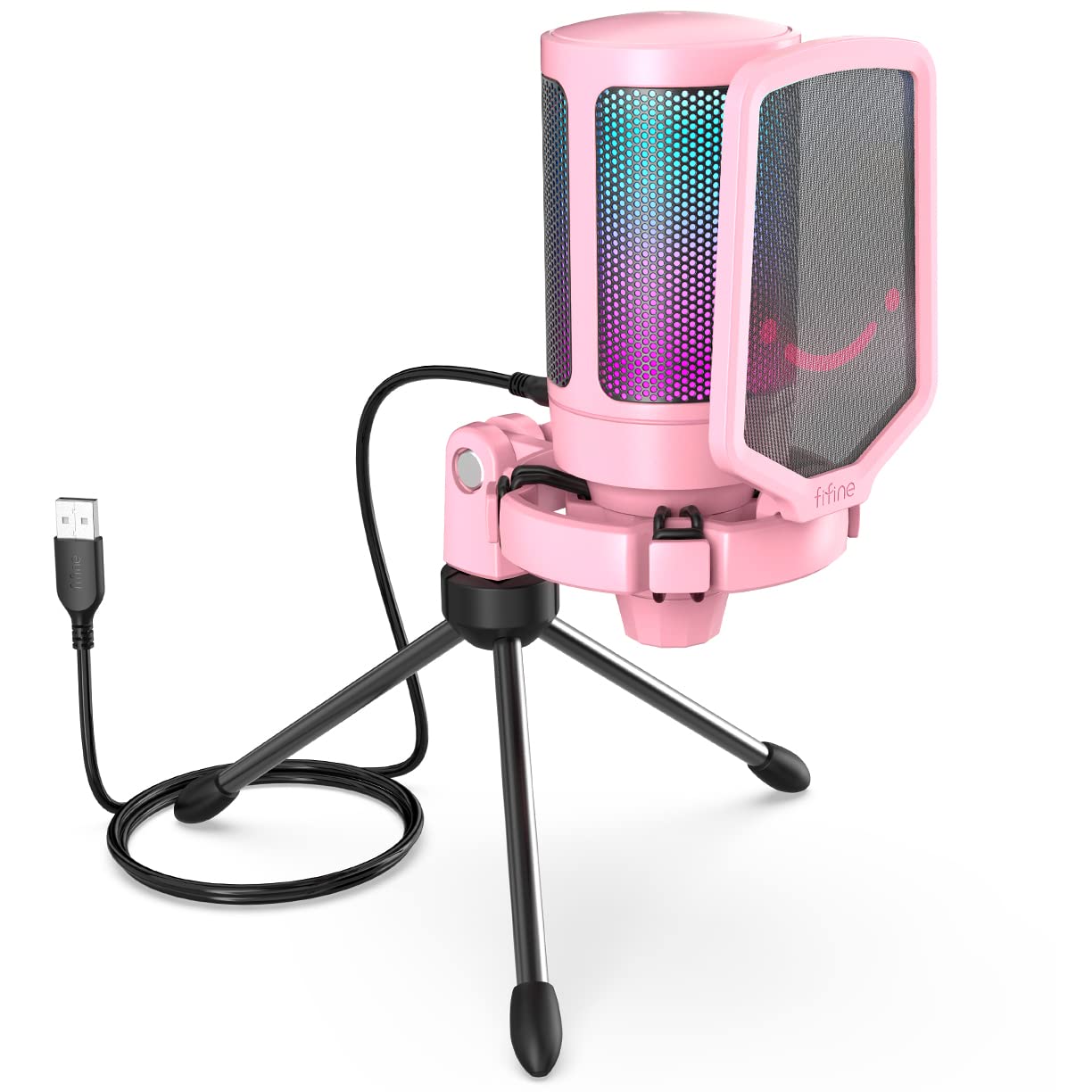
- USB plug-and-play connection for computer and PS4/5
- Cardioid pickup with touch mute and gain control
- Includes metal tripod, pop filter and shock mount
Best For: Callers looking for a pink desktop USB microphone with mute, gain and a headphone-free simple setup.
FIFINE AmpliGame A6V
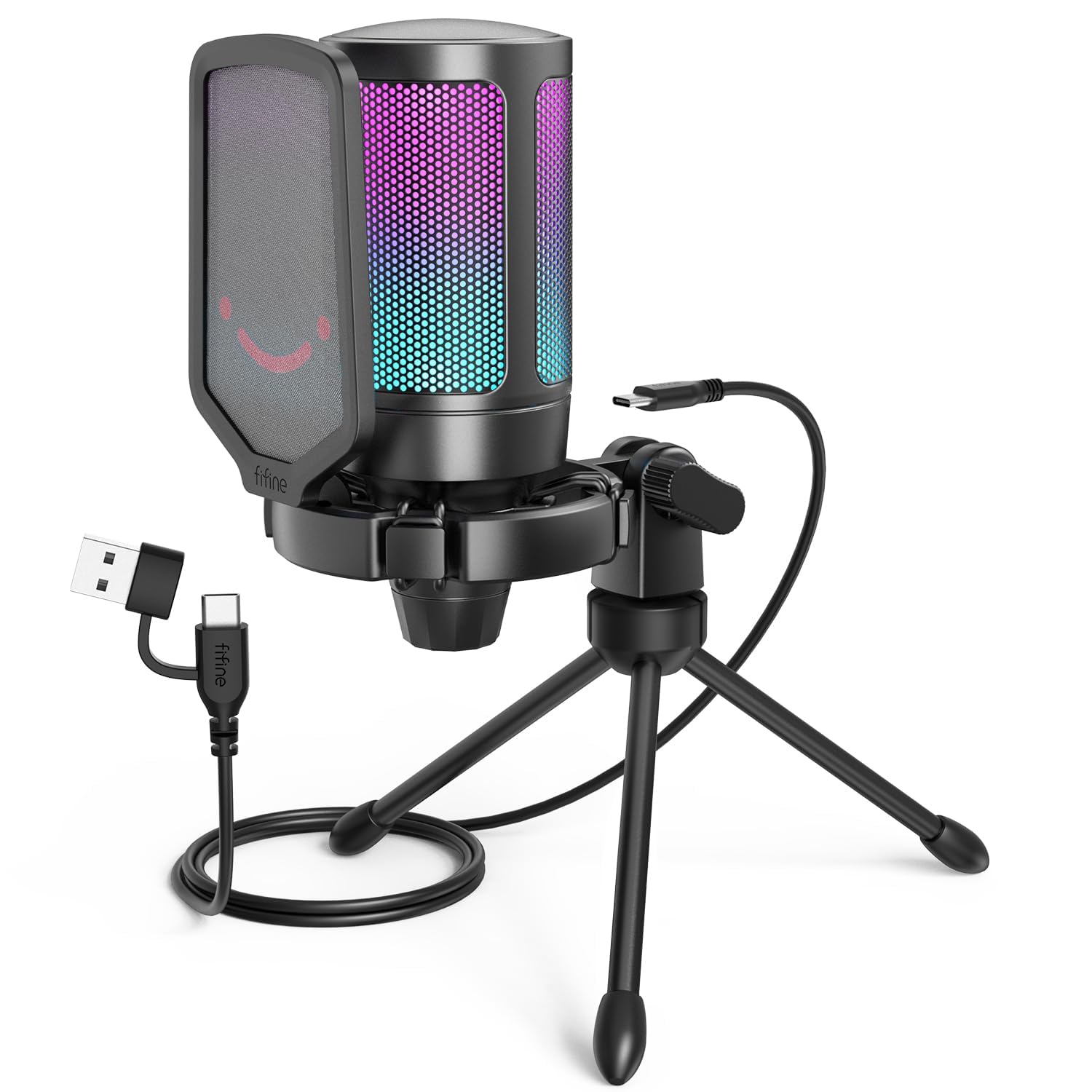
- USB connection and 6.6-foot detachable cable
- Touch mute with RGB status change and gain knob
- Includes tripod, shock mount and pop filter
Best For: Callers who want a USB desktop microphone with a visible mute indicator and included pop filter.
FIFINE AmpliGame AM8 White
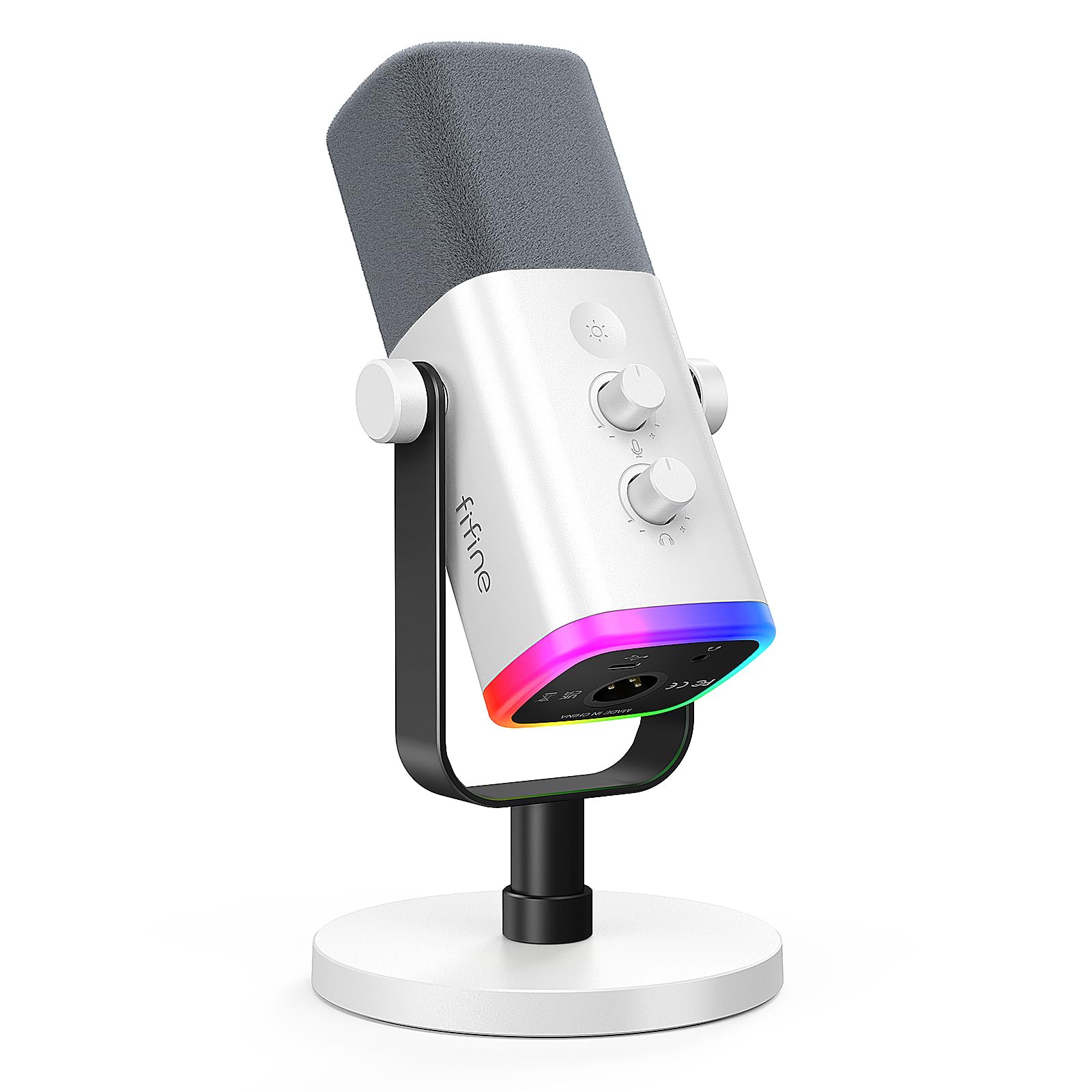
- USB and XLR connections for computer or audio gear
- USB mode adds mute, gain and headphone controls
- White finish with switchable RGB lighting
Best For: Callers who want a dynamic mic that can start on USB and later connect through XLR.
FIFINE AmpliGame AM8T
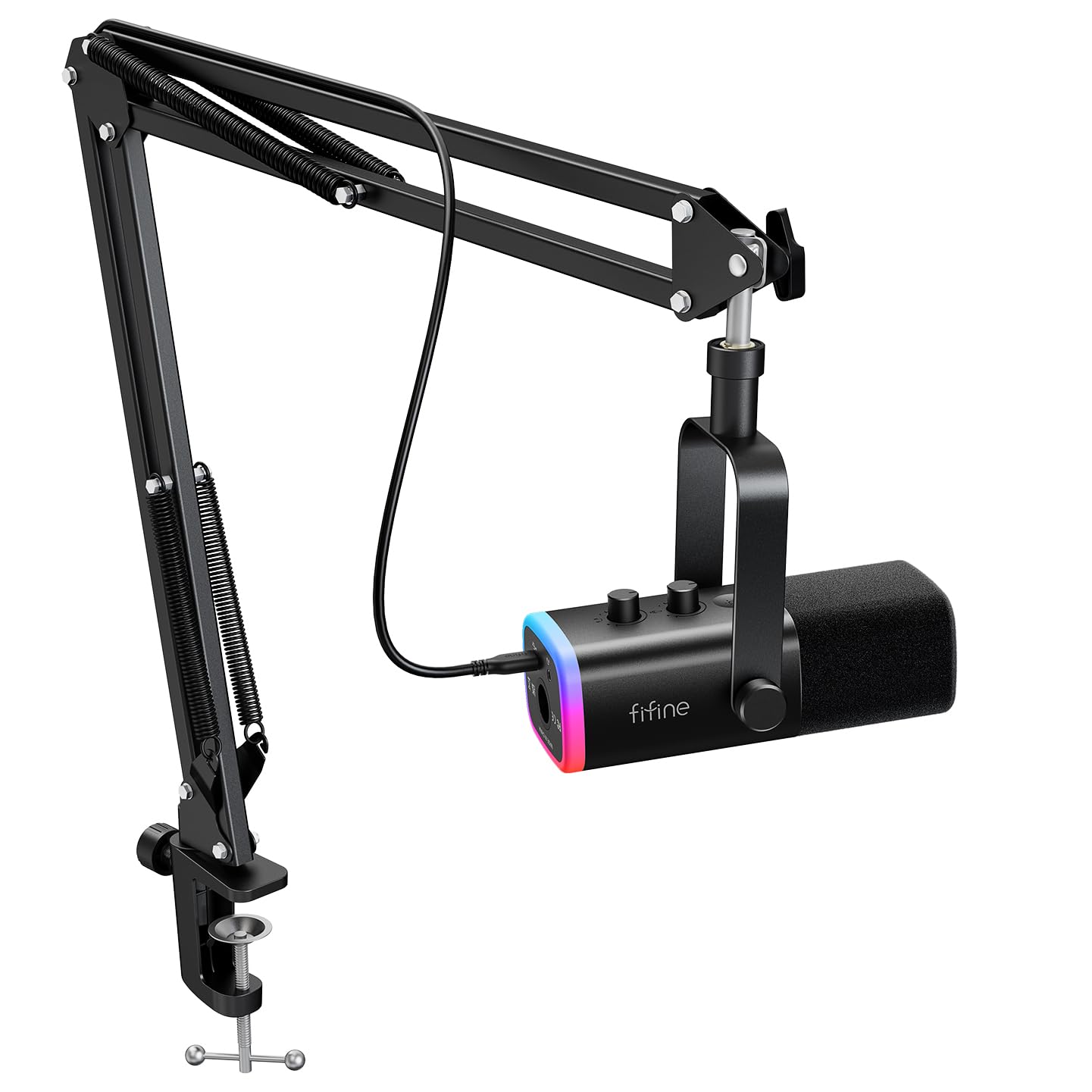
- Dynamic microphone with USB and XLR connectivity
- Includes adjustable metal boom arm, clamp and USB cable
- USB controls include mute, gain and headphone monitoring
Best For: Callers who want a dynamic USB/XLR mic kit with a supplied arm for positioning.
MAONO PD200XS
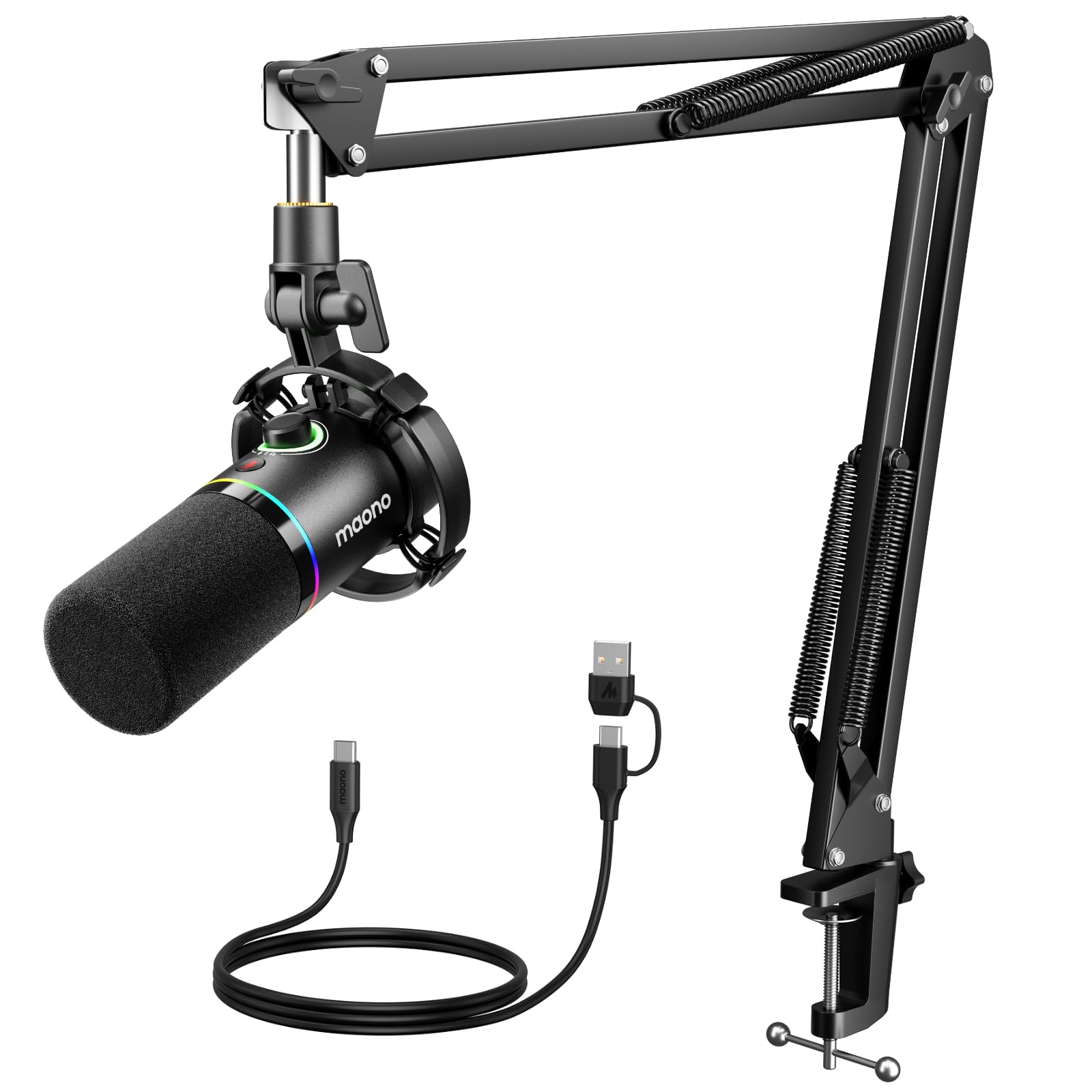
- Dynamic mic with USB and XLR outputs
- Includes boom arm, shock mount and USB cable
- USB mode supports software EQ, limiter and compressor
Best For: Callers who want a boom-arm dynamic mic, USB controls and software tuning options.
Samson Q2U
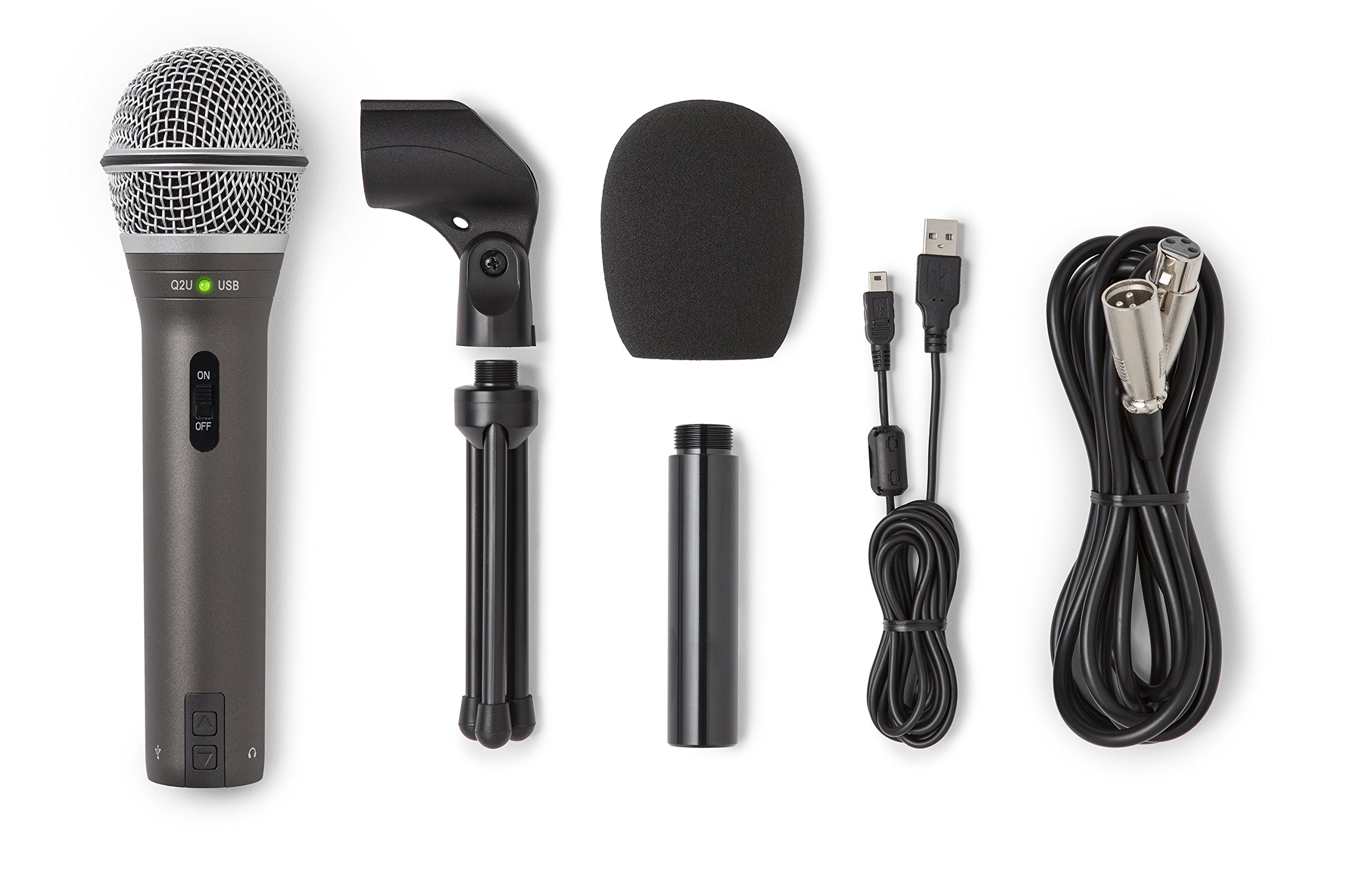
- USB-C and XLR connectivity
- Includes USB-C cable and XLR cable
- Package has tripod stand, extension, clip and windscreen
Best For: Callers who value a handheld dynamic mic with both USB-C and XLR cables in the package.
Simple USB Desk Setup
FIFINE USB Microphone, Metal Condenser Recording Microphone for MAC OS, Windows, Cardioid Laptop Mic for Recording Vocals, Voice Overs, Streaming, Meeting and YouTube Videos-K669B
The FIFINE K669B connects directly to a computer’s USB-A port and includes a small tripod stand, so it is a simple option for a fixed meeting desk. Its cardioid condenser capsule focuses on sound from the front, and the body has a volume knob that can be turned down to zero for privacy.
The metal construction and included 5.9-foot cable suit a basic desktop setup. It also works with common meeting and voice chat applications, but it is not compatible with phones or Xbox.
Check that your computer has a suitable USB port and room for the stand.
Best For: People who want a straightforward USB microphone with a physical volume control for calls.
| Pros | Cons |
|---|---|
|
|
Choose the K669B for everyday calls when you want a simple desk microphone with a physical level control. Its USB connection and tripod avoid the extra equipment needed by XLR models, while the cardioid pattern is intended to focus on the front voice.
It does not include a boom arm, so check whether its tabletop position works with your screen and keyboard. Confirm your computer has a USB-A connection or a suitable adapter.
Compact Mic With Headphone Monitoring
Samson Meteor Mic USB Condenser Podcasting Podcast Recording Desktop Microphone
The Samson Meteor Mic combines a desktop microphone and a foldable support in a compact package. Its cardioid pickup pattern is designed to capture sound from the front, and a headphone output with level control allows zero-latency monitoring.
That monitoring can help you hear your own voice while adjusting your speaking position for calls or recordings. The microphone connects by USB and has a 1-inch capsule in a zinc die-cast body.
Its fold-back legs make it easier to pack away between sessions. Check which USB adapter you need if connecting it to a newer device, and note that a headphone connection is useful only if you plan to monitor yourself.
Best For: Callers who want a portable USB microphone with foldable legs and direct headphone monitoring.
| Pros | Cons |
|---|---|
|
|
The Meteor Mic fits a caller who wants a small USB microphone that can also be packed away. Its headphone output provides monitoring without delay, while the folding legs avoid a separate stand.
Compared with boom-arm kits, it keeps the desk arrangement compact but offers less reach for positioning. Check your computer’s USB connection and decide whether the desktop placement leaves enough room for your keyboard and other equipment.
USB Calls With Noise-Cancellation Control
MAONO USB Gaming Microphone for PC, Noise Cancellation Condenser Mic with RGB, Mute, Gain, Computer Desk Mic for Streaming, Podcast, Chat, Twitch, YouTube, Discord, PS5, PS4, GamerWave DGM20 Black
The MAONO DGM20 is a USB condenser microphone for calls, streaming and gaming, with an on-device mute button and gain control for quick adjustments. It also has a headphone jack for real-time monitoring and RGB lighting with several modes.
Its cardioid pattern focuses on sound from the front. A one-key noise-cancellation function is available, and adjustable noise-cancellation software is specified for Windows.
The included cable supports USB and USB-C connections, with compatibility listed for PCs, laptops, Macs and PS5. If noise control is a priority, check whether the software feature works on your operating system; the adjustable software control is Windows-only.
Best For: PC and console users who want a USB mic with on-device mute, gain and noise-cancellation controls.
| Pros | Cons |
|---|---|
|
|
Pick the DGM20 if you want a USB mic with accessible call controls and headphone monitoring. It combines a one-key noise-cancellation function with gain adjustment, which can be useful when moving between meetings and other computer audio.
The deeper software controls are limited to Windows, so verify your operating system if you expect to tune noise cancellation there. Check the desk placement and cable routing before buying.
White Desktop Mic With Physical Controls
FIFINE AmpliGame USB Microphone, PC Gaming Recording Desktop Laptop Mic, RGB Streaming Podcasting Condenser Mic for Online Game, Vocal, with Mute Button, Gain Knob, Tripod Stand-A6V White
The white FIFINE AmpliGame A6V is a USB condenser desktop microphone that connects without a software setup step on Windows, Mac OS and PS4/5. A mute button and gain knob provide direct control without opening an application, while the cardioid pattern is intended to focus on the speaker in front.
The package includes a white pop filter and shock mount to address plosive sounds and desktop vibration. RGB lighting adds a visual accent, but the useful call features remain the direct connection and accessible controls.
This model uses a desktop setup rather than a boom arm, so check that its position will be close enough to your speaking area.
Best For: Callers who prefer a white USB desktop microphone with a mute button and gain knob.
| Pros | Cons |
|---|---|
|
|
This A6V suits someone who wants a desktop USB mic with a consistent white look and quick access to mute and gain. Its included shock mount and pop filter add useful elements to the setup without needing a separate arm.
A desktop position may be less adjustable than a boom-arm mic, so consider how close it can sit while leaving space for work. Confirm compatibility with your chosen computer or console.
Pink USB Mic for a Coordinated Desk
FIFINE USB Gaming PC Microphone for Streaming Podcasts, AmpliGame RGB Computer Condenser Desktop Mic, Cardioid Pattern for YouTube Video, Plug and Play on PS4 PS5, with Quick Mute, Mic Gain-A6V Pink
The pink FIFINE AmpliGame A6V offers a simple USB connection for a desktop or laptop and is also compatible with PS4/5. Its cardioid condenser capsule is designed to prioritize sound from the front, while a touch-mute button and gain control make quick adjustments accessible on the mic.
The package includes a metal tripod stand, pop filter and shock mount. RGB lighting complements the pink finish.
This model is suited to a fixed desktop position rather than a boom-arm setup, so check the available space and whether the microphone can sit near your speaking position without blocking the screen.
Best For: Callers looking for a pink desktop USB microphone with mute, gain and a headphone-free simple setup.
| Pros | Cons |
|---|---|
|
|
Choose this A6V variant if the pink finish is a meaningful part of your workspace and you want the same straightforward control layout as a basic desktop USB mic. The included tripod and accessories keep the setup self-contained, while the cardioid pattern is aimed at front-facing speech.
It lacks the positioning reach of a boom arm, so check desk clearance and microphone distance before choosing this style.
Tripod Mic With Mute Status Light
FIFINE Gaming USB Microphone for PC PS5, Condenser Mic with Quick Mute, RGB Indicator, Tripod Stand, Pop Filter, Shock Mount, Gain Control for Streaming Discord Twitch Podcasts Videos- AmpliGame
The FIFINE AmpliGame A6V is a USB condenser microphone for computer calls, streaming and voice chat. Its touch mute control switches off the RGB lighting while muted, giving a visible status cue, and a gain knob lets you adjust the microphone level.
The cardioid pickup pattern is designed to emphasize the front voice and reduce ambient pickup. A tripod stand, shock mount and detachable pop filter are included, and the 6.6-foot detachable USB cable offers reach from a computer under the desk.
It is compatible with Windows, Mac OS and PS4/5. Check that a tripod microphone fits your preferred desk position.
Best For: Callers who want a USB desktop microphone with a visible mute indicator and included pop filter.
| Pros | Cons |
|---|---|
|
|
The A6V is a good fit when a visible mute state matters during frequent calls. The light change and gain knob provide direct feedback and adjustment, while the included tripod keeps setup simple.
Its condenser design is intended for front-facing speech, so positioning matters; place it in front of you rather than expecting it to pick up equally from across a room. Check cable routing and desktop space before buying.
USB or XLR With On-Mic Monitoring
FIFINE XLR/USB Gaming Microphone for Streaming Podcasting, PC Computer RGB Mic, with Gain Knob, Mute Button, Monitoring Jack, Gamer Mic for Recording Video Creation-AmpliGame AM8 White
The white FIFINE AmpliGame AM8 is a dynamic microphone with both USB and XLR connections. USB provides a direct computer connection, while XLR allows use with a mixer or sound card.
In USB mode, the microphone includes a gain knob, tap-to-mute control, headphone jack and headphone volume adjustment. RGB lighting is also available over USB.
The cardioid design is intended to focus on sound from the front, and the suggested recording range is close to the microphone. It can work for calls as well as streaming or voiceovers.
Check whether you have a suitable stand or boom arm, since one is not specified in the supplied package details.
Best For: Callers who want a dynamic mic that can start on USB and later connect through XLR.
| Pros | Cons |
|---|---|
|
|
Choose the AM8 if you want to begin with USB calls and retain an XLR connection option for a later audio setup. Its USB controls cover mute, gain and headphone monitoring, while the dynamic capsule is aimed at close, front-facing speech.
This flexibility adds less value if you only need a small plug-in desk mic. Check the package for a suitable stand and confirm your computer connection before buying.
Dynamic Mic With Adjustable Boom Arm
FIFINE XLR/USB Gaming Microphone Set, Dynamic PC Mic for Streaming Podcasting, Computer RGB Mic Kit with Boom Arm Stand, Mute Button, Headphones Jack, for Recording Vocal Voice-Over-AmpliGame AM8T
The FIFINE AmpliGame AM8T combines a dynamic microphone with a metal boom arm, C-clamp and USB cable. It connects by USB for plug-and-play computer use or by XLR to a mixer or sound card; an XLR cable is not included.
The cardioid pattern and close positioning are intended to keep attention on the speaker. In USB mode, it offers a mute button, gain knob, headphone jack and headphone volume control, plus customizable RGB lighting.
The arm adjusts in position and angle, which can free desk space between calls. Check that your desk is under 2 inches thick for the clamp and arrange a separate XLR cable if using that connection.
Best For: Callers who want a dynamic USB/XLR mic kit with a supplied arm for positioning.
| Pros | Cons |
|---|---|
|
|
The AM8T suits callers who want to move the microphone close during meetings and fold it away afterward. The included arm and clamp make it more adjustable than a tabletop tripod, while the USB connection avoids needing an audio interface for basic computer use.
XLR provides another connection path, but requires a separately obtained cable and compatible equipment. Check desk thickness and available arm clearance.
Software-Tunable USB/XLR Dynamic Mic
MAONO XLR/USB Dynamic Microphone Kit, RGB Podcast Mic with Software, Mute, Gain Knob, Volume Control, Boom Arm for Streaming, Gaming, Voice-Over, Recording-PD200XS Black
The MAONO PD200XS is a dynamic USB/XLR microphone kit that includes a boom arm, shock mount and USB cable. Its cardioid pattern is designed to focus on vocals, and the USB connection enables plug-and-play use with a desktop or laptop.
A single knob controls mic gain and headphone volume, while a one-click mute button has an LED indicator. The 3.5 mm headphone jack supports monitoring.
MAONO Link software adds EQ, limiter and compressor controls in USB mode. The XLR connection can connect to an interface, mixer or portable PA system, but the kit does not include an XLR cable.
Check your desk clamp clearance and whether software tuning is useful for your calls.
Best For: Callers who want a boom-arm dynamic mic, USB controls and software tuning options.
| Pros | Cons |
|---|---|
|
|
Choose the PD200XS if you want a dynamic mic kit that combines a boom arm with optional software adjustments. For ordinary calls, USB mode supplies the direct connection and the useful mute and monitoring controls; XLR allows integration with separate audio equipment.
Its extra tuning features are limited to USB mode, so consider which connection you will actually use. Check the desk clamp and cable requirements before ordering.
Handheld USB/XLR With Included Cables
Samson Q2U Dynamic USB-C/XLR Microphone
The Samson Q2U is a handheld dynamic microphone that connects through USB-C or XLR. It includes both cables, along with a tripod desktop stand, tripod extension, mic clip and windscreen.
That gives it a ready tabletop arrangement for calls and the option to connect to compatible audio equipment over XLR. The handheld form can also be positioned by hand, though a stand may be more convenient for longer meetings.
Its supplied features make this a flexible setup without needing to buy the connection cables separately. Check whether your computer has USB-C or needs an adapter, and consider whether the included tripod puts the mic at a comfortable height for your desk.
Best For: Callers who value a handheld dynamic mic with both USB-C and XLR cables in the package.
| Pros | Cons |
|---|---|
|
|
Pick the Q2U if you want a straightforward dynamic mic that includes the two main connection cables and a desktop tripod setup. It avoids the separate XLR cable purchase needed by several kits in this roundup.
The handheld shape and tripod are less adjustable than an arm kit, so check how the microphone will sit relative to your face and monitor. USB-C compatibility is another detail to confirm.
How to Choose Microphones For Video Calls
How We Picked Microphones for Video Calls
This selection focuses on microphones that can connect to a computer and provide practical ways to set up or control speech during calls. USB models such as the FIFINE K669B, Samson Meteor Mic and MAONO DGM20 suit a direct computer connection.
Dynamic options such as the Samson Q2U, FIFINE AM8T and MAONO PD200XS offer USB alongside XLR for buyers who may also use audio equipment.
Distinct setups matter as much as the microphone type. Desktop tripods keep the arrangement simple, foldable legs help with storage, and boom arms let a microphone move closer to the speaker or out of the way.
On-mic mute, gain and headphone monitoring can be useful for meetings where quick adjustment matters. Compatibility, included cables and desk space shape which of these options is a practical fit.
Comparing Microphones for Video Calls
A basic USB microphone is usually the simplest desk upgrade. The K669B has a volume knob and tripod, while the Meteor Mic adds foldable legs and a headphone output for monitoring.
The DGM20 adds mute, gain and headphone controls, with noise-cancellation software available on Windows. The FIFINE A6V variants also provide on-mic controls and desktop stands, with a visible mute cue on the model whose lighting changes when muted.
Dynamic USB/XLR microphones add a different path for future audio setups. The Q2U includes USB-C and XLR cables with a tripod, while the AM8T and PD200XS include boom arms and USB controls.
The PD200XS also offers software EQ, limiter and compressor controls in USB mode. In the comparison table, check what is included before comparing the connection labels: some XLR-capable microphones need a separately purchased cable, and not every package includes a stand.
| Product | Standout features | Best for |
|---|---|---|
| FIFINE K669BCheck Price |
| People who want a straightforward USB microphone with a physical volume control for calls. |
| Samson Meteor MicCheck Price |
| Callers who want a portable USB microphone with foldable legs and direct headphone monitoring. |
| MAONO DGM20Check Price |
| PC and console users who want a USB mic with on-device mute, gain and noise-cancellation controls. |
| FIFINE AmpliGame A6V WhiteCheck Price |
| Callers who prefer a white USB desktop microphone with a mute button and gain knob. |
| FIFINE AmpliGame A6V PinkCheck Price |
| Callers looking for a pink desktop USB microphone with mute, gain and a headphone-free simple setup. |
| FIFINE AmpliGame A6VCheck Price |
| Callers who want a USB desktop microphone with a visible mute indicator and included pop filter. |
| FIFINE AmpliGame AM8 WhiteCheck Price |
| Callers who want a dynamic mic that can start on USB and later connect through XLR. |
| FIFINE AmpliGame AM8TCheck Price |
| Callers who want a dynamic USB/XLR mic kit with a supplied arm for positioning. |
| MAONO PD200XSCheck Price |
| Callers who want a boom-arm dynamic mic, USB controls and software tuning options. |
| Samson Q2UCheck Price |
| Callers who value a handheld dynamic mic with both USB-C and XLR cables in the package. |
Choosing a Desk Mic for Clear Speech
Think first about where you can place the microphone. A tripod is convenient when there is clear desk space in front of you.
An arm kit can bring the mic closer while preserving room for a keyboard, but its clamp needs a suitable desk edge and thickness. Close-positioned dynamic models need to be placed near the speaker, while the condenser desktop choices also work best positioned in front of the person speaking.
A cardioid pattern is designed to prioritize sound from the front, so turn the microphone toward your voice and keep it at a workable distance. Pop filters and windscreens can help manage plosive sounds, while shock mounts can reduce vibration transfer from a desk.
These accessories help shape the setup, but they do not replace sensible placement or the controls available in your calling software.
USB, XLR and Meeting Controls
For routine video calls, USB is often the most direct route: connect the mic to a compatible computer and select it as the input device. Check the actual port and cable, especially with USB-C models or older computers.
XLR is useful if you already use a compatible interface or mixer; it usually means planning for that extra equipment, and some microphones in this group do not include an XLR cable.
Physical mute and gain controls make quick changes easier without searching through menus. Headphone monitoring helps you hear the microphone signal, but it is separate from hearing meeting participants through the computer.
Software features vary by operating system and connection mode. For example, the DGM20's adjustable noise-cancellation software is Windows-only, and the PD200XS software controls work in USB mode.
Who Should Buy Which Video Call Microphone?
Choose a compact, uncomplicated desktop USB option if you want a simple call setup: the FIFINE K669B has a tripod and volume knob, while the Samson Meteor Mic folds for storage and adds headphone monitoring. For a USB microphone with several immediate controls, consider the MAONO DGM20 or one of the FIFINE A6V models, checking platform support and preferred desk color.
Choose a boom-arm dynamic kit if you want to move the mic close or clear the desk between calls. The FIFINE AM8T and MAONO PD200XS include arms and support both USB and XLR; compare their included accessories and USB controls.
The Samson Q2U is a flexible handheld option with both cables and tripod accessories. Before purchase, confirm the computer port, placement, cable needs and any operating-system limits that matter for your setup.