The TP-Link UB500 Plus adds Bluetooth to a compatible Windows desktop or laptop through USB, with a repositionable antenna for users who want more control over its placement.
This TP-Link USB Bluetooth Adapter review looks at its version support, setup requirements, and the situations where its larger, adjustable design may be worth considering.
TP-Link UB500 Plus Review Summary
The quick verdict
1,000+ ratings
Read Amazon ReviewsTP-Link UB500 Plus
A useful fit for Windows desktop and laptop owners who want a Bluetooth upgrade with a repositionable antenna and broad legacy-device support.
- Bluetooth 5.3 with Enhanced Data Rate technology.
- Backward compatibility with Bluetooth 4.2, 4.0, 3.0, 2.1, 2.0, and 1.1.
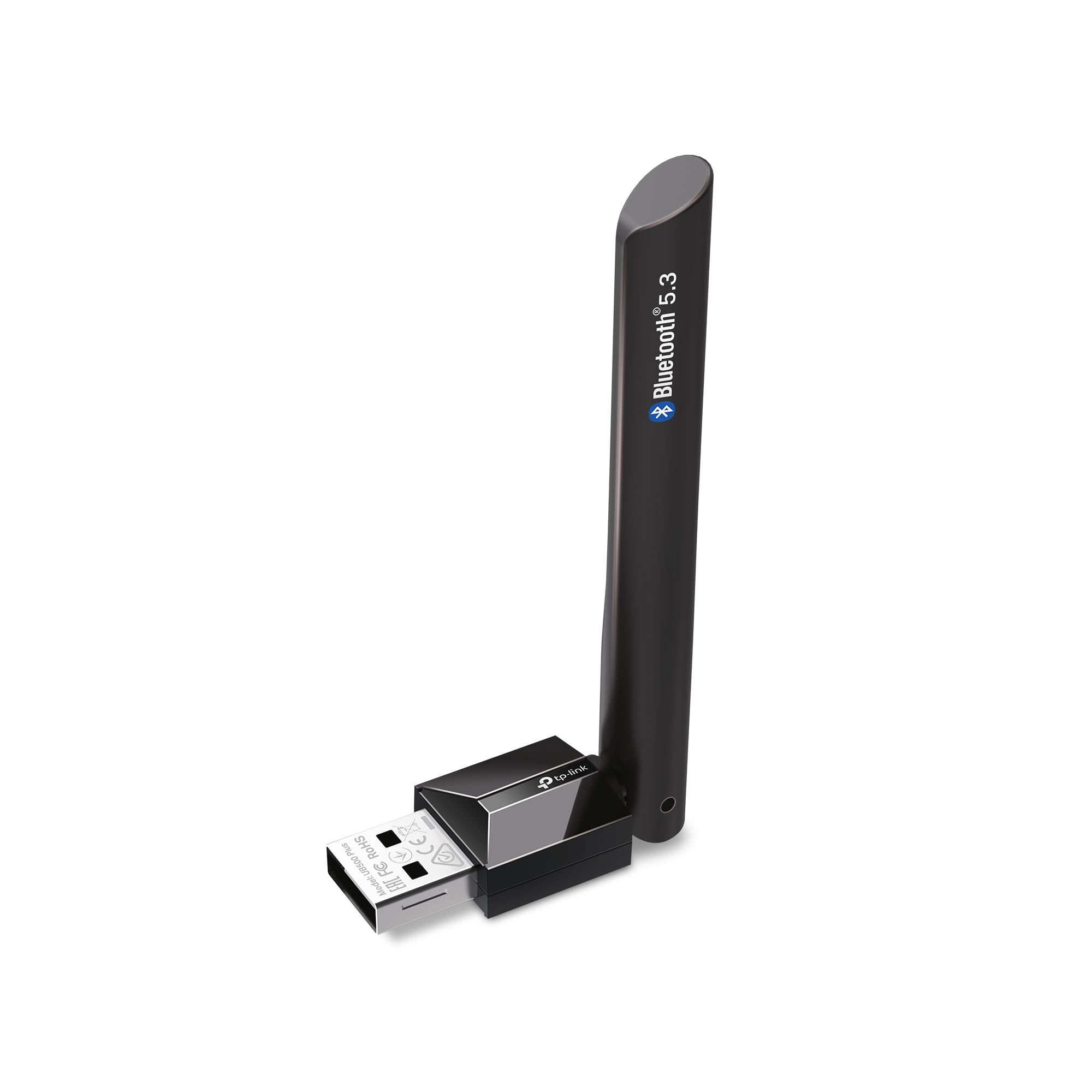
- An adjustable, multidirectional antenna that can be rotated to change its position.
- Bluetooth Low Energy support alongside Enhanced Data Rate.

Pros
- Newer Bluetooth support is paired with compatibility across several older Bluetooth versions.
- The adjustable antenna gives users a way to change its orientation around a desktop or laptop.
Consider before buying
- Windows 7 requires a separate driver download, so setup is less immediate on that operating system.
- The speed and coverage figures are maximum comparisons with Bluetooth 4.0, not a guarantee of results in every room or computer setup.
Read the full review summary
The UB500 Plus combines Bluetooth 5.3 with backward compatibility for versions 4.2, 4.0, 3.0, 2.1, 2.0, and 1.1.
Its adjustable multidirectional antenna is the key design distinction: you can rotate it to suit the computer’s position and surrounding setup, which may be useful when a desktop is tucked under a desk or near other equipment.
It is aimed at Windows users adding wireless peripherals such as keyboards and mice, as well as other Bluetooth devices.
Windows 8.1, 10, and 11 are described as plug-and-play when the computer is connected to the internet; Windows 7 requires a driver.
Buyers should weigh that setup distinction and the antenna’s physical adjustability against a simpler micro adapter if minimal size is the priority.
The buying factors
TP-Link UB500 Plus Scorecard
Editorial scores reflect listed features and buyer fit; they are not laboratory measurements or customer ratings.
Bluetooth version support
Bluetooth 5.3 support and compatibility back through version 1.1 give it a broad stated range for newer and older devices.
Antenna flexibility
The multidirectional antenna can be rotated and adjusted to suit different computer positions and surroundings.
Windows setup
Plug-and-play is specified for Windows 8.1, 10, and 11 with an internet connection; Windows 7 needs a downloaded driver.
Power-conscious connectivity
The product combines Enhanced Data Rate with Bluetooth Low Energy technology, a useful mix for data transfer and lower power operation.
Range and speed claims
The description gives relative maximum improvements over Bluetooth 4.0, but actual results will depend on the setup and environment.
Compactness
An adjustable antenna offers positioning flexibility, though buyers seeking the smallest possible USB adapter may prefer a micro-style design.
Key Features and Specifications of TP-Link UB500 Plus
- Bluetooth 5.3 with Enhanced Data Rate technology.
- Backward compatibility with Bluetooth 4.2, 4.0, 3.0, 2.1, 2.0, and 1.1.
- An adjustable, multidirectional antenna that can be rotated to change its position.
- Bluetooth Low Energy support alongside Enhanced Data Rate.
- The manufacturer describes speed up to twice and coverage up to four times that of Bluetooth 4.0.
- Plug-and-play setup for Windows 8.1, 10, and 11 when the computer is connected to the internet; Windows 7 requires a driver.
Pros and Cons of TP-Link UB500 Plus
Pros
- Newer Bluetooth support is paired with compatibility across several older Bluetooth versions.
- The adjustable antenna gives users a way to change its orientation around a desktop or laptop.
- Bluetooth Low Energy and Enhanced Data Rate are both included.
- The setup path is straightforward for supported Windows versions when internet access is available.
Consider before buying
- Windows 7 requires a separate driver download, so setup is less immediate on that operating system.
- The speed and coverage figures are maximum comparisons with Bluetooth 4.0, not a guarantee of results in every room or computer setup.
- The adjustable antenna may be less appealing to buyers who value a tiny, low-profile USB adapter above positioning flexibility.
Who Should Buy TP-Link UB500 Plus?
Good fit
Consider the TP-Link UB500 Plus if you need to add Bluetooth to a Windows desktop or laptop and want support for both recent and older Bluetooth devices.
The antenna is especially relevant if the computer’s USB port is awkwardly positioned or the machine sits in a confined spot; its adjustable design lets you try different orientations rather than leaving the adapter fixed in one direction.
It also makes sense for a PC that will connect to a mix of peripherals, such as a keyboard and mouse, while retaining support for other Bluetooth versions.
Before choosing it, confirm that your Windows version matches the setup you expect: Windows 8.1, 10, and 11 are described as plug-and-play with an internet connection, while Windows 7 needs a driver.
Treat the quoted speed and coverage improvements as design targets, not a promise that every device or room will see the same change.
If your current Bluetooth connection is unreliable, consider whether the computer’s placement and the adapter’s orientation are part of the problem; the repositionable antenna gives you a practical adjustment to try.
Who should skip it
Skip it if your main goal is the smallest possible adapter and you do not expect to benefit from repositioning an antenna.
A micro adapter may better suit a setup where a low-profile form is more important than antenna adjustment.
If you use Windows 7 and want a driver-free setup, this is not the most convenient match because that operating system requires a driver download. Check that process before buying if installing a driver would be a hurdle.
TP-Link UB500 Plus: What Its Design Means for a PC Setup
Antenna placement in real desktop layouts
A USB adapter’s position can be constrained by where the computer sits and which port is practical to use.
The UB500 Plus’s rotating multidirectional antenna gives you room to adjust its orientation, which may help you find a more suitable arrangement without moving the whole computer.
That flexibility is a design advantage, not a guarantee of a particular connection distance.
Bluetooth version compatibility
Bluetooth 5.3 support alongside versions 4.2 through 1.1 is useful when a PC needs to work with devices from different generations.
This makes the adapter a plausible general-purpose add-on for a household or workstation with a mixture of newer and older peripherals, though individual device compatibility still depends on the devices involved.
Power and data-transfer features
Enhanced Data Rate and Bluetooth Low Energy address different aspects of wireless use: data transfer and power-conscious operation.
Their inclusion broadens the adapter’s stated feature set for peripheral connections, but the product information does not specify performance for any particular device or workload.
Setup depends on the Windows version
Windows 8.1, 10, and 11 are described as plug-and-play when the PC has internet access, while Windows 7 requires a driver from the manufacturer’s website.
That makes the operating system and access to an internet-connected computer practical checks to make before purchase, especially if the adapter is intended for an older desktop.
Alternatives to TP-Link UB500 Plus
One supplied alternative offers a useful micro-format comparison; no second competing adapter is recommended here.
Bluetooth Network Adapters alternative
3,000+ ratings
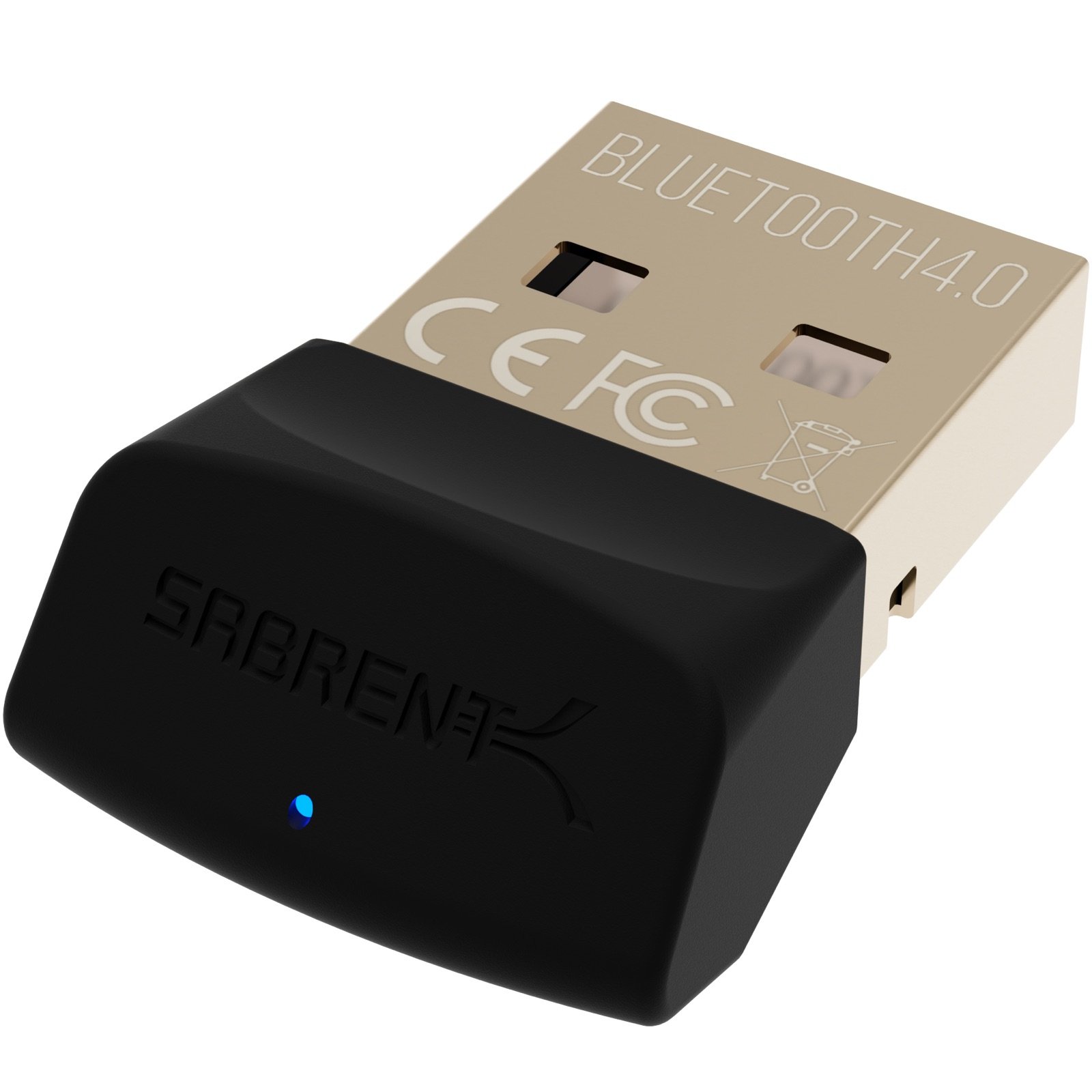
Read Amazon ReviewsSABRENT BT-UB40 USB Bluetooth 4.0 Micro Adapter
Choose the TP-Link if newer Bluetooth support and antenna positioning matter to your setup.
Consider the SABRENT if a micro form and Bluetooth 4.0 Low Energy feature set are a closer fit for the computer and peripherals you plan to connect.
- The SABRENT BT-UB40 is a micro adapter built around Bluetooth 4.0 Class 2 with Low Energy technology and compatibility with versions 3.0, 2.1, 2.0, and 1.1.
- The TP-Link UB500 Plus offers Bluetooth 5.3, a repositionable multidirectional antenna, and support for several earlier Bluetooth versions.
Is TP-Link UB500 Plus Worth It?
The TP-Link UB500 Plus is worth considering when you want to add Bluetooth to a Windows PC and value a broad range of supported versions plus an antenna you can reposition.
Its clearest practical strengths are setup for recent Windows versions and the flexibility to adjust antenna orientation.
Check the operating-system requirement before buying, especially if you use Windows 7, and keep the maximum speed and coverage comparisons in perspective.
If a compact micro adapter matters more than antenna flexibility, the SABRENT is a relevant alternative; otherwise, the UB500 Plus is a well-featured option for a flexible desktop or laptop Bluetooth upgrade.
Your review at a glance
1,000+ ratings
Read Amazon ReviewsTP-Link UB500 Plus
A useful fit for Windows desktop and laptop owners who want a Bluetooth upgrade with a repositionable antenna and broad legacy-device support.
- Bluetooth 5.3 with Enhanced Data Rate technology.
- Backward compatibility with Bluetooth 4.2, 4.0, 3.0, 2.1, 2.0, and 1.1.
- An adjustable, multidirectional antenna that can be rotated to change its position.
- Bluetooth Low Energy support alongside Enhanced Data Rate.