The TP-Link Tri-Band BE9700 WiFi 7 Router review centers on the Archer BE600’s mix of three wireless bands, Wi-Fi 7 features, and multi-gigabit wired connections.
It is designed for homes with newer devices, demanding network use, and more than one wired device that can benefit from faster ports.
Archer BE600 Review Summary
The quick verdict
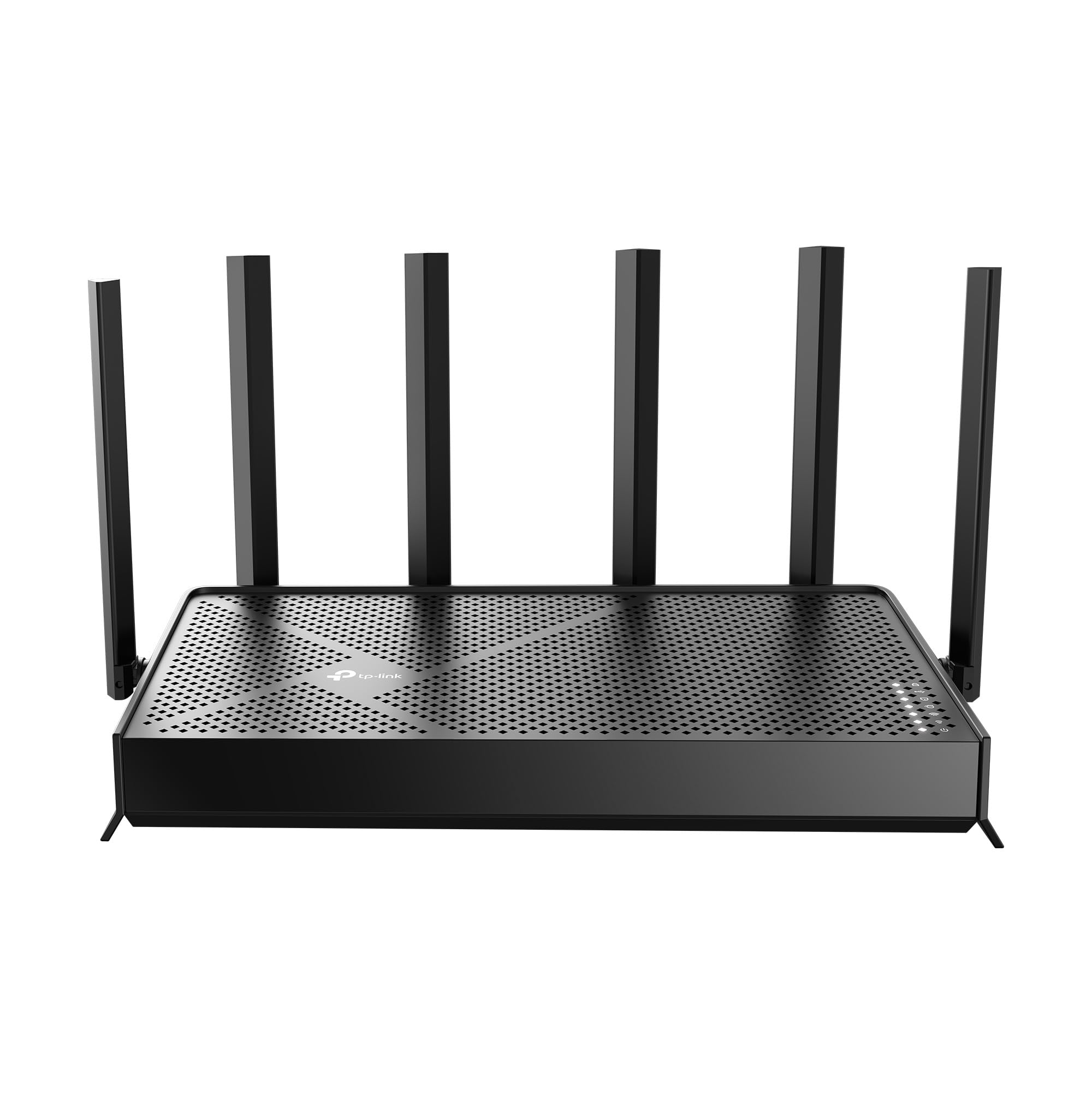
600+ ratings
Read Amazon ReviewsTP-Link Archer BE600
A strong fit for households upgrading to Wi-Fi 7, with a 6 GHz band, multiple multi-gigabit ports, and coverage designed for larger homes.
- Tri-band Wi-Fi 7 with maximum listed rates of up to 5,765 Mbps on 6 GHz, 2,882 Mbps on 5 GHz, and 1,032 Mbps on 2.4 GHz.
- Wi-Fi 7 functions include Multi-Link Operation, Multi-RUs, 4K-QAM, and channels up to 320 MHz.
- Six antennas and beamforming are designed for coverage up to 2,600 square feet and up to 120 devices.
- Port selection: one 10 Gbps WAN/LAN, one 2.5 Gbps WAN/LAN, and three 2.5 Gbps LAN ports.

Pros
- Three bands include 6 GHz, giving compatible Wi-Fi 7 devices access to the newer band.
- Five multi-gigabit Ethernet ports offer flexibility for fast internet service and wired network equipment.
Consider before buying
- The highest wireless rates and Wi-Fi 7 features depend on compatible client devices; older devices may not benefit from all of them.
- Maximum rates and coverage are design figures, so room layout, walls, distance, and client hardware affect what a household experiences.
Read the full review summary
The Archer BE600 combines a 6 GHz band with 5 GHz and 2.4 GHz, and supports Wi-Fi 7 features including Multi-Link Operation, Multi-RUs, 4K-QAM, and channels up to 320 MHz.
Its listed maximum wireless rates add up to the BE9700 class, while the six antennas and beamforming are intended to support coverage across spaces up to 2,600 square feet and as many as 120 devices.
Its wired layout is a notable part of the appeal: one 10 Gbps WAN/LAN port, one 2.5 Gbps WAN/LAN port, and three 2.5 Gbps LAN ports give a multi-gig setup more room than a router with only one faster Ethernet connection.
The design suits homes pairing a multi-gig modem or service with compatible Wi-Fi 7 clients, several wired systems, and network management needs such as parental controls or VPN access.
The buying factors
Archer BE600 Scorecard
Editorial scores reflect listed features and buyer fit; they are not laboratory measurements or customer ratings.
Wi-Fi 7 feature set
Includes a 6 GHz band, MLO, Multi-RUs, 4K-QAM, and channel widths up to 320 MHz.
Tri-band flexibility
Three bands give compatible devices access to 6 GHz as well as 5 GHz and 2.4 GHz.
Multi-gig wired options
The 10 Gbps and four 2.5 Gbps ports support a range of multi-gig WAN and LAN arrangements.
Stated coverage and capacity
The design is specified for up to 2,600 square feet and 120 devices; real coverage depends on the home and placement.
Network management
Tether app or web setup, HomeShield functions, and VPN client and server support cover useful household controls.
Fit for older devices
The listed wireless features target Wi-Fi 7, while buyers should confirm compatibility and expected benefit for their own devices.
Key Features and Specifications of Archer BE600
- Tri-band Wi-Fi 7 with maximum listed rates of up to 5,765 Mbps on 6 GHz, 2,882 Mbps on 5 GHz, and 1,032 Mbps on 2.4 GHz.
- Wi-Fi 7 functions include Multi-Link Operation, Multi-RUs, 4K-QAM, and channels up to 320 MHz.
- Six antennas and beamforming are designed for coverage up to 2,600 square feet and up to 120 devices.
- Port selection: one 10 Gbps WAN/LAN, one 2.5 Gbps WAN/LAN, and three 2.5 Gbps LAN ports.
- HomeShield offers network protection, parental controls, and IoT security features.
- VPN client and server support, with simultaneous VPN and regular internet connections.
- Setup and management through the Tether app for Android or iOS, or a web interface.
Pros and Cons of Archer BE600
Pros
- Three bands include 6 GHz, giving compatible Wi-Fi 7 devices access to the newer band.
- Five multi-gigabit Ethernet ports offer flexibility for fast internet service and wired network equipment.
- The stated coverage and device capacity make it a candidate for larger, busy households.
- App and web management, parental controls, IoT security features, and VPN support add practical network options.
Consider before buying
- The highest wireless rates and Wi-Fi 7 features depend on compatible client devices; older devices may not benefit from all of them.
- Maximum rates and coverage are design figures, so room layout, walls, distance, and client hardware affect what a household experiences.
- The port arrangement requires planning: the 10 Gbps and 2.5 Gbps WAN/LAN ports can serve different roles, so check how they fit the modem and wired devices you intend to connect.
Who Should Buy Archer BE600?
Good fit
Consider the Archer BE600 if your home is moving to Wi-Fi 7 and you want a tri-band router with a dedicated 6 GHz option alongside 5 GHz and 2.4 GHz.
MLO, Multi-RUs, 4K-QAM, and channels up to 320 MHz give compatible devices access to the newer Wi-Fi 7 feature set, while the stated capacity is aimed at a home with many connected devices.
It is especially worth considering when wired networking matters alongside wireless upgrades.
The 10 Gbps WAN/LAN connection and four 2.5 Gbps ports can accommodate multi-gig internet and several compatible wired devices; before buying, map your modem, switch, and key equipment to the port roles you need.
The Tether app and web interface provide setup and management choices, while HomeShield functions and VPN client/server support may suit households that want more control over network access.
Review the specific controls and VPN modes you need before relying on them for a particular setup.
Who should skip it
Skip it if your current devices and internet connection are well served by a simpler, lower-speed network and you have no near-term plan to add Wi-Fi 7 clients or multi-gig wired equipment.
Much of the router’s design is directed at those upgrades.
If you need reliable signal in a home with difficult walls, multiple floors, or distant rooms, compare your floor plan with the stated coverage and consider whether a single-router layout is appropriate.
The coverage figure is an upper limit, not a guarantee for every home.
How the Archer BE600 fits a Wi-Fi 7 home
Three bands and Wi-Fi 7 features
The three-band layout gives compatible devices a 6 GHz option while retaining 5 GHz and 2.4 GHz.
MLO is intended to combine multiple bands into one connection, and Multi-RUs and 4K-QAM are part of the Wi-Fi 7 feature set; the benefit depends on compatible client devices and network conditions.
The listed per-band rates are maximums, not a promise that one device will reach their combined total.
A useful wired foundation
The combination of one 10 Gbps WAN/LAN port, one 2.5 Gbps WAN/LAN port, and three 2.5 Gbps LAN ports gives this router several ways to connect multi-gig equipment.
Check the speed of your modem or service, and decide which devices need the faster LAN links, before settling on a layout. That practical planning helps determine whether the port mix is useful for your home.
Coverage claims and home layout
The six antennas and beamforming are intended to focus wireless signals toward harder-to-cover areas, with coverage specified up to 2,600 square feet and support for up to 120 devices.
Those figures describe the product’s intended scale, while distance, obstacles, router position, and client hardware affect results. A floor plan with several levels or substantial obstructions deserves particular attention when deciding whether one router is enough.
Controls, security, and VPN use
HomeShield includes network protection, parental control, and IoT security features, and VPN client and server support adds another management option.
The client function can let home devices use a remote VPN without separate VPN software on each one, while the product description also specifies simultaneous VPN and regular internet connections.
Buyers should confirm that the VPN behavior and controls align with their intended household setup.
Alternatives to Archer BE600
Computer Routers alternative
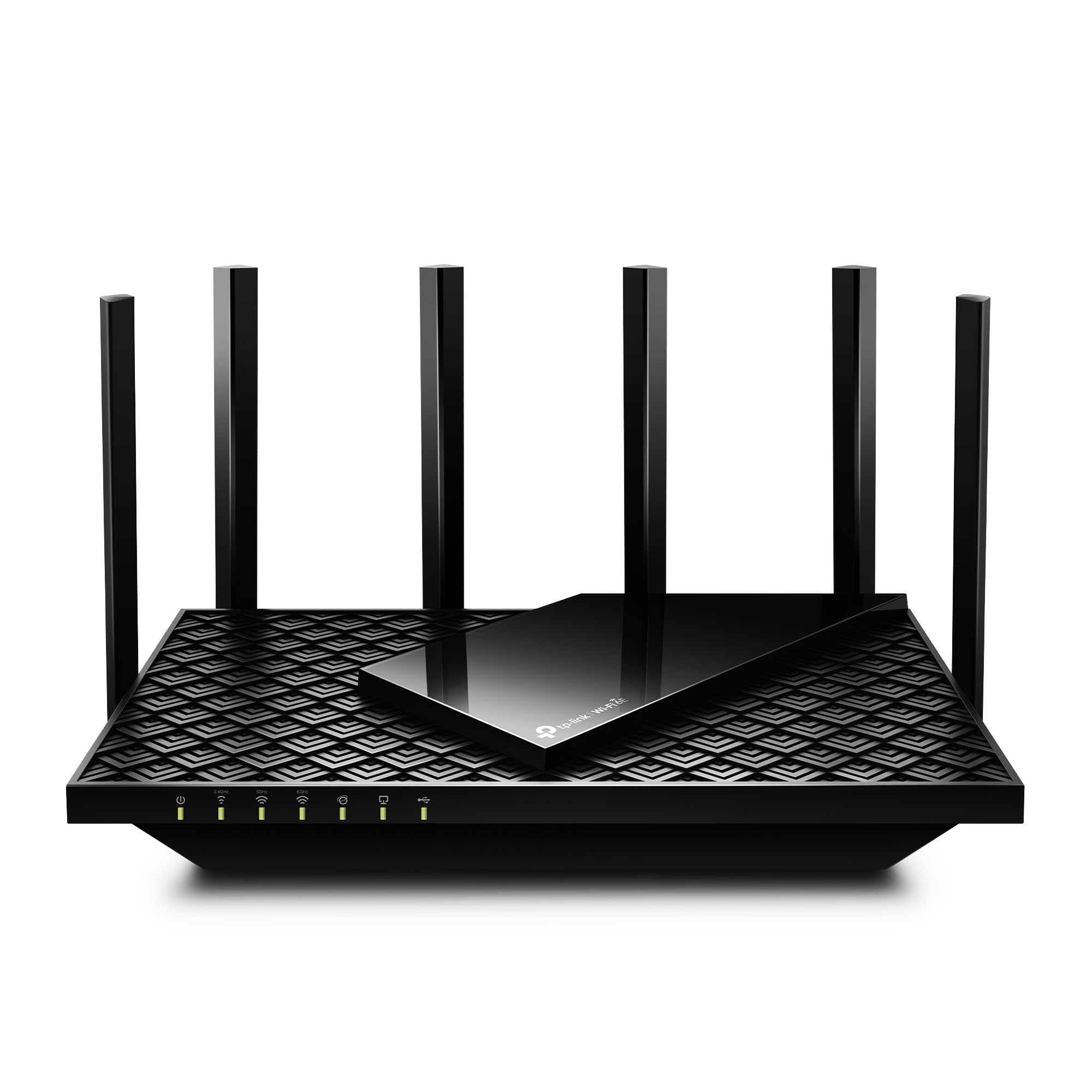
5,000+ ratings
Read Amazon ReviewsTP-Link Archer AXE75
Choose the Archer BE600 if you want Wi-Fi 7 features and several multi-gigabit wired connections.
The AXE75 is a more appropriate fit if Wi-Fi 6E meets your needs and OneMesh extender compatibility matters more than the BE600’s newer wireless features and broader multi-gig port selection.
- The Archer AXE75 is a tri-band Wi-Fi 6E router with up to 5,400 Mbps combined listed wireless speed, a 2.5 Gbps WAN port, OneMesh support, VPN client/server functions, and HomeShield features.
- The Archer BE600 is a tri-band Wi-Fi 7 router with a 6 GHz band, channels up to 320 MHz, a 10 Gbps port, and four 2.5 Gbps ports.
Computer Routers alternative
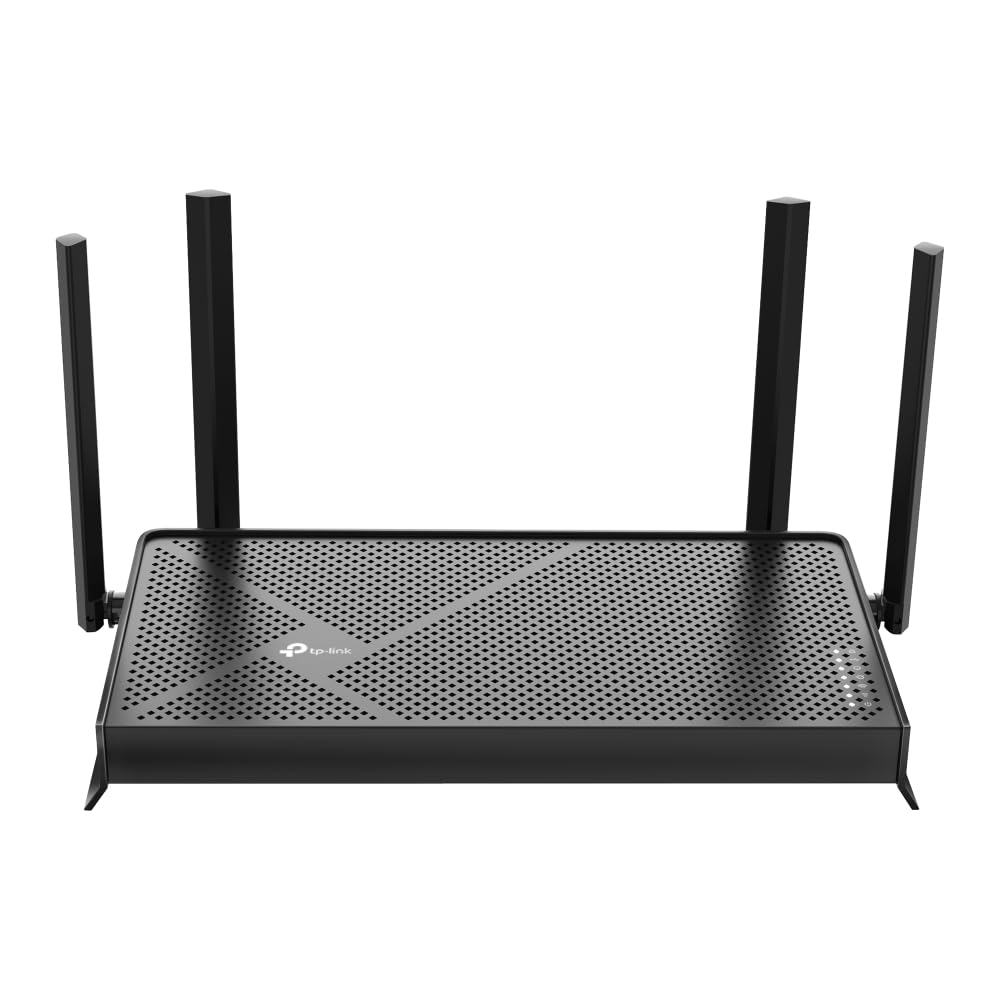
1,000+ ratings
Read Amazon ReviewsTP-Link Archer BE230
The BE600 is the stronger match if you specifically want a 6 GHz band, higher stated coverage and device capacity, or more multi-gigabit wired ports.
The BE230 may suit a household that wants Wi-Fi 7 and EasyMesh compatibility but does not need 6 GHz or as many faster Ethernet connections.
- The Archer BE230 is a dual-band Wi-Fi 7 router without 6 GHz, with listed maximum rates up to 2,882 Mbps on 5 GHz and 688 Mbps on 2.4 GHz.
- It has one 2.5 Gbps WAN/LAN port, one 2.5 Gbps LAN port, three 1 Gbps LAN ports, and EasyMesh support.
- The Archer BE600 is tri-band, includes 6 GHz, and is specified for up to 2,600 square feet and 120 devices.
Is Archer BE600 Worth It?
The TP-Link Archer BE600 is worth considering for a home deliberately upgrading to Wi-Fi 7 and multi-gigabit networking.
Its tri-band design, 6 GHz support, and broad multi-gig port selection make it particularly relevant when wireless and wired devices are being upgraded together.
Buy it if those capabilities match your client devices, internet service, and room layout.
If your current setup cannot use the newer Wi-Fi features or multi-gig ports, the router’s design may be more than your household needs; treat its coverage and speed figures as maximums rather than guaranteed results.
Your review at a glance
600+ ratings
Read Amazon ReviewsTP-Link Archer BE600
A strong fit for households upgrading to Wi-Fi 7, with a 6 GHz band, multiple multi-gigabit ports, and coverage designed for larger homes.
- Tri-band Wi-Fi 7 with maximum listed rates of up to 5,765 Mbps on 6 GHz, 2,882 Mbps on 5 GHz, and 1,032 Mbps on 2.4 GHz.
- Wi-Fi 7 functions include Multi-Link Operation, Multi-RUs, 4K-QAM, and channels up to 320 MHz.
- Six antennas and beamforming are designed for coverage up to 2,600 square feet and up to 120 devices.
- Port selection: one 10 Gbps WAN/LAN, one 2.5 Gbps WAN/LAN, and three 2.5 Gbps LAN ports.