The SABRENT 10-Port Powered USB 3.0 Hub review is most relevant if your computer setup needs more room for drives and peripherals, plus charging ports for portable devices.
Its individual switches and included power adapter make it a desktop-oriented option for keeping several connections together.
SABRENT 10-Port Hub Review Summary
The quick verdict
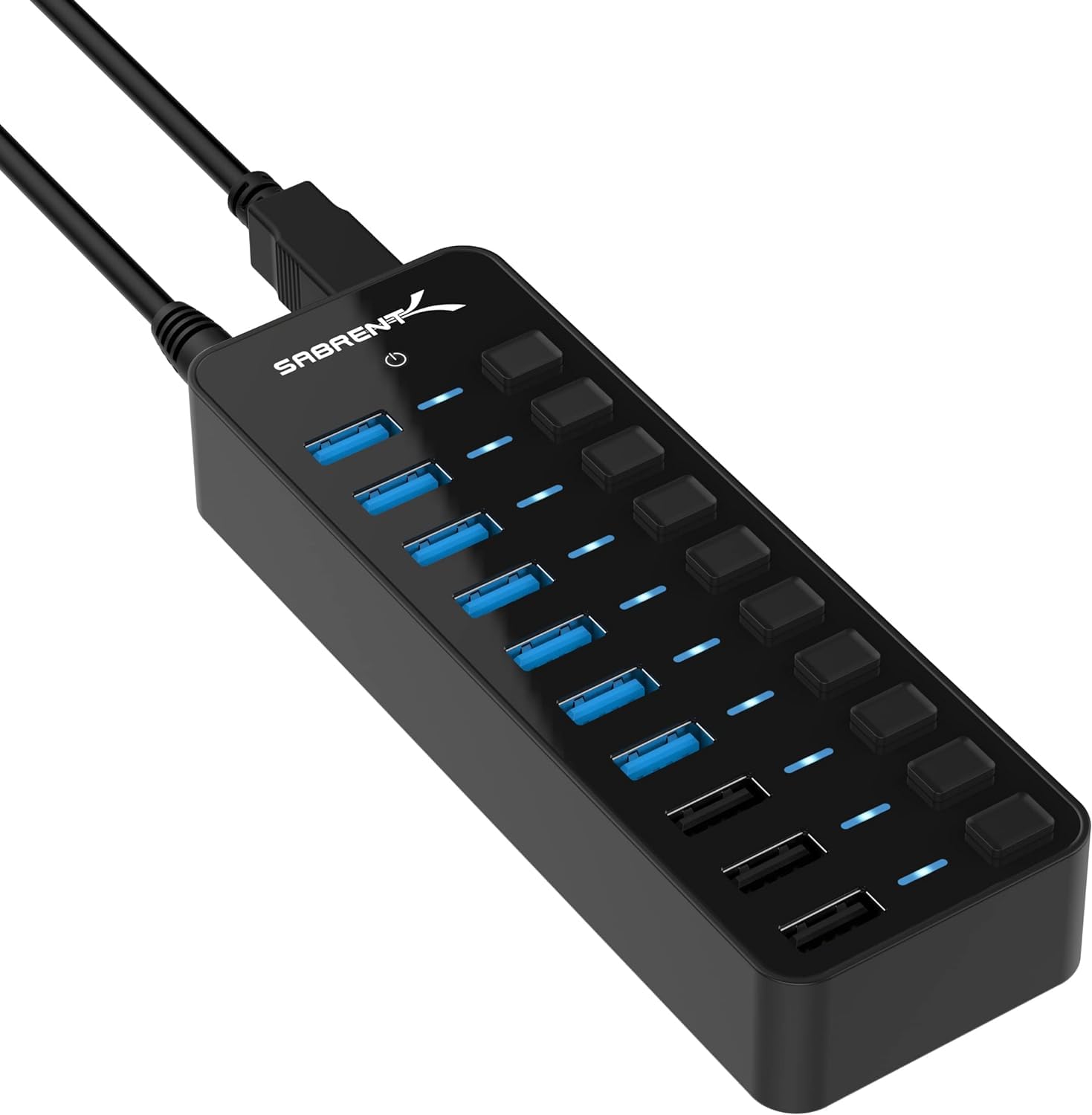
6,000+ ratings
Read Amazon ReviewsSABRENT 10-Port Powered USB 3.0 Hub
A powered desktop hub for people managing several USB peripherals, with individual port switches and three dedicated charging ports.
- Ten total ports: seven USB 3.0 ports for data and three dedicated charging ports.
- USB 3.0 data transfer speeds up to 5Gbps.
- Three charging ports auto-detect connected devices and deliver up to 2.4A per port.
- Includes a 60W, 12V/5A power adapter.

Pros
- Offers a high number of connections, including distinct data and charging ports.
- Individual switches let you manage port power without repeatedly unplugging devices.
Consider before buying
- Only seven of the ten ports are USB 3.0 data ports; the other three are dedicated charging ports.
- The 60W adapter and multi-port layout make this more suited to a desk than a minimal travel kit.
Read the full review summary
This hub combines seven USB 3.0 data connections with three dedicated charging ports, giving a desk setup separate places for computer peripherals and USB-powered devices.
Data ports support transfer speeds up to 5Gbps, while each port has its own switch and LED indicator for at-a-glance control.
It is a fit for users who keep multiple accessories connected and want a powered hub with straightforward port-level control.
The three charging ports can deliver up to 2.4A each, and the included 60W, 12V/5A adapter is intended to supply power across the hub.
Buyers should distinguish the seven data ports from the three charging ports when planning which devices to connect.
The buying factors
SABRENT 10-Port Hub Scorecard
Editorial scores reflect listed features and buyer fit; they are not laboratory measurements or customer ratings.
Data connectivity
Seven USB 3.0 ports provide room for multiple data peripherals, with speeds up to 5Gbps.
Charging flexibility
Three dedicated charging ports offer up to 2.4A per port for compatible USB-powered devices.
Port control
An individual switch and LED indicator on every port make connections easier to manage.
Power setup
A 60W 12V/5A adapter is included, so the design does not rely solely on the computer's USB port for power.
Compatibility
Plug-and-play support is listed for Windows, macOS, and Linux, with no drivers required.
Desk suitability
The powered, multi-port layout suits a permanent workstation, though buyers should confirm that their desk has room and a nearby outlet.
Key Features and Specifications of SABRENT 10-Port Hub
- Ten total ports: seven USB 3.0 ports for data and three dedicated charging ports.
- USB 3.0 data transfer speeds up to 5Gbps.
- Three charging ports auto-detect connected devices and deliver up to 2.4A per port.
- Includes a 60W, 12V/5A power adapter.
- Each port has an individual power switch and LED status indicator.
- Plug-and-play compatibility with Windows, macOS, and Linux; no drivers required.
Pros and Cons of SABRENT 10-Port Hub
Pros
- Offers a high number of connections, including distinct data and charging ports.
- Individual switches let you manage port power without repeatedly unplugging devices.
- LED indicators make the port control state easier to see.
- The included power adapter supports a powered desktop setup.
- The stated operating-system support covers Windows, macOS, and Linux.
Consider before buying
- Only seven of the ten ports are USB 3.0 data ports; the other three are dedicated charging ports.
- The 60W adapter and multi-port layout make this more suited to a desk than a minimal travel kit.
- The 2.4A figure is an upper limit per charging port, so check the needs of devices you plan to charge.
Who Should Buy SABRENT 10-Port Hub?
Good fit
Consider the SABRENT 10-Port Powered USB 3.0 Hub if your computer regularly uses several USB accessories and you want them collected in one powered hub.
Seven data ports can accommodate a mix of drives and other peripherals, while the three dedicated charging ports give phones, tablets, or similar USB-powered devices their own connections.
The per-port switches are useful when you want to control attached devices individually instead of disconnecting cables. LEDs add a quick visual status cue, and the included adapter means you can plan around a powered desk setup.
Before buying, count the devices that need data connections separately from those that only need charging.
It also makes sense for a shared or frequently reconfigured workstation: switching a port off can simplify device management between uses.
Check that your planned devices are compatible with the hub's USB connections and that the adapter can be placed conveniently near the work area.
Who should skip it
Skip this design if you need more than seven USB data connections; its three remaining ports are dedicated to charging.
If your setup only needs one or two extra ports or must stay especially compact, a ten-port powered hub may be more than you need.
Buyers who need a specific charging rate beyond the stated maximum of 2.4A per port should check that requirement against their devices before choosing.
How the SABRENT 10-Port Hub fits a busy desk
Separate data and charging duties
The port mix is central to choosing this hub.
Seven ports handle USB 3.0 data, while three are described as dedicated charging ports, so a buyer with many drives or input devices should count only the seven data connections toward that need.
The charging ports are better viewed as a separate convenience for USB-powered devices.
Port switches can simplify device management
Individual power switches give each port a control point, and the matching LEDs provide a visible status indicator.
This is useful when a setup includes accessories that do not need to remain powered all the time, or when you want to isolate one connection without disturbing the others.
A powered layout for a workstation
The included 60W, 12V/5A adapter makes this a powered hub intended to serve a multi-device setup.
Its value depends on having a convenient place for both the hub and adapter; buyers arranging a small mobile kit may prefer a simpler, more portable form factor.
Check charging needs before connecting
Each of the three dedicated charging ports can deliver up to 2.4A, which offers a useful reference when matching the hub to phones, tablets, and other USB-powered devices.
Because the figure is a maximum, verify that it suits the charging expectations of the devices you plan to use.
Alternatives to SABRENT 10-Port Hub
USB Hubs alternative
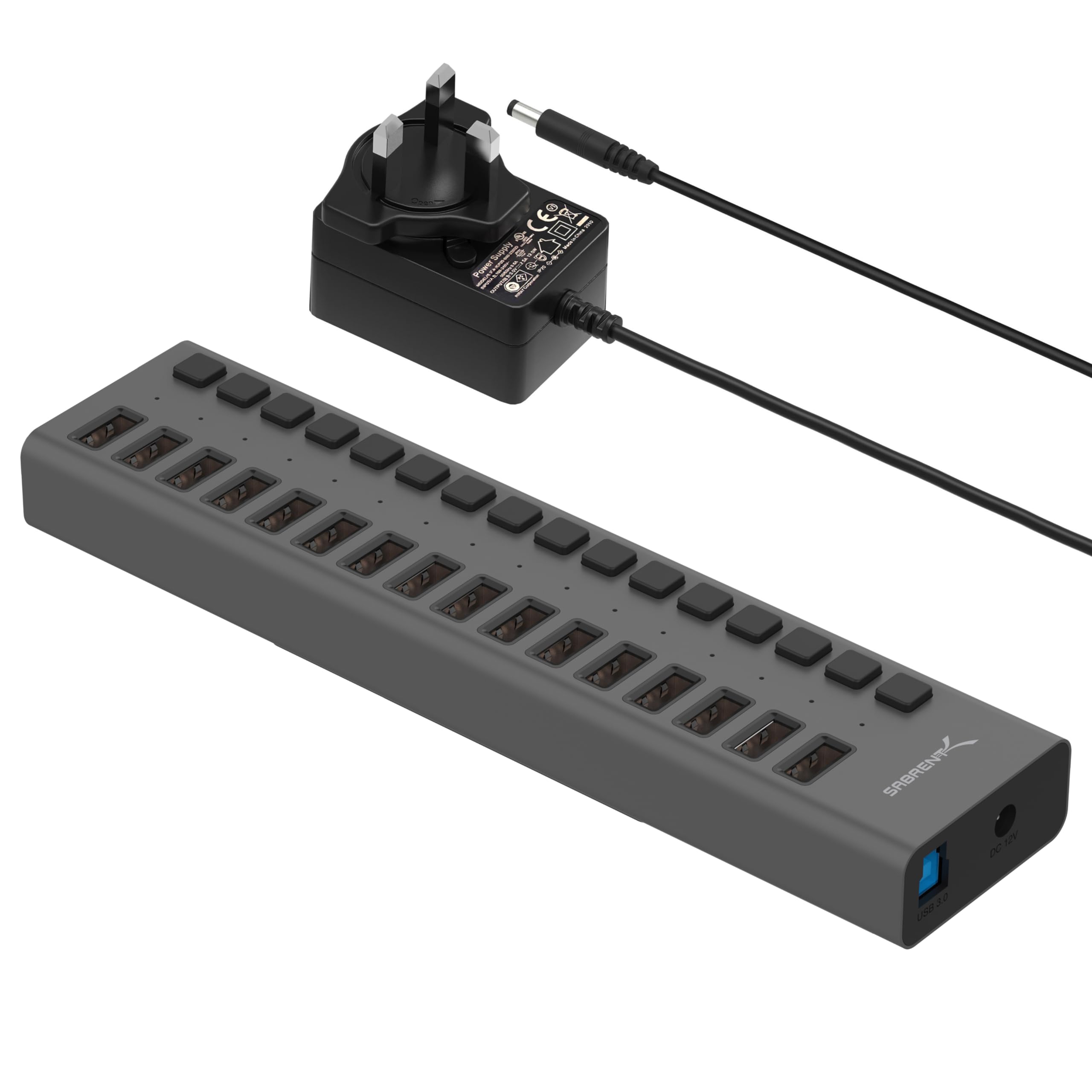
1,000+ ratings
Read Amazon ReviewsSABRENT 16-Port USB 3.0 Data Hub and Charger (HB-PU16)
Choose the 16-Port model if the priority is more USB 3.0 connections for data peripherals. The 10-Port Hub is a closer fit if three dedicated charging ports and per-port switches are more useful to your desk routine.
- The 16-Port model provides 16 USB 3.0 downstream ports, individual power-status LEDs, and data speeds up to 5Gbps; its description also says it supports USB 2.0 and USB 1.1.
- The 10-Port Hub offers seven USB 3.0 data ports, three dedicated charging ports, individual switches, and a 60W adapter.
USB Hubs alternative
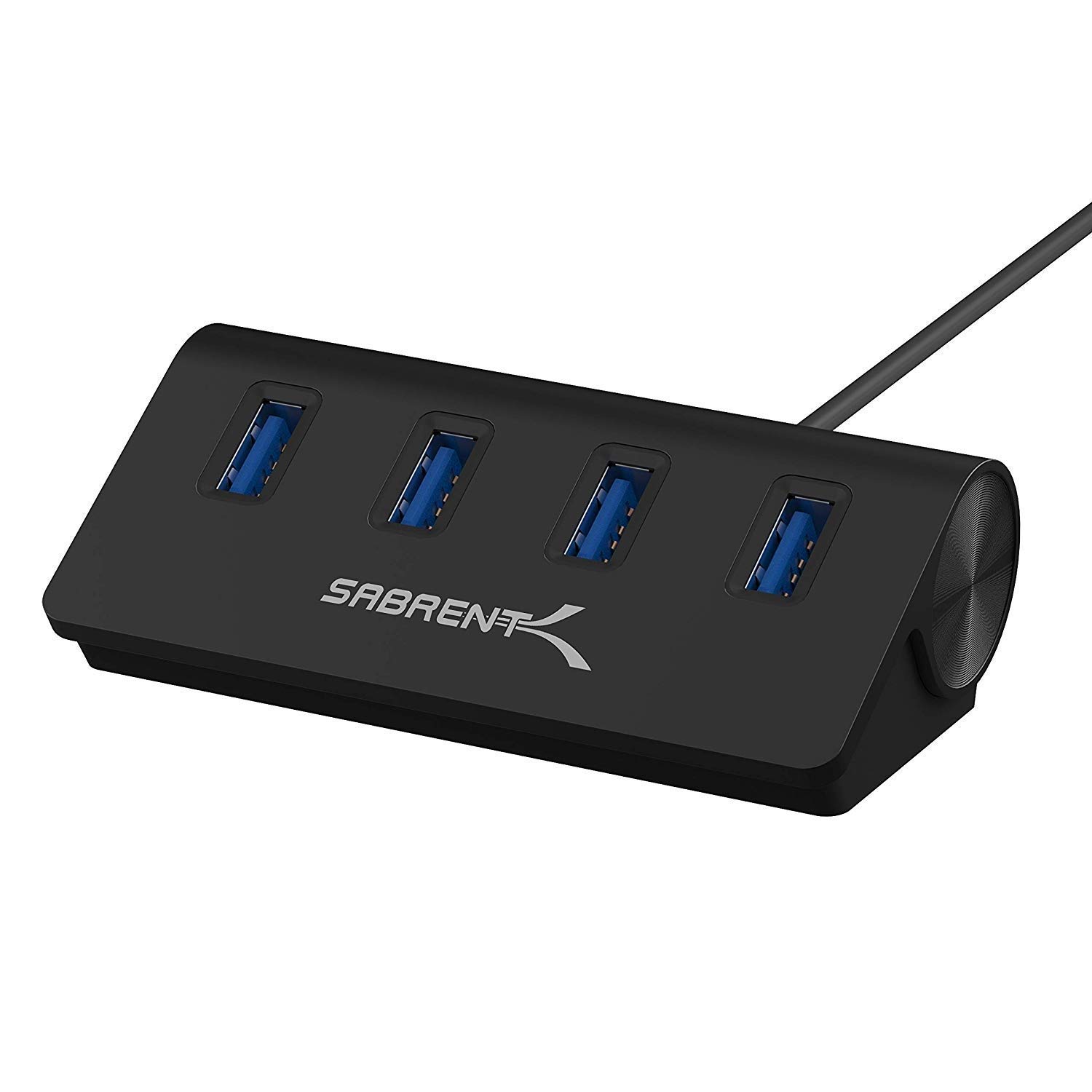
2,000+ ratings
Read Amazon ReviewsSABRENT 4-Port USB 3.0 Hub (HB-MC3B)
Choose the 4-Port model if you only need a small number of extra data connections and prefer a simpler hub. The 10-Port Hub better matches a desk that needs more connections and dedicated charging ports.
- The 4-Port model adds four USB 3.0 ports and supports transfer speeds up to 5Gbps; its description also lists backward compatibility with USB 2.0 and USB 1.1.
- The 10-Port Hub is a powered layout with seven data ports and three separate charging ports, plus individual switches and LEDs.
Is SABRENT 10-Port Hub Worth It?
The SABRENT 10-Port Powered USB 3.0 Hub is worth considering for a busy desktop setup that needs several data connections, separate charging ports, and individual port controls.
Its seven USB 3.0 data ports and three charging ports make the port count useful, as long as those roles match your device mix.
Count data peripherals separately from charging devices, check that up to 2.4A per charging port suits your needs, and plan space for the included adapter.
If those conditions fit your desk, this hub offers a practical way to organize a broad set of USB connections.
Your review at a glance
6,000+ ratings
Read Amazon ReviewsSABRENT 10-Port Powered USB 3.0 Hub
A powered desktop hub for people managing several USB peripherals, with individual port switches and three dedicated charging ports.
- Ten total ports: seven USB 3.0 ports for data and three dedicated charging ports.
- USB 3.0 data transfer speeds up to 5Gbps.
- Three charging ports auto-detect connected devices and deliver up to 2.4A per port.
- Includes a 60W, 12V/5A power adapter.