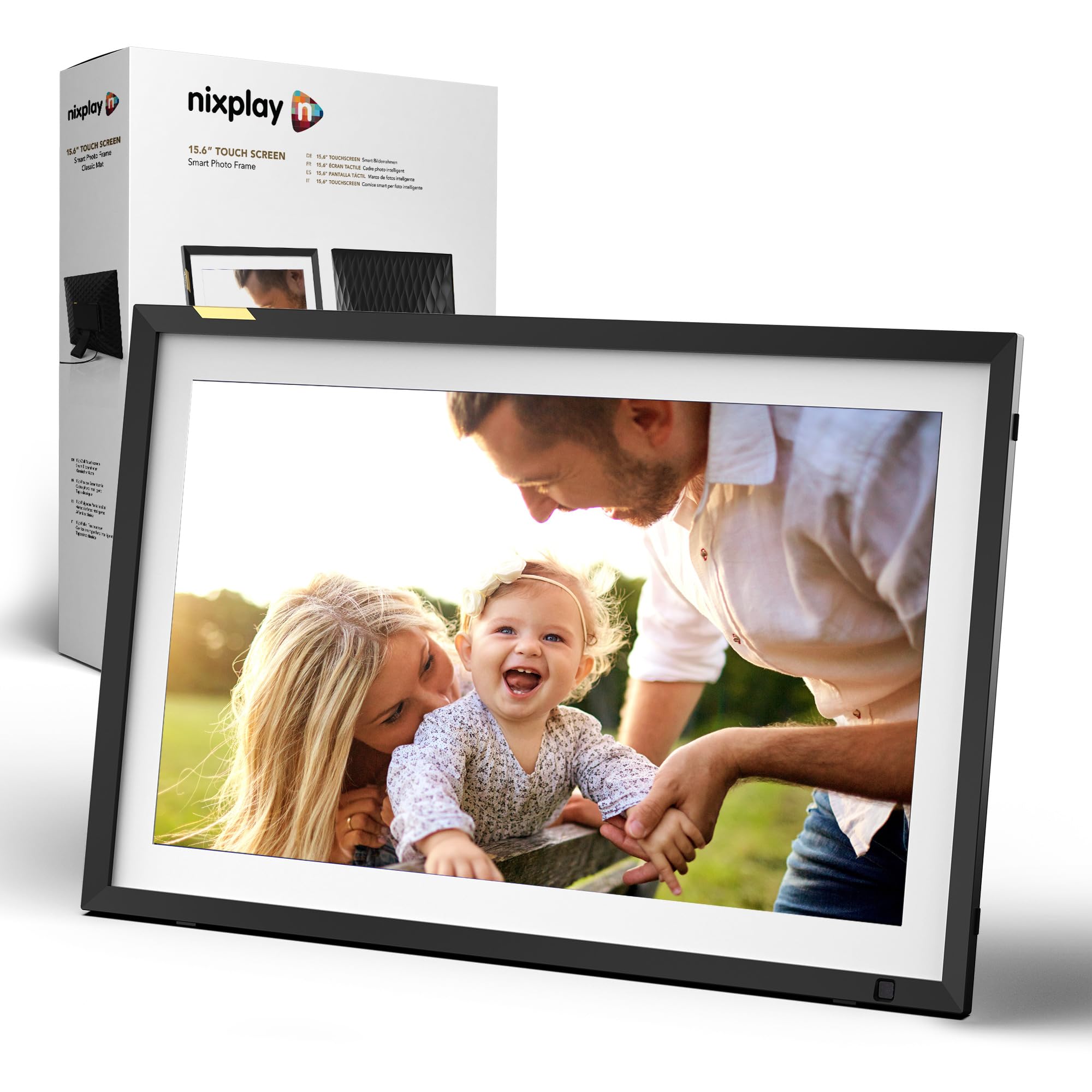
The Nixplay 15.6-inch Digital Frame is designed to make sharing family photos a connected, ongoing routine rather than a one-time transfer.
This nixplay digital frame review looks at how its app-based contributions, broad photo-source support, and subscription caveat fit different households.
Nixplay Frame Review Summary
The quick verdict
21,000+ ratings
Read Amazon ReviewsNixplay 15.6-inch Digital Frame
A Wi-Fi frame for families who want to share photos from phones, computers, and photo services across connected screens.
- 15.6-inch digital picture frame with Wi-Fi connectivity.
- Multiple users can contribute photos to a single frame through the Nixplay app.
- Multiple Nixplay frames can be connected to share photos across devices.
- Photos can be sent from a phone, tablet, or computer.

Pros
- Supports contributions from several family members to one display.
- Accepts photos from mobile devices and computers, alongside several named photo services.
Consider before buying
- Wi-Fi and the Nixplay app are central to its sharing approach, so it is best suited to buyers comfortable with connected setup.
- Some features require a subscription; confirm the current plan details and which functions are included before buying.
Read the full review summary
The frame’s central appeal is shared access: multiple people can contribute to one display, and connected Nixplay frames can receive photos across devices.
Sharing can start from a phone, tablet, or computer, while photo sources include Apple Photos, Google Photos, Facebook, Instagram, and more. That gives families several ways to bring existing photos into a common display.
It may suit relatives who live apart, households with several people contributing, and gift buyers who want to preload memories through the app.
The tradeoff is that the experience depends on Wi-Fi and the Nixplay app, and some features require a paid subscription. Buyers should check which features matter to them and whether those require ongoing payment before choosing it.
The buying factors
Nixplay Frame Scorecard
Editorial scores reflect listed features and buyer fit; they are not laboratory measurements or customer ratings.
Shared family contributions
Multiple users can contribute to one frame, making the shared-display idea a core strength.
Photo-source flexibility
The listed sources include several major photo services, with additional options described as available.
Connected frame sharing
The design supports connecting multiple Nixplay frames to share memories across devices.
Gift preparation
The app can be used to preload photos before sending the frame as a gift.
Setup accessibility
It is presented as family friendly and easy to set up for young and old, though the Wi-Fi and app steps still matter.
Feature-cost clarity
Some features require a subscription, so buyers need to verify the cost and scope of the functions they plan to use.
Key Features and Specifications of Nixplay Frame
- 15.6-inch digital picture frame with Wi-Fi connectivity.
- Multiple users can contribute photos to a single frame through the Nixplay app.
- Multiple Nixplay frames can be connected to share photos across devices.
- Photos can be sent from a phone, tablet, or computer.
- Photo uploads are supported from Apple Photos, Google Photos, Facebook, Instagram, and other sources.
- The frame and app interface are available in English, German, French, and Japanese.
- Certain features require a paid subscription.
Pros and Cons of Nixplay Frame
Pros
- Supports contributions from several family members to one display.
- Accepts photos from mobile devices and computers, alongside several named photo services.
- Can connect multiple frames for sharing across households or rooms.
- App-based preloading makes it possible to prepare the frame as a gift.
- The listed interface languages cover four options: English, German, French, and Japanese.
Consider before buying
- Wi-Fi and the Nixplay app are central to its sharing approach, so it is best suited to buyers comfortable with connected setup.
- Some features require a subscription; confirm the current plan details and which functions are included before buying.
- Households that do not use the listed photo services should check whether their preferred source is supported.
Who Should Buy Nixplay Frame?
Good fit
Consider the Nixplay if the goal is to keep a shared family display active with photos contributed by different people.
Its multi-user setup and ability to connect multiple Nixplay frames are particularly relevant when relatives live in different homes or when more than one screen should show family memories.
It is also a reasonable gift candidate for someone who would appreciate receiving a frame already filled with photos.
Before ordering, confirm that the recipient can connect it to Wi-Fi and use the app, and review any subscription requirements for the sharing features you intend to rely on.
Who should skip it
Look elsewhere if you want a photo display that works without app-based or Wi-Fi sharing, or if you do not want to evaluate subscription terms.
The described strengths center on connected contributions, so those capabilities may not add value for someone who only wants a simple local display.
Nixplay Frame Review: How Its Sharing Design Fits Family Use
A shared display rather than a solo upload routine
The multi-user contribution feature changes how the frame can fit into a household. Instead of relying on one person to keep adding pictures, family members can send photos to the same display through the app.
This can help the screen reflect more than one person’s camera roll, although contributors will need to be comfortable with the app-based process.
Several paths for bringing photos in
Support for phones, tablets, and computers gives contributors some flexibility in how they send images. The named service integrations also matter for families who already keep photos in Apple Photos, Google Photos, Facebook, or Instagram.
If a household relies on another service, it is worth checking compatibility before buying rather than assuming every photo library can be connected.
Connected frames extend the audience
Connecting multiple Nixplay frames is useful when relatives want to share memories across separate displays. The description frames this as sharing across devices, which could make a family photo routine easier to maintain across homes.
Buyers should confirm the setup and subscription conditions for the number of frames and features they plan to use.
Subscription details belong in the decision
The paid-feature caveat is the main planning consideration. The frame may still suit a connected family, but the value depends partly on which features are included without a subscription and which require one.
Check the current terms against the exact sharing workflow you want before making it the centerpiece of a gift or household display.
Alternatives to Nixplay Frame
No alternative model is recommended here. Compare the sharing approach and features that matter to your household before choosing another frame.
Is Nixplay Frame Worth It?
The Nixplay 15.6-inch Digital Frame is worth considering for families who want multiple people to send photos to a connected display, especially when they plan to use more than one frame or prepare one as a photo-filled gift.
Its broad input options and shared contribution model give it a clear role in a family photo routine.
Buy if the app-based approach matches how your household shares pictures and you have checked the subscription terms for the features you need.
If you prefer a simpler setup or do not want ongoing feature costs to be part of the decision, compare other frame designs before choosing.
Your review at a glance
21,000+ ratings
Read Amazon ReviewsNixplay 15.6-inch Digital Frame
A Wi-Fi frame for families who want to share photos from phones, computers, and photo services across connected screens.
- 15.6-inch digital picture frame with Wi-Fi connectivity.
- Multiple users can contribute photos to a single frame through the Nixplay app.
- Multiple Nixplay frames can be connected to share photos across devices.
- Photos can be sent from a phone, tablet, or computer.