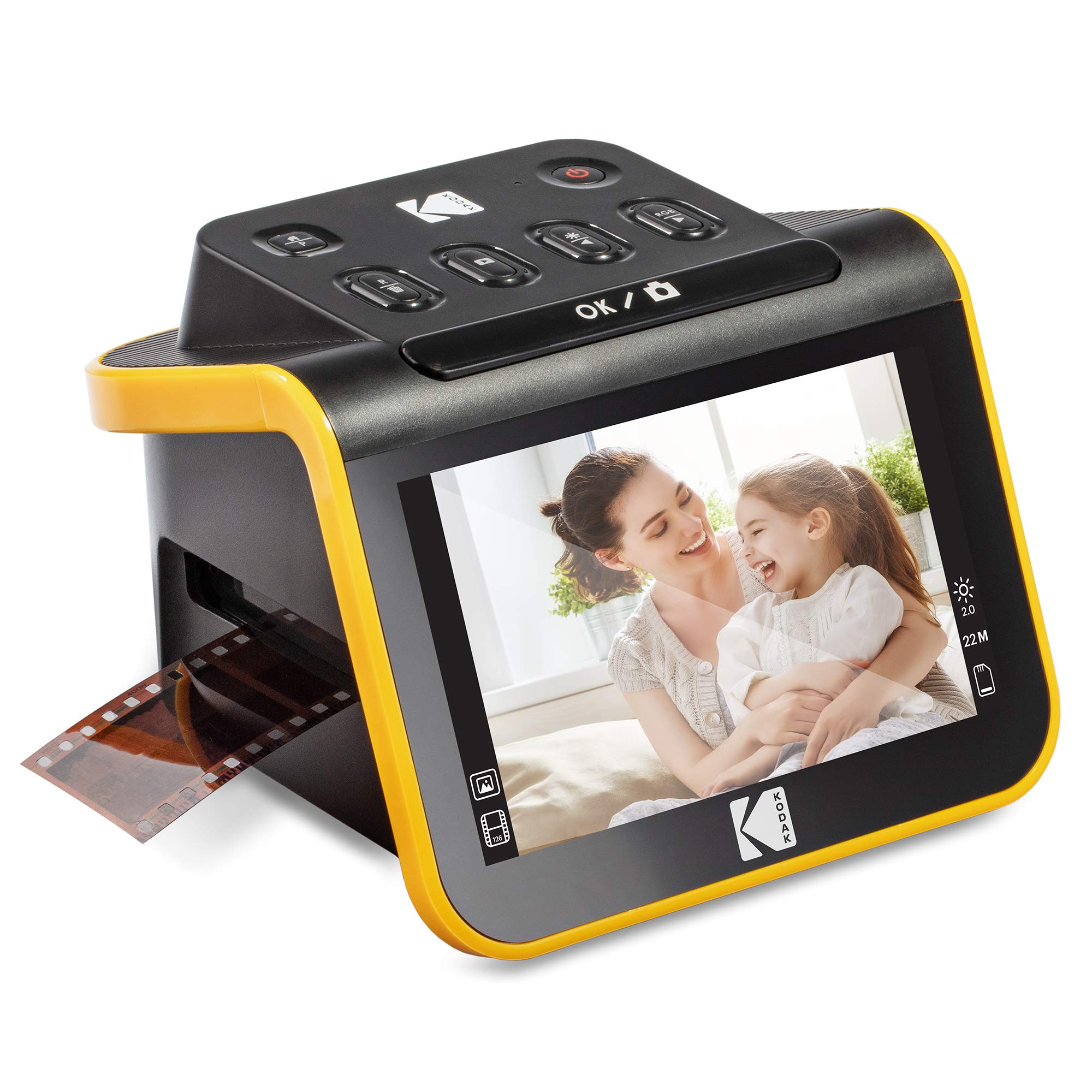
The KODAK Slide N SCAN is designed to make digitizing a box of older slides and negatives more approachable, with a built-in screen, guided film inserts, and direct saving to an SD card.
This kodak slide n scan film & slide scanner review looks at its format support, workflow, and the tradeoffs to consider before choosing a home archiving tool.
Slide N SCAN Review Summary
The quick verdict
12,000+ ratings
Read Amazon ReviewsKODAK Slide N SCAN
A practical fit for families digitizing common-format slides and negatives who want a built-in screen and direct SD-card saving.
- Digitizes 135, 110, and 126 color or black-and-white negatives, as well as slides in those formats.
- Includes a 50 mm slide holder and adapters for 135, 110, and 126 film.
- Uses a 5-inch LCD with wide viewing angle for photo preview, editing, and gallery viewing.
- Converts images to JPEG files and saves them directly to SD or SDHC cards up to 32GB; card not included.

Pros
- The large built-in display makes it easier to preview images during a scanning session.
- Multiple common film formats are covered with dedicated inserts and adapters.
Consider before buying
- The required SD or SDHC card is not included, so budget for compatible storage separately.
- Supported card capacity tops out at 32GB, which may mean managing batches for a large archive.
Read the full review summary
Slide N SCAN combines a 5-inch LCD for previewing and editing with adapters for 135, 110, and 126 negatives and slides, plus a holder for 50 mm slides.
It saves JPEG files to an SD or SDHC card up to 32GB, so a computer does not have to be part of every scan session. The card is sold separately, so plan for that alongside the scanner.
The controls are aimed at casual archiving: a scan button handles capture, while simple options cover film type, color and brightness adjustments, and date or time assignment.
That makes it appealing for someone who wants to work through family film in manageable batches. Buyers with unusual film formats or a need for detailed image restoration should check whether this streamlined workflow matches their expectations.
The buying factors
Slide N SCAN Scorecard
Editorial scores reflect listed features and buyer fit; they are not laboratory measurements or customer ratings.
Film format coverage
The included adapters cover 135, 110, and 126 film, with a holder for 50 mm slides.
Preview and sharing
The 5-inch screen provides a larger built-in preview area and gallery mode.
Ease of operation
Quick-feed inserts and one-touch capture are designed to simplify repeated scanning.
On-device editing
Basic film selection, color, brightness, and date/time options help with simple adjustments, but the described controls are intentionally limited.
Standalone workflow
Saving directly to supported SD or SDHC cards allows scanning without a computer in the immediate workflow.
Storage flexibility
The device supports cards up to 32GB, and a card must be purchased separately.
Key Features and Specifications of Slide N SCAN
- Digitizes 135, 110, and 126 color or black-and-white negatives, as well as slides in those formats.
- Includes a 50 mm slide holder and adapters for 135, 110, and 126 film.
- Uses a 5-inch LCD with wide viewing angle for photo preview, editing, and gallery viewing.
- Converts images to JPEG files and saves them directly to SD or SDHC cards up to 32GB; card not included.
- Quick-feeding tray design supports continuous loading, and a single scan button handles capture.
- Offers options to select film type, adjust color and brightness, and assign date and time.
- Includes USB and HDMI cables, plus a cleaning brush; connects to Type-C USB-enabled computers.
Pros and Cons of Slide N SCAN
Pros
- The large built-in display makes it easier to preview images during a scanning session.
- Multiple common film formats are covered with dedicated inserts and adapters.
- Direct card saving supports a simple workflow that does not require a computer for each scan.
- One-touch capture and basic on-device adjustments keep the process approachable.
Consider before buying
- The required SD or SDHC card is not included, so budget for compatible storage separately.
- Supported card capacity tops out at 32GB, which may mean managing batches for a large archive.
- The listed film support is limited to 135, 110, and 126 formats; check your collection before buying.
- Editing is focused on simple adjustments, so buyers seeking extensive restoration or fine control may want a different workflow.
Who Should Buy Slide N SCAN?
Good fit
Consider the Slide N SCAN if your collection is mostly 135, 110, or 126 slides and negatives and you want to preview and save scans in one place.
Its 5-inch screen, gallery mode, and direct card saving make it suited to sorting through personal archives at home, especially when you prefer not to keep a computer beside the scanner.
It also makes sense for a project where ease and steady throughput matter more than complex image editing.
The quick-feed tray, included format adapters, and single scan button are aimed at helping users move through film without learning a complicated control system.
Before ordering, confirm your film formats and pick up a compatible SD or SDHC card of 32GB or less.
If you expect to refine color or exposure beyond the basic controls, plan to transfer the JPEGs to a computer editing workflow afterward.
Who should skip it
Skip this model if the collection includes film formats outside the listed 135, 110, and 126 types, or if you need the scanner itself to provide extensive restoration tools.
Confirm the frame and slide dimensions for any uncommon material before relying on the included holders.
It may also be a poor fit if you want a very large card capacity in one uninterrupted session.
Its supported storage is capped at 32GB, so a larger archive may require organizing scans across multiple cards or batches.
How the Slide N SCAN Fits a Home Film Archive
Format support defines the fit
The adapters target three common film formats, and the package also includes a 50 mm slide holder.
That gives buyers a clear starting point: identify the formats in the archive first, then make sure each batch matches an included insert.
A scanner’s convenience depends on this match; the listed compatibility should not be assumed to cover every kind of legacy film.
A screen-centered scanning routine
The built-in 5-inch display lets users preview and browse images on the device, while gallery mode gives the screen a role beyond framing each scan.
This can make sorting and sharing a casual activity, though the description only establishes basic editing options.
Buyers who want careful color restoration or detailed retouching should treat the scanner as a capture step and plan to edit JPEGs elsewhere.
Direct saving keeps the setup simple
Saving to an SD or SDHC card means scans can be stored without keeping a computer connected throughout the session. The tradeoff is that the card is separate and the supported capacity ends at 32GB.
For a large collection, estimate how much material you want to process per session and decide whether multiple batches fit your routine.
Loading and adjustments are designed for accessibility
The quick-feeding tray is meant to make continuous loading easier, and the one-touch scan button avoids a deep settings workflow. Film type selection and color and brightness adjustments address common basic needs.
These features make the model accessible for family archiving, while the limited control set may not satisfy users who want to make precise corrections during capture.
Alternatives to Slide N SCAN
Slide & Negative Scanners alternative
11,000+ ratings
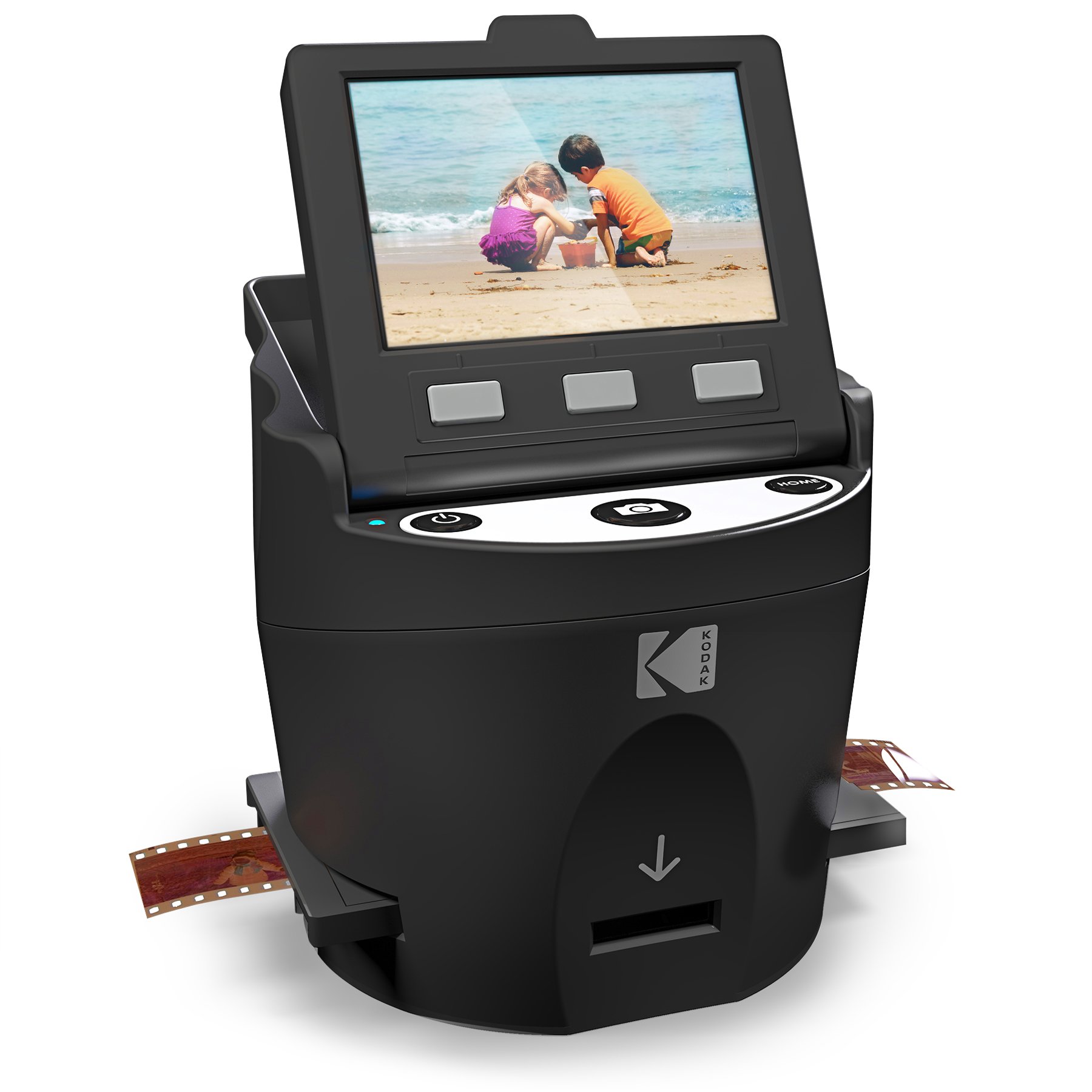
Read Amazon ReviewsKODAK SCANZA Digital Film & Slide Scanner
Choose Slide N SCAN if the larger screen is a priority and your material fits its listed formats.
Consider SCANZA if you need the additional Super 8 or 8mm coverage or higher listed card capacity, and its smaller display is acceptable.
- SCANZA has a 3.5-inch adjustable, tilting LCD, supports 35mm, 126, 110, Super 8, and 8mm film, and accepts SD cards up to 128GB.
- Its package includes several adapters, a USB power cable, HDMI cable, AC adapter, video cable, and cleaning brush.
- Slide N SCAN pairs a 5-inch LCD with direct saving to SD or SDHC cards up to 32GB and supports 135, 110, and 126 film.
Slide & Negative Scanners alternative
1,000+ ratings
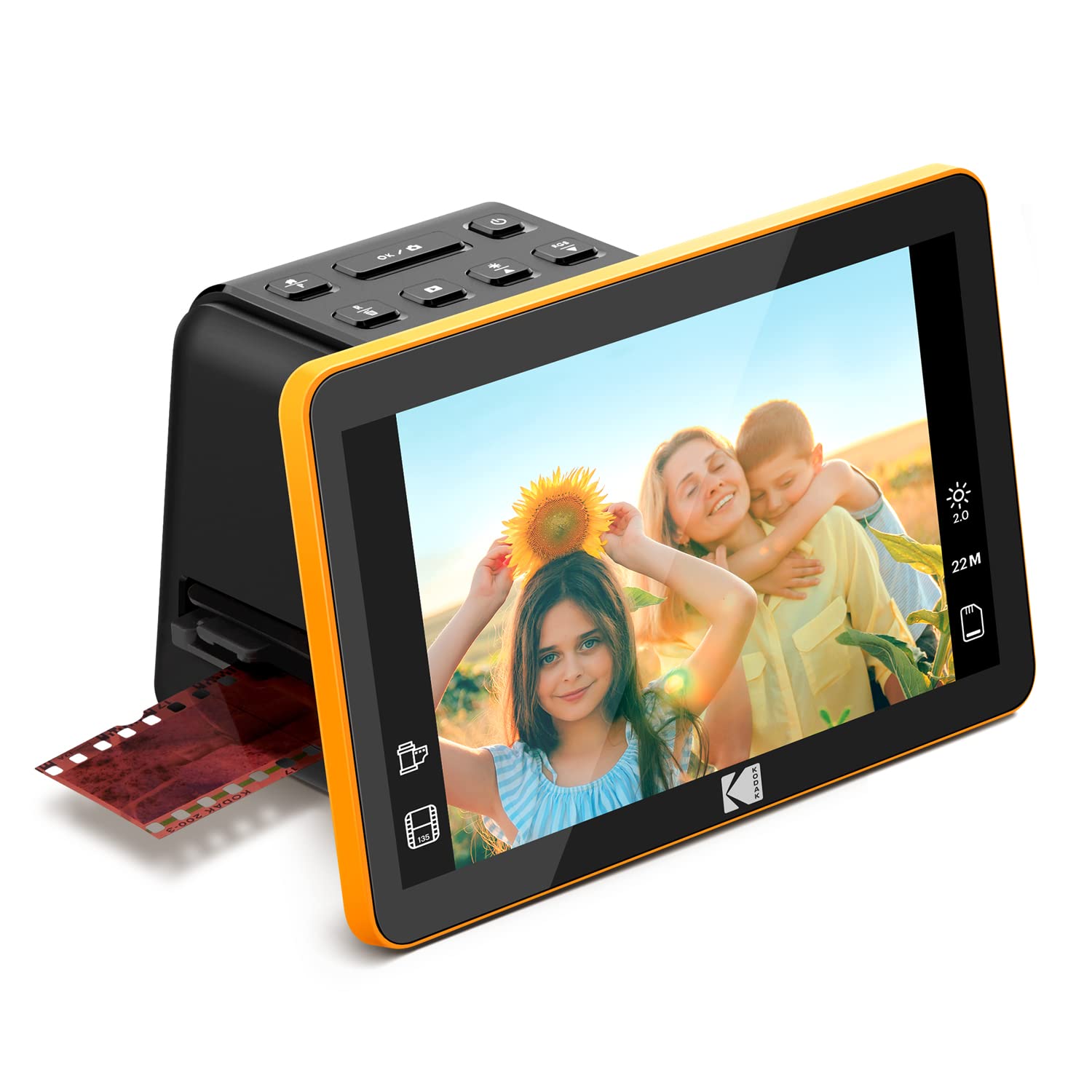
Read Amazon ReviewsKODAK Slide N Scan Max Film Scanner
Both models target similar formats and a straightforward card-based process.
Compare the Max’s specified sensor and output details with the original’s 5-inch LCD and listed included accessories, then choose based on which stated details matter more to your workflow.
- Slide N Scan Max supports 135, 110, and 126 slides and negatives, saves directly to SD or SDHC cards up to 32GB, and lists output up to 4208 × 3120 from a 13MP CMOS sensor with 22MP interpolation.
- Its description highlights a smooth-moving tray and one-touch editing.
- Slide N SCAN offers a 5-inch LCD, JPEG output, and direct SD or SDHC saving up to 32GB for 135, 110, and 126 film.
Is Slide N SCAN Worth It?
The KODAK Slide N SCAN is worth considering for home archiving if your slides and negatives are in 135, 110, or 126 formats and you value a large preview screen, simple controls, and direct SD-card saving.
Its quick-feed design and basic adjustments are well matched to approachable digitizing sessions.
Buy it with a compatible card in mind, and keep expectations aligned with its format coverage and straightforward editing tools.
If your archive includes additional film types or you need more detailed image correction, compare those requirements against another scanner before deciding.
Your review at a glance
12,000+ ratings
Read Amazon ReviewsKODAK Slide N SCAN
A practical fit for families digitizing common-format slides and negatives who want a built-in screen and direct SD-card saving.
- Digitizes 135, 110, and 126 color or black-and-white negatives, as well as slides in those formats.
- Includes a 50 mm slide holder and adapters for 135, 110, and 126 film.
- Uses a 5-inch LCD with wide viewing angle for photo preview, editing, and gallery viewing.
- Converts images to JPEG files and saves them directly to SD or SDHC cards up to 32GB; card not included.