The KODAK Dock Plus 4x6 photo printer review is for phone-first households deciding whether a desktop printer can make everyday photos easier to print and keep.
Its combination of Bluetooth, a charging dock, and dye-sublimation output is aimed at convenient home printing rather than a pocket-sized travel setup.
KODAK Dock Plus Review Summary
The quick verdict
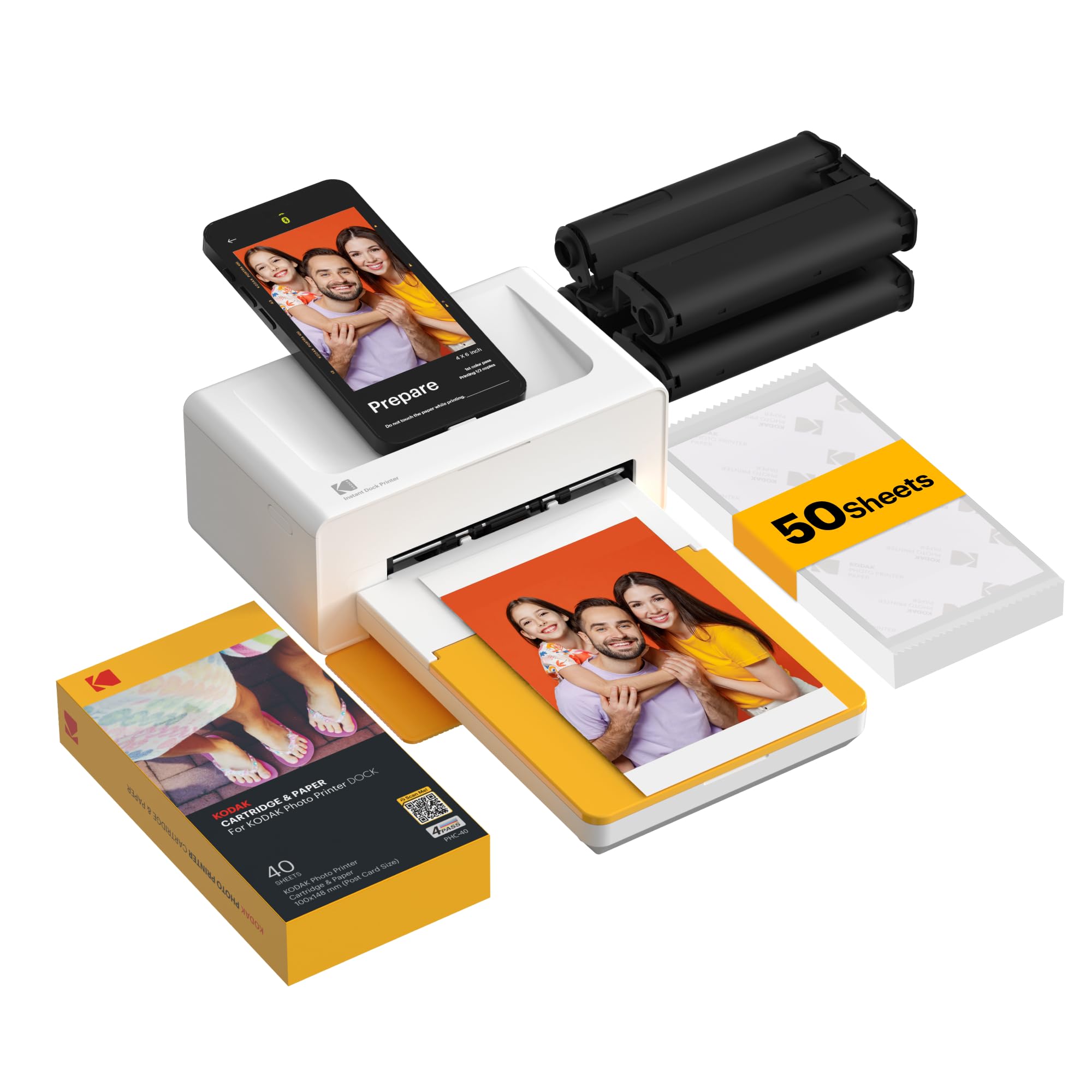
19,000+ ratings
Read Amazon ReviewsKODAK Dock Plus 4x6 Photo Printer
A home-focused 4x6 printer for smartphone users who want a docking station, app-based edits, and laminated dye-sublimation prints.
- Prints color photos in a 4x6-inch format from compatible iOS and Android smartphones.
- Uses 4PASS dye-sublimation printing, layering three colors and a clear protective finish.
- Includes an integrated smartphone docking station that can charge the phone while printing.
- Connects to compatible devices through Bluetooth and the KODAK Photo Printer app.

Pros
- The built-in dock adds a convenient place to rest and charge a phone during a print session.
- The 4x6 output size works naturally for common album and frame uses.
Consider before buying
- The desktop setup depends on a power outlet, limiting its appeal for printing away from home.
- The phone-first app and Bluetooth workflow may be less suitable for buyers who primarily want to print from a computer; confirm your preferred device is supported before buying.
Read the full review summary
The Dock Plus combines a physical phone dock with wireless printing, so a compatible smartphone can sit on the printer and charge while a job is underway.
It makes 4x6-inch color prints using a four-pass dye-sublimation process: three color layers followed by a clear protective layer. That design suits people who want familiar photo sizes for albums, frames, family occasions, or casual sharing.
The workflow centers on the KODAK Photo Printer app, which supports editing, cropping, and customization before printing from compatible iOS and Android devices.
The printer connects to a power outlet and is designed for a stable desktop location, so its strongest fit is a household that values a dedicated printing spot.
Check phone compatibility and ongoing paper and cartridge costs before choosing it for frequent batches.
The buying factors
KODAK Dock Plus Scorecard
Editorial scores reflect listed features and buyer fit; they are not laboratory measurements or customer ratings.
Everyday 4x6 printing
The standard 4x6 format is practical for albums and frames, and the product is designed for home photo printing.
Phone-centered workflow
Bluetooth connection and an app for editing and cropping give smartphone users a direct route from image to print.
Docking convenience
The integrated dock lets users place a phone on the printer and charge it during printing.
Print protection design
A clear finishing layer is designed to resist fingerprints, water, and fading, although real-world longevity can vary with handling and storage.
Placement flexibility
Its desktop design and outlet power make it suitable for a home printing station, but less aligned with printing away from a power source.
Creative control
The app supports editing, cropping, and customization, though the available feature set is described broadly.
Key Features and Specifications of KODAK Dock Plus
- Prints color photos in a 4x6-inch format from compatible iOS and Android smartphones.
- Uses 4PASS dye-sublimation printing, layering three colors and a clear protective finish.
- Includes an integrated smartphone docking station that can charge the phone while printing.
- Connects to compatible devices through Bluetooth and the KODAK Photo Printer app.
- The app supports photo editing, cropping, and customization before printing.
- Designed for desktop home use and connects to a power outlet.
- The supplied bundle description includes 50 sheets.
Pros and Cons of KODAK Dock Plus
Pros
- The built-in dock adds a convenient place to rest and charge a phone during a print session.
- The 4x6 output size works naturally for common album and frame uses.
- The laminated dye-sublimation process is designed to add resistance to fingerprints, water, and fading.
- Editing and cropping in the phone app can help prepare images without moving to a computer.
Consider before buying
- The desktop setup depends on a power outlet, limiting its appeal for printing away from home.
- The phone-first app and Bluetooth workflow may be less suitable for buyers who primarily want to print from a computer; confirm your preferred device is supported before buying.
- The bundle includes a finite starter supply, so frequent users should check the cost and availability of compatible refill paper and consumables.
Who Should Buy KODAK Dock Plus?
Good fit
Consider the Dock Plus if your photos mostly live on a compatible smartphone and you want a repeatable home routine for producing 4x6 prints.
The integrated dock can keep the phone settled and charging at the printer, while Bluetooth and the app handle the connection and basic image preparation.
It also makes sense for households that regularly print for albums, frames, or family gatherings and prefer a dedicated desktop device.
Before committing, check that your phone works with the app and compare the refill supply and consumable costs with how often you expect to print.
Who should skip it
Choose another design if you need a printer that runs without a power outlet or is primarily intended to travel with you. This model is described as a stable desktop printer connected to household power.
Look elsewhere if your usual workflow depends on computer printing or specialized editing tools. Confirm supported devices and app functions first if those are essential to your routine.
How the KODAK Dock Plus Fits Home Photo Printing
A dock-centered phone workflow
The built-in dock is the most distinctive convenience in this design: it gives a phone a place on the printer and can charge it during a print job.
Bluetooth and the KODAK app keep the process phone-centered, with cropping and editing available before output.
This is a straightforward match for people who select and prepare photos on their mobile device; buyers with a different workflow should verify device support before purchase.
Why the 4PASS process matters
The printer builds each image from three color layers and adds a clear protective layer.
That finishing approach is intended to help the result resist fingerprints, water, and fading, which is relevant for prints handled in albums or displayed at home.
The description gives an approximate print time of 55 seconds per photo, so a large batch may call for patience compared with a routine that sends images to a professional lab.
A practical format for home use
The 4x6-inch size suits common personal-photo uses such as albums, framing, and event keepsakes.
Because the unit is designed for desktop placement and outlet power, it fits best where a household can leave it ready for occasional or regular sessions.
Consider where it will live and whether that location has convenient power and room for printing supplies.
Plan for repeat printing
The package description includes 50 sheets, enough to begin printing without sourcing paper immediately, but it is still a limited supply.
Buyers who expect to print often should identify compatible refill paper and cartridges and account for replenishment as part of ownership. That check helps distinguish an appealing starter bundle from an affordable long-term routine.
Alternatives to KODAK Dock Plus
Desktop Photo Printers alternative
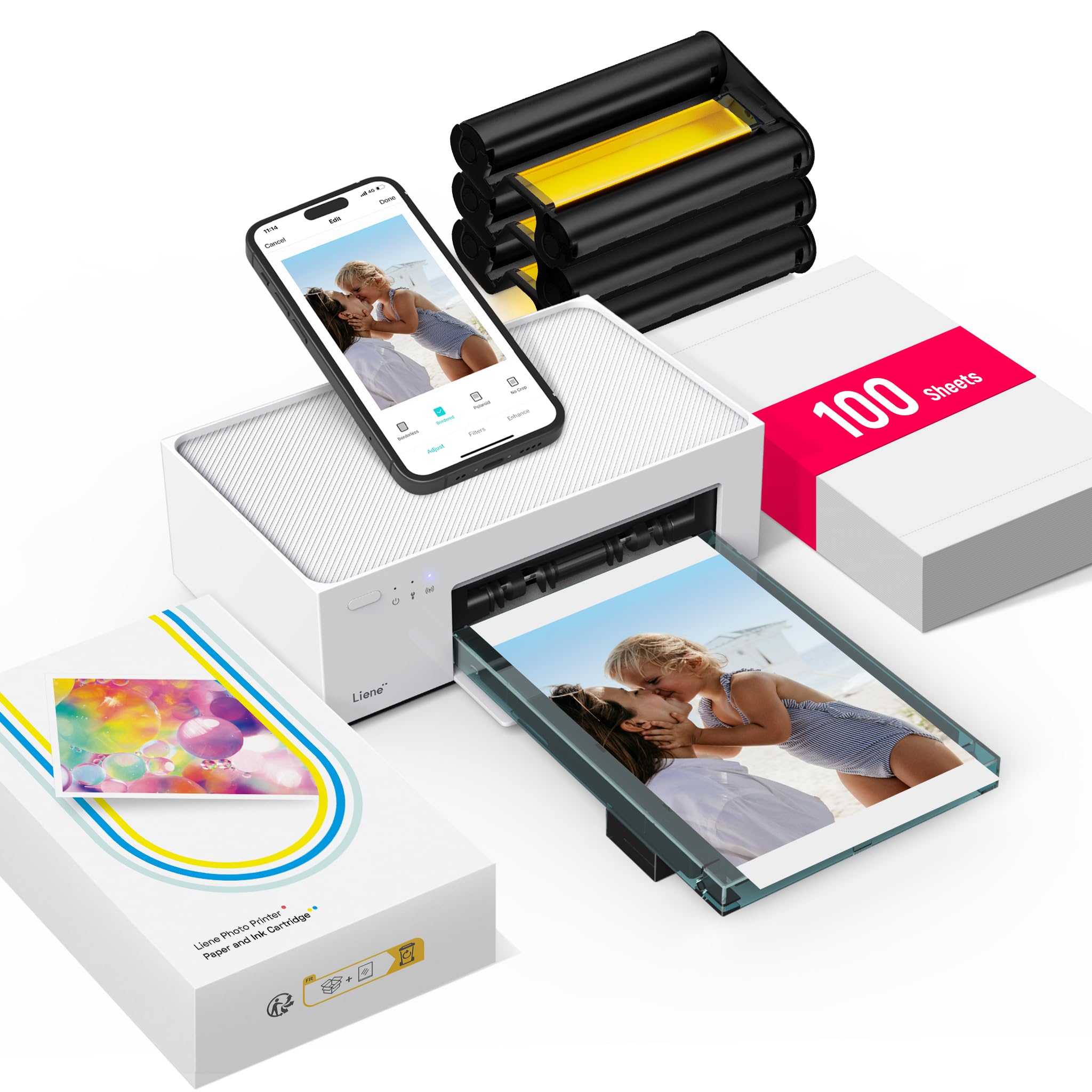
4,000+ ratings
Read Amazon ReviewsLiene M100 4x6 Photo Printer
Choose the KODAK if a phone docking and charging station is central to your home setup.
The Liene may suit buyers who value a larger included paper supply, multiple-device connections, or its listed app tools; compare the connection method and consumables that fit your routine.
- The Liene M100 uses a built-in Wi-Fi hotspot rather than Bluetooth, supports up to five simultaneous connections, and is described with a 100-sheet paper bundle and three cartridges.
- Its app includes filters, contrast and brightness adjustments, and ID or visa photo printing.
- The KODAK Dock Plus pairs its 4x6 dye-sublimation output with an integrated phone dock and charging function, and its bundle description includes 50 sheets.
Desktop Photo Printers alternative
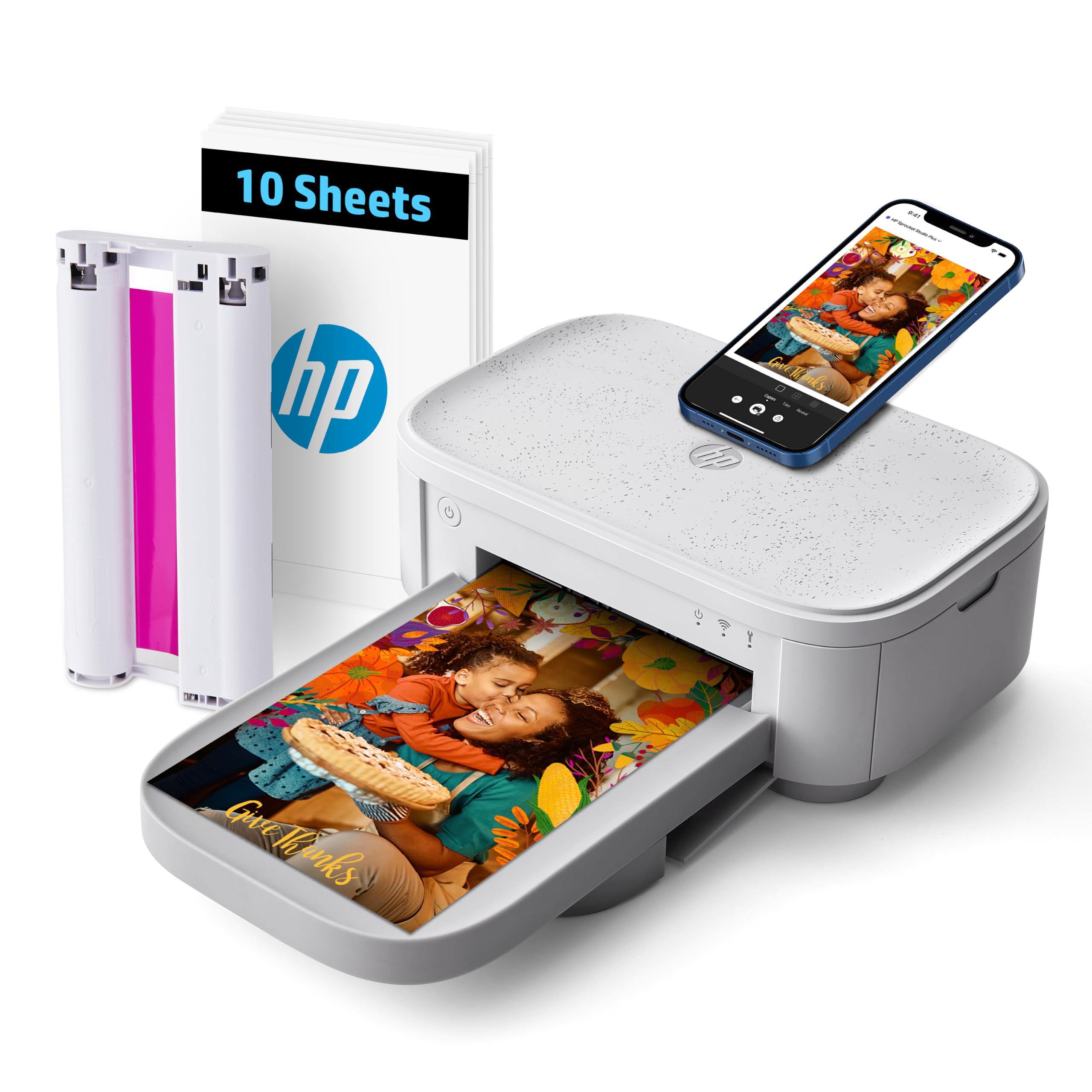
800+ ratings
Read Amazon ReviewsHP Sprocket Studio Plus 4x6 Photo Printer
The KODAK is the better fit if you want the charging dock and a larger described starter paper supply.
The HP may be more appealing if its creative app features and Wi-Fi connection better match how you prepare and print photos.
- The HP Sprocket Studio Plus uses Wi-Fi and the HP Sprocket app, with editing options such as stickers, frames, and filters.
- Its described features include collage, photobooth, and photo ID creation, and its bundle includes 10 sheets and a cartridge.
- The KODAK is a Bluetooth phone printer with an integrated docking station and a 4PASS process that adds a clear protective layer.
Is KODAK Dock Plus Worth It?
The KODAK Dock Plus 4x6 Photo Printer is worth considering for smartphone users who want a dedicated home printer, a useful charging dock, and standard-size prints finished with a protective layer.
Its feature set is well aligned with albums, frames, and casual family printing.
Treat it as a desktop appliance with ongoing supplies to plan for. Confirm app compatibility and refill costs, and choose a different format if outlet-powered home printing does not match where or how you want to make photos.
Your review at a glance
19,000+ ratings
Read Amazon ReviewsKODAK Dock Plus 4x6 Photo Printer
A home-focused 4x6 printer for smartphone users who want a docking station, app-based edits, and laminated dye-sublimation prints.
- Prints color photos in a 4x6-inch format from compatible iOS and Android smartphones.
- Uses 4PASS dye-sublimation printing, layering three colors and a clear protective finish.
- Includes an integrated smartphone docking station that can charge the phone while printing.
- Connects to compatible devices through Bluetooth and the KODAK Photo Printer app.