The FIFINE AmpliGame A8 combines a USB condenser microphone with onboard gain, tap mute, headphone monitoring, and customizable RGB lighting for gaming and home recording.
This fifine ampligame a8 review looks at how its cardioid pickup and included noise-control accessories suit straightforward desk setups.
AmpliGame A8 Review Summary
The quick verdict
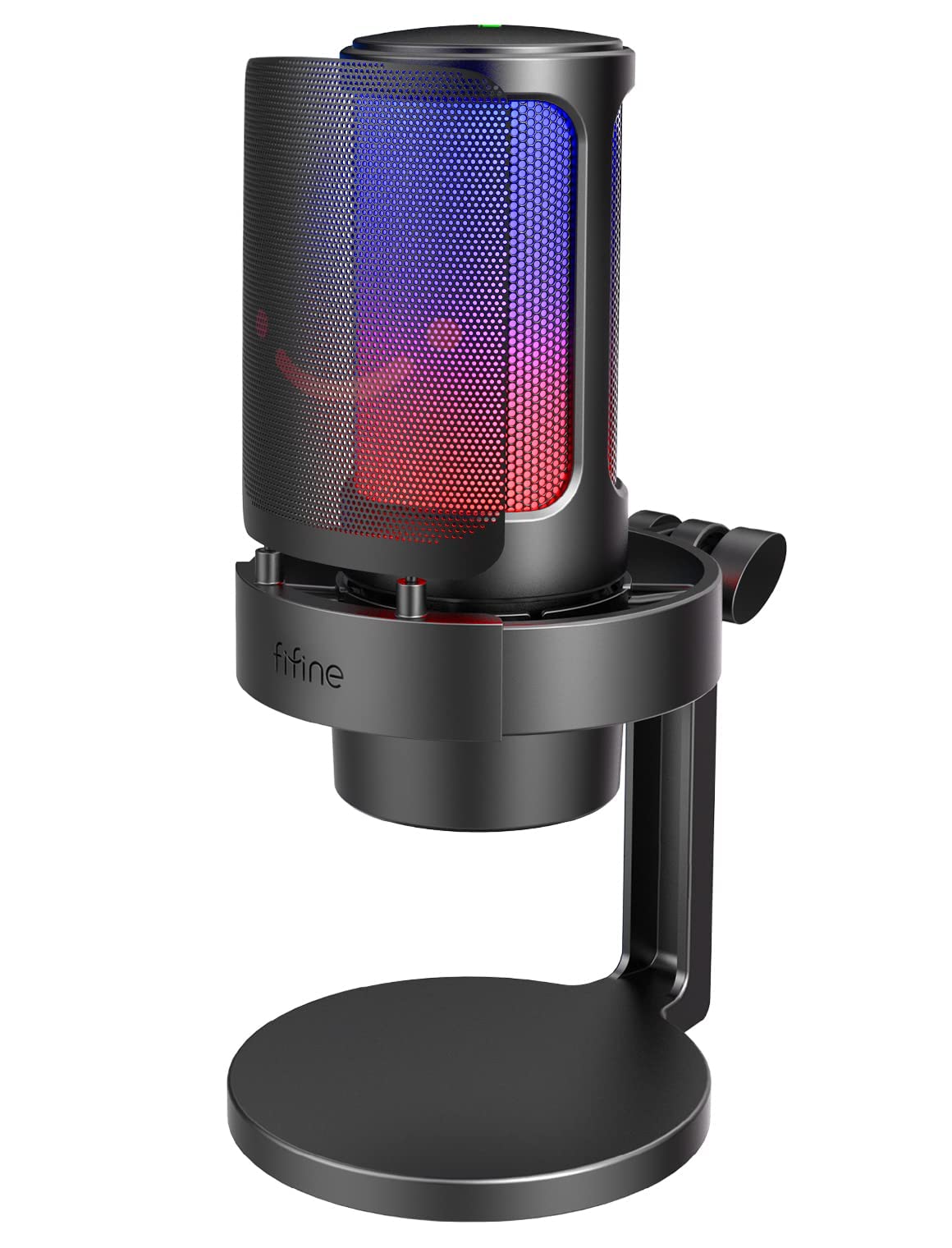
2,000+ ratings
Read Amazon ReviewsFIFINE AmpliGame A8
A practical fit for gamers and new streamers who want a USB desktop mic with direct controls, monitoring, and customizable RGB lighting.
- USB condenser desktop microphone intended for gaming, streaming, podcasts, recording, and video calls.
- Cardioid pickup pattern focuses on sound in front of the mic and is designed to reduce much of the sound from the sides and rear.
- Three RGB lighting modes with up to nine color options, selected using the RGB control button.
- Onboard gain knob, one-tap mute, and 3.5 mm headphone jack for monitoring.

Pros
- Gain and mute controls are available directly on the mic for quick adjustments during calls or streams.
- Headphone monitoring can help you check the signal while using the microphone.
Consider before buying
- The cardioid pattern is oriented toward a primary speaker, making it a less natural fit for recording several people around one mic.
- The suggested 6 to 12 inch recording distance calls for deliberate placement; buyers should check that the stand and desk layout allow the mic to sit comfortably within reach.
Read the full review summary
The AmpliGame A8 is designed to make everyday voice capture simple: connect it to a supported computer or PS5, position it on the included stand, and adjust gain or mute from the microphone itself.
A headphone jack supports monitoring, while three lighting modes offer up to nine color options for a more coordinated gaming setup.
Its cardioid pattern, pop filter, and compact shock mount target common desk-recording distractions such as plosives and vibration.
The design is best suited to one person speaking close to the mic, including game chat, video calls, and beginner streaming; its feature set is more focused on convenient desktop use than on multi-person recording flexibility.
The buying factors
AmpliGame A8 Scorecard
Editorial scores reflect listed features and buyer fit; they are not laboratory measurements or customer ratings.
Everyday voice controls
The onboard gain knob and one-tap mute make common adjustments accessible without relying on computer hotkeys.
Monitoring access
A 3.5 mm headphone jack provides a direct way to monitor audio while gaming or recording.
Desk noise management
The included pop filter and compact shock mount are useful tools for reducing plosives and handling or desk vibrations.
Setup simplicity
Plug-and-play support for PC, Mac, and PS5 makes the mic approachable for a basic recording setup.
Pickup flexibility
The cardioid pattern is aimed at a single speaker in front of the mic, so it is less adaptable to group or room recording needs.
Lighting customization
Three modes and up to nine color options let buyers tailor the RGB appearance to a gaming setup.
Key Features and Specifications of AmpliGame A8
- USB condenser desktop microphone intended for gaming, streaming, podcasts, recording, and video calls.
- Cardioid pickup pattern focuses on sound in front of the mic and is designed to reduce much of the sound from the sides and rear.
- Three RGB lighting modes with up to nine color options, selected using the RGB control button.
- Onboard gain knob, one-tap mute, and 3.5 mm headphone jack for monitoring.
- External black metal pop filter and compact shock mount to help soften plosives and dampen vibrations.
- Plug-and-play compatibility with PC, Mac, and PS5; includes a base stand and an adjustable thumbscrew for positioning.
- Suggested recording distance is 6 to 12 inches.
Pros and Cons of AmpliGame A8
Pros
- Gain and mute controls are available directly on the mic for quick adjustments during calls or streams.
- Headphone monitoring can help you check the signal while using the microphone.
- The pop filter and shock mount address two common sources of distracting vocal and desk noise.
- RGB settings give the desktop setup some visual customization without requiring a separate lighting accessory.
Consider before buying
- The cardioid pattern is oriented toward a primary speaker, making it a less natural fit for recording several people around one mic.
- The suggested 6 to 12 inch recording distance calls for deliberate placement; buyers should check that the stand and desk layout allow the mic to sit comfortably within reach.
- The included stand is a desktop arrangement, so buyers who prefer a boom arm should check mounting compatibility and what additional hardware their setup requires.
Who Should Buy AmpliGame A8?
Good fit
Consider the AmpliGame A8 if you want a straightforward USB microphone for game chat, beginner streaming, video calls, or solo voice recording.
Its on-mic gain knob and tap mute keep routine controls easy to reach, and the headphone jack offers a direct monitoring point.
It is also a sensible choice for a desk where RGB styling matters and where a pop filter and shock mount can help manage plosives and small vibrations.
Place it within the suggested speaking range and aim the front toward your voice for the intended cardioid pickup.
Before buying, compare the desktop stand arrangement with your available space and confirm the device connection fits your computer or console setup.
If your regular recording involves more than one speaker, a microphone with selectable pickup patterns may suit that workflow better.
Who should skip it
Skip this model if you need one microphone to capture a group, room ambience, or interviews from speakers positioned on both sides. Its described cardioid design is centered on a primary voice in front of the mic.
Look elsewhere if your recording routine depends on a boom arm or specialized multi-pattern control. Check the mounting and pickup options you need before choosing a desktop USB mic.
How the AmpliGame A8 Fits a Gaming or Recording Desk
Close voice capture and cardioid placement
The cardioid pickup pattern is intended to favor sound from in front of the microphone while reducing much of the sound behind it.
The suggested distance of 6 to 12 inches gives buyers a practical starting point: position the mic near the speaker, then keep its front aimed toward the voice.
This is a single-speaker approach rather than an all-around room capture setup.
Controls that stay within reach
A physical gain knob can make level adjustments more immediate than switching to computer controls, while the tap-to-mute function is handy for brief interruptions during a call or game.
The headphone jack adds a monitoring connection, allowing the user to listen while working. These controls support a simpler workflow, though the description does not specify additional mixing or software functions.
Pop filter and shock mount for desk use
Plosive consonants can create sharp bursts of air, and small knocks or movement can travel through a desk into a microphone.
The included metal pop filter and compact shock mount are intended to address those issues at the source.
They can complement careful positioning, but they do not remove the need to consider keyboard noise, room sound, or mic distance.
A simple setup with a visual accent
Plug-and-play support for PC, Mac, and PS5 keeps the setup oriented toward common gaming and home-use devices.
The base stand and adjustable thumbscrew provide a desktop placement option, while the three RGB modes and up to nine colors allow some coordination with other lighting.
Buyers should verify their available desk space and preferred mounting arrangement before choosing.
Alternatives to AmpliGame A8
Computer Microphones alternative
300+ ratings
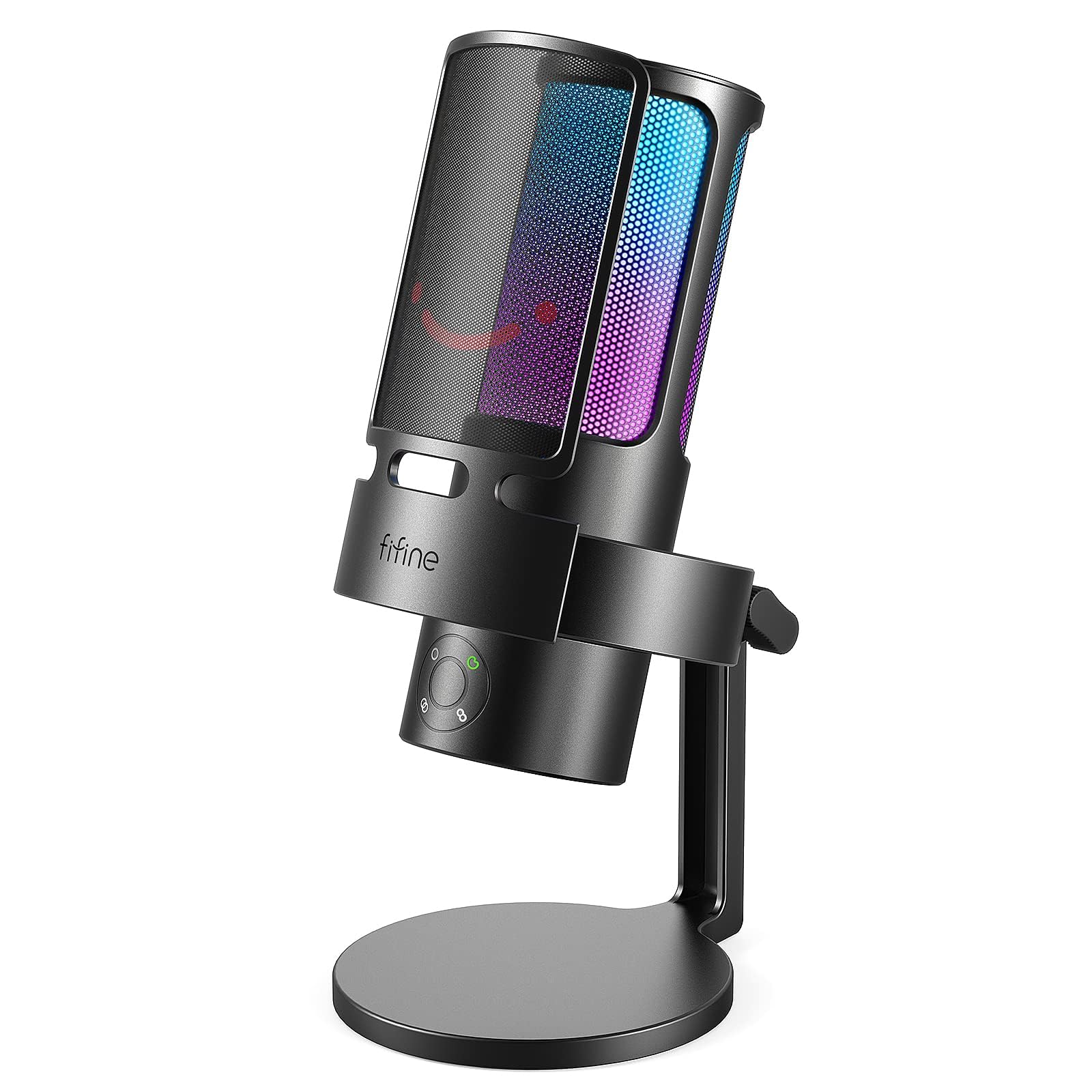
Read Amazon ReviewsFIFINE AmpliGame A8 Plus
Choose the A8 for a simpler solo-speaker setup with the described pop filter and compact shock mount.
Consider the A8 Plus if you expect to switch between solo voice, stereo capture, group audio, or two-person interviews and value selectable pickup patterns.
- The A8 Plus offers four selectable patterns: cardioid, stereo, omnidirectional, and bidirectional.
- It also has gain and headphone controls, tap mute, RGB lighting, and USB compatibility with computers and PS5.
- The AmpliGame A8 is built around cardioid pickup for a primary speaker, with onboard gain, tap mute, headphone monitoring, and a desktop stand.
Computer Microphones alternative
100+ ratings
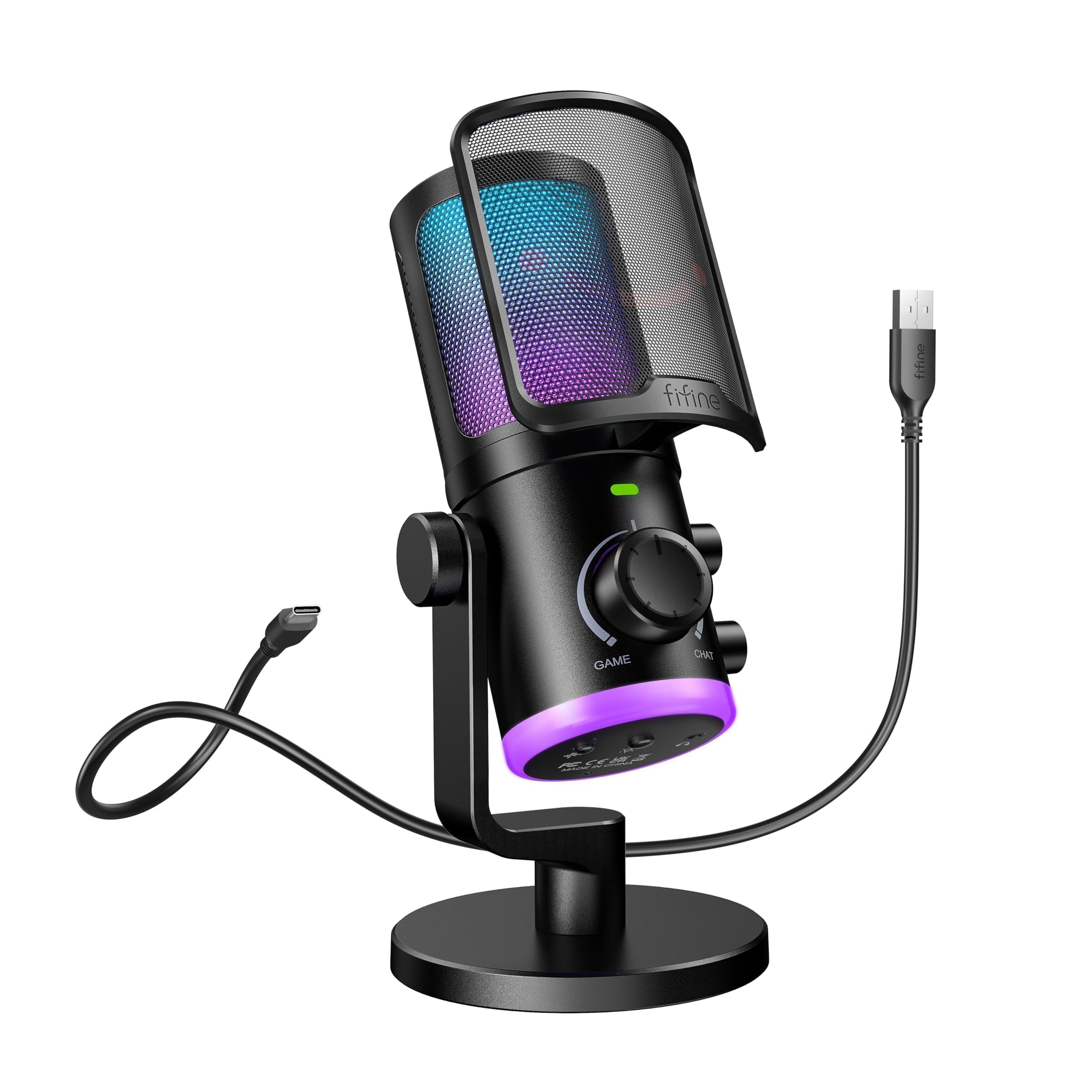
Read Amazon ReviewsFIFINE AmpliGame AM6
The A8 is a fit for buyers who want a direct, general-purpose desktop mic with its included pop filter and shock mount.
The AM6 is more relevant to PC gamers who specifically want to adjust the balance between game audio and voice chat; confirm that platform limitation matters to your setup.
- The AM6 adds a game-to-voice chat balance dial, dual-mic noise reduction, gain and headphone-volume controls, tap mute, and RGB lighting.
- Its game/chat balance function is described for desktop, laptop, or Mac use and is unavailable on PS4/PS5.
- The AmpliGame A8 provides a gain knob and headphone monitoring for checking microphone audio, alongside its cardioid pickup and desktop accessories.
Is AmpliGame A8 Worth It?
The FIFINE AmpliGame A8 is worth considering for solo gaming, calls, and beginner streaming when you want a USB desktop mic with accessible gain and mute controls, monitoring, and useful noise-control accessories.
Its RGB options add a setup detail, while the cardioid pattern keeps the intended use focused on one speaker.
Buy it if the desktop stand, close speaking distance, and supported connections fit your routine. If you need multi-person pickup or more recording pattern choices, consider a microphone designed for those workflows instead.
Your review at a glance
2,000+ ratings
Read Amazon ReviewsFIFINE AmpliGame A8
A practical fit for gamers and new streamers who want a USB desktop mic with direct controls, monitoring, and customizable RGB lighting.
- USB condenser desktop microphone intended for gaming, streaming, podcasts, recording, and video calls.
- Cardioid pickup pattern focuses on sound in front of the mic and is designed to reduce much of the sound from the sides and rear.
- Three RGB lighting modes with up to nine color options, selected using the RGB control button.
- Onboard gain knob, one-tap mute, and 3.5 mm headphone jack for monitoring.