The best audio interface for your setup depends on whether you prioritize music recording, mobile connections, or podcast controls. These four MAONO options range from a compact PC-focused interface to mixers with dual XLR inputs and customizable sound effects.
Quick Top Products
MAONO MaonoCaster AME2
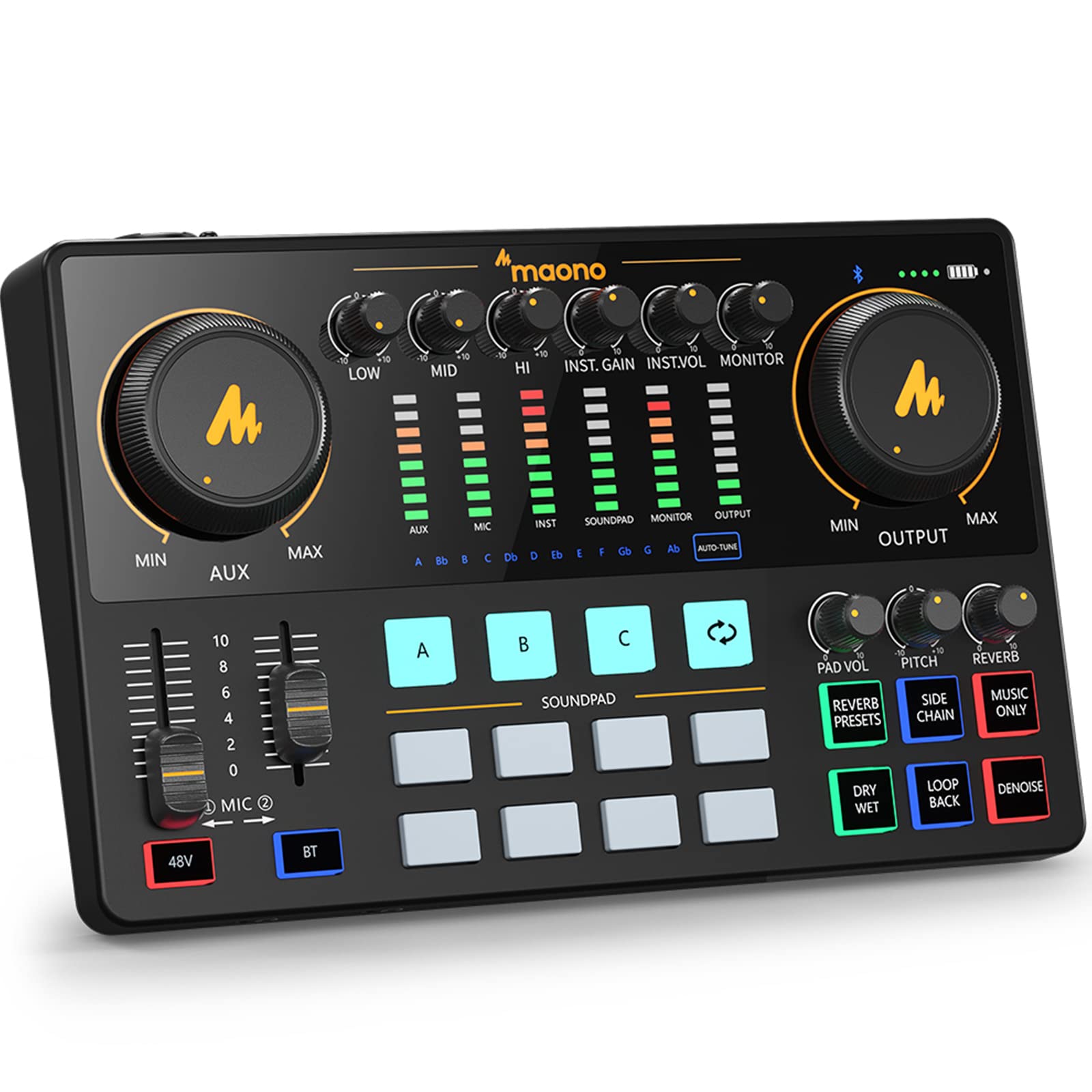
- Two independently controlled microphone inputs with 48V phantom power.
- Eleven customizable sound pads, plus reverb, tone, and pitch controls.
- Connects to computers, phones, tablets, cameras, and instruments; USB microphones are not supported.
Best For: Podcasters and streamers who want built-in effects, sound pads, and instrument input.

MAONO P2 Hybrid
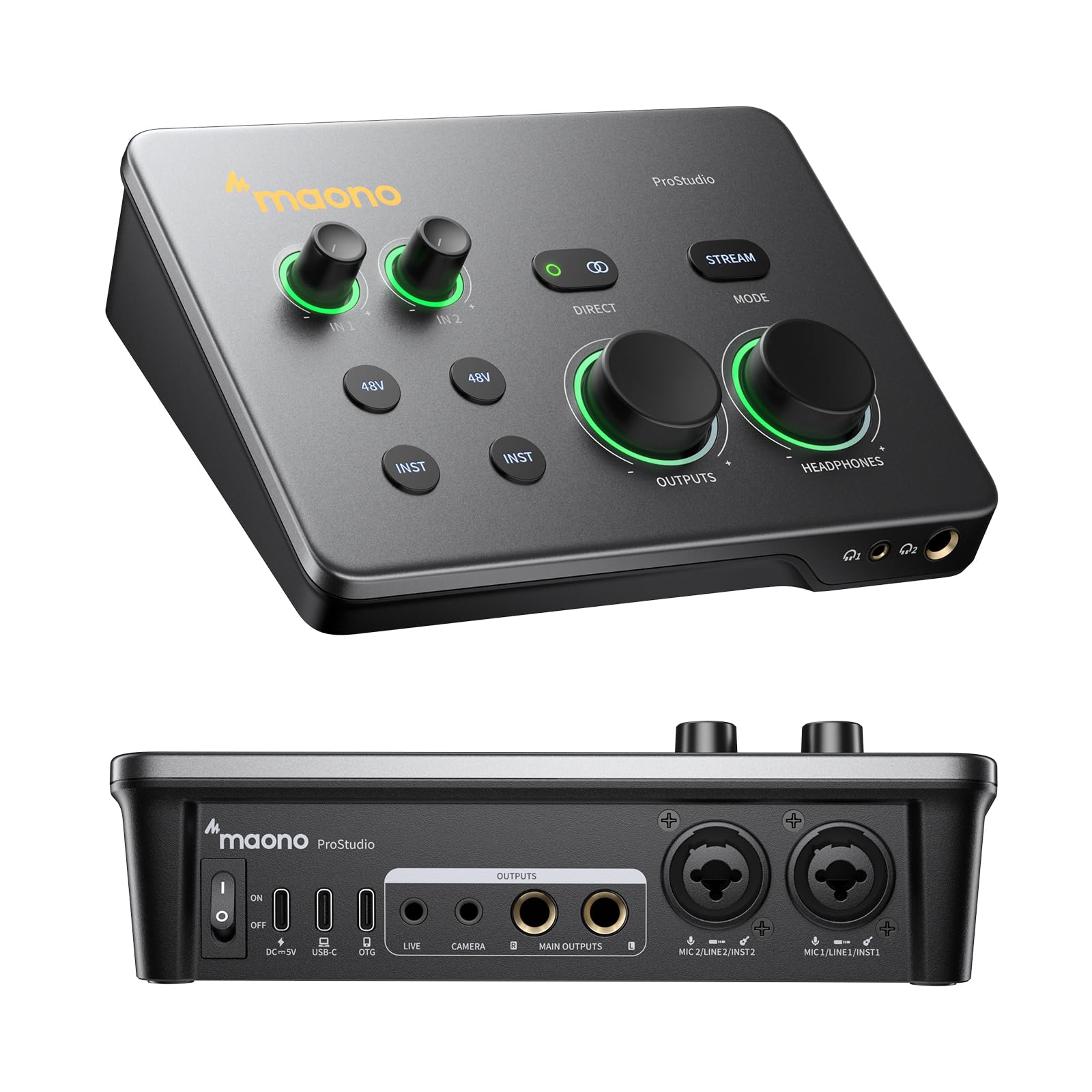
- Dual USB ports connect a computer and phone or iPad simultaneously.
- Two XLR inputs, direct monitoring, and separate headphone and monitor controls.
- ProStudio 2 supports routing desktop audio and virtual channels.
Best For: Creators who want to record on a computer while connecting a phone or iPad for streaming.
MAONO PS22 Lite
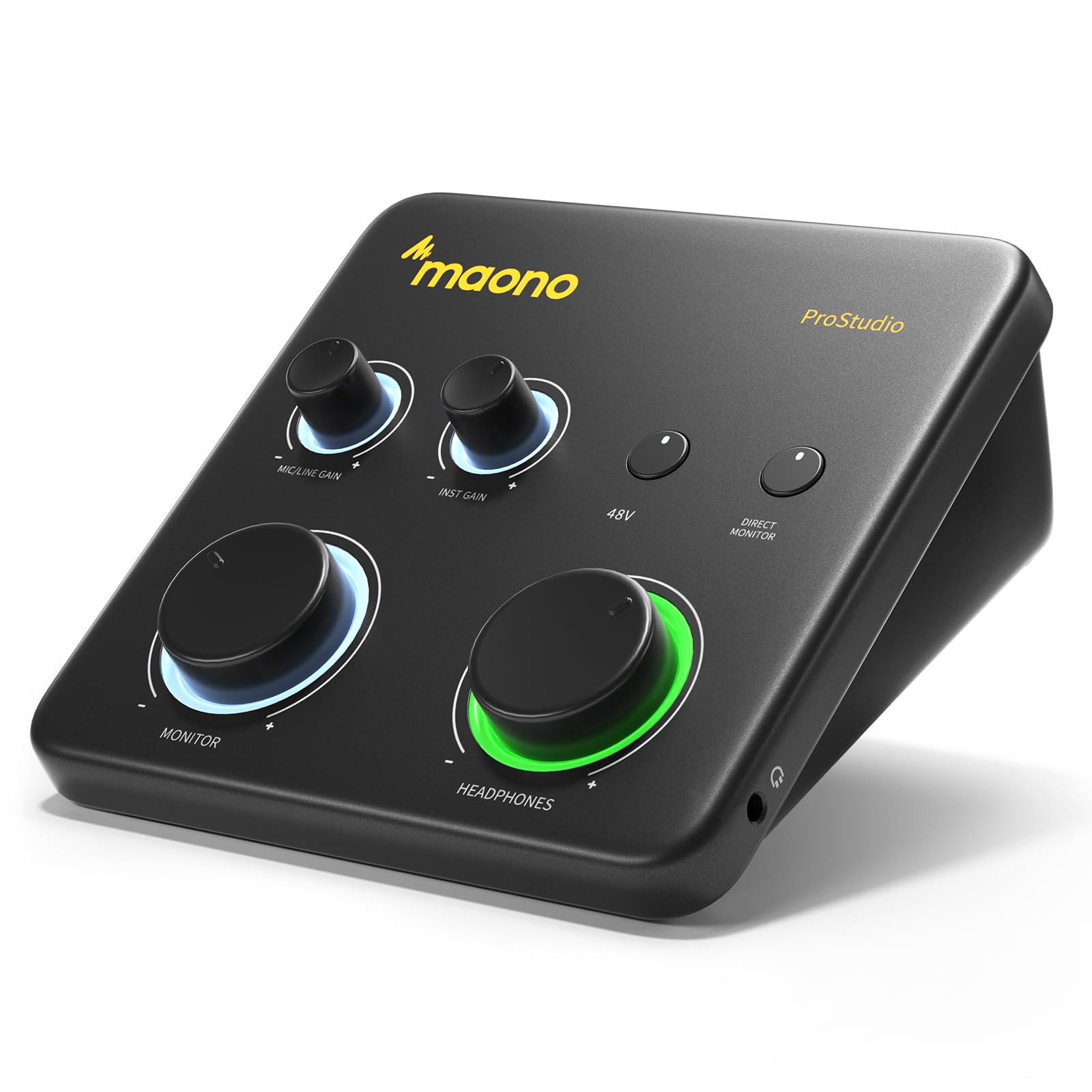
- Supports 24-bit/192kHz recording and includes a dedicated instrument input.
- XLR input provides up to 56 dB of gain and 48V phantom power.
- Compact design with direct monitoring and ProStudio routing software.
Best For: Beginners recording vocals or instruments on a computer who want a compact interface with routing software.
MAONO MaonoCaster E2 Gen2
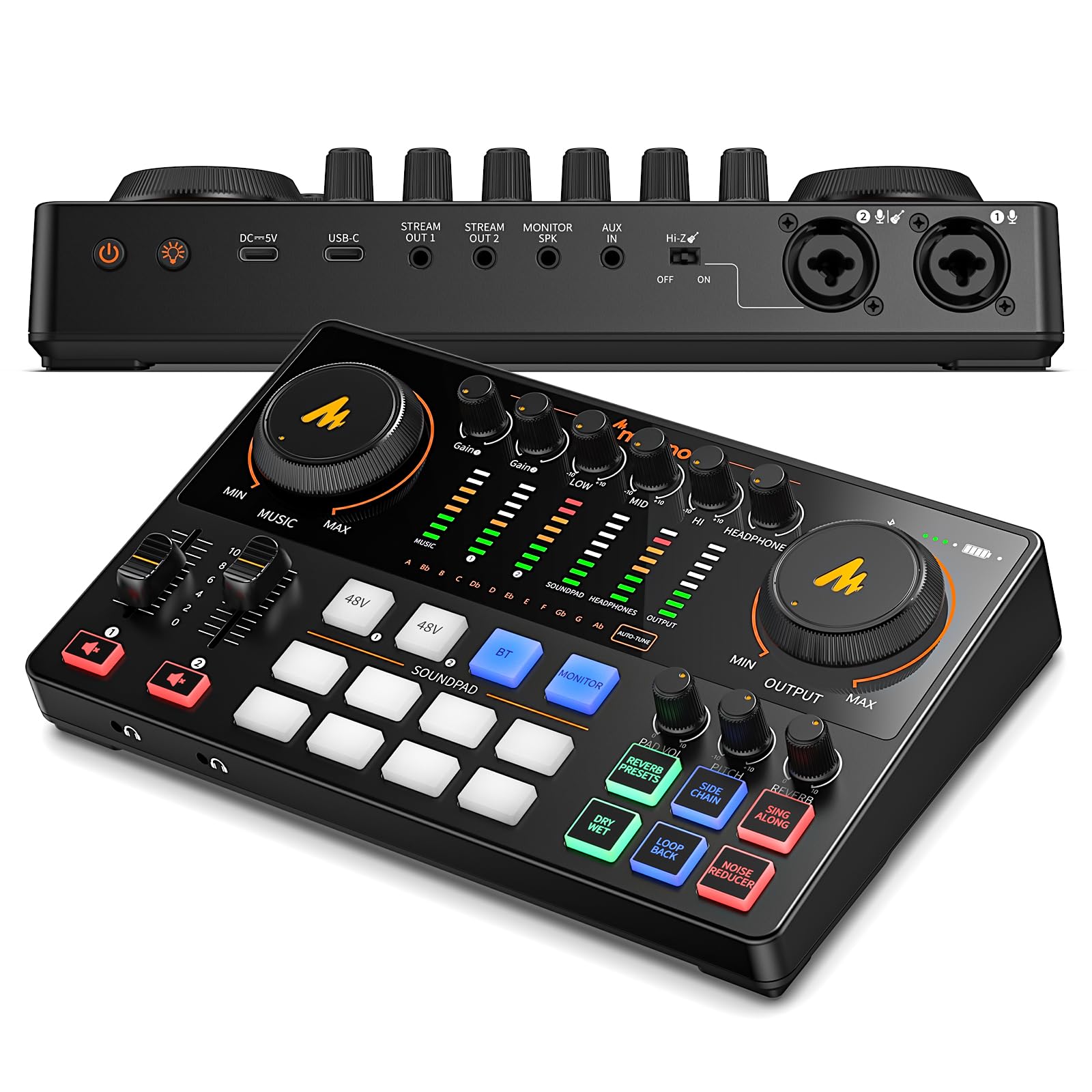
- Two XLR combo inputs with preamps offering up to 60 dB of gain.
- Eight customizable sound-effect buttons, six reverb options, and pitch effects.
- Built-in 1500mA battery rated for up to eight hours, with USB-C and 3.5mm connections.
Best For: Podcast co-hosts and mobile creators who want two XLR inputs, sound effects, and a built-in battery.
Podcast Mixer with Custom Sound Pads
MAONO Audio Interface, MaonoCaster 10-Channel Podcast mixer with Pro-preamp, 48V Phantom Power, Bluetooth, 11 Customize sound pads for Recording, Streaming, Youtube, TikTok, PC, Guitar (AME2)
The MAONO MaonoCaster AME2 combines audio interfacing with mixer controls for podcasting and live streaming. It has two independently controlled microphone inputs, 48V phantom power, and an instrument input for guitar or bass.
Its 11 customizable sound pads, reverb modes, tone controls, and pitch effects give creators ways to shape a show without relying only on software. Loopback and sidechain switches support streaming workflows, while USB-C, live outputs, and an AUX input connect computers, phones, and other audio sources.
It does not support USB microphones, so check that your mic uses a compatible analog connection.
Best For: Podcasters and streamers who want built-in effects, sound pads, and instrument input.
| Pros | Cons |
|---|---|
|
|
Choose the AME2 when a podcast or stream benefits from sound pads, vocal effects, and physical controls. Its instrument input also gives guitar and bass players a way to connect directly.
Compared with a compact recording interface, it devotes more features to shaping and routing a live show. Before buying, check that your microphones use compatible analog connections and that you have a plan for its USB-C, live-output, and monitor connections.
Dual-Device Recording and Streaming
MAONO P2 Hybrid USB Audio Interface Dual XLR for PC Phone iPad Guitar
The MAONO P2 Hybrid is designed around a two-device workflow. Its dual USB ports can connect a computer and a phone or iPad at the same time, which suits creators who record a track and then stream or upload from a mobile device.
Two XLR inputs support microphones, and the interface also accepts guitar, headphones, and monitors. Direct monitoring, signal indicators, independent mute controls, and separate headphone and monitor levels help manage a session.
ProStudio 2 adds routing for desktop audio and virtual channels. Check operating-system and software compatibility for your intended phone, computer, and recording application before choosing this setup.
Best For: Creators who want to record on a computer while connecting a phone or iPad for streaming.
| Pros | Cons |
|---|---|
|
|
Pick the P2 Hybrid if switching between computer recording and phone or tablet streaming is central to your work. Its dual USB connections and desktop audio routing set it apart from simpler PC-focused interfaces.
Direct monitoring and independent controls are useful when managing vocals and instruments during a stream. If you mainly record one source on a computer, consider whether those added connections and routing features fit your workflow before choosing.
Compact PC and Mac Music Recording
MAONO PS22 Lite USB Audio Interface for PC: Interface with XLR Input 24-bit/192kHz Routing Software LOOPBACK ASIO Driver for Recording Music, Home-Studio, Guitar, Podcast, Streaming, DAW(Black)
The MAONO PS22 Lite is a compact USB interface for recording vocals and instruments on a computer. It supports 24-bit/192kHz recording, has an XLR microphone input with up to 56 dB of preamp gain and 48V phantom power, and includes a dedicated instrument input.
ProStudio routing software adds virtual channels and loopback, with ASIO driver support for compatible workflows. A direct monitoring switch and input-status light ring provide straightforward session controls.
It also works with iPads, according to its compatibility details, but its main fit is a small music or voice recording setup connected to a PC or Mac.
Best For: Beginners recording vocals or instruments on a computer who want a compact interface with routing software.
| Pros | Cons |
|---|---|
|
|
Choose the PS22 Lite for a compact computer-based setup focused on one microphone or instrument at a time. It offers the core connections for vocals and guitar or bass, plus routing software for streaming and loopback.
The main tradeoff is input capacity: unlike the dual-XLR options here, it has one XLR input. Check how many microphones your sessions require and confirm your DAW supports the intended driver and routing workflow.
Two-Microphone Podcast Setup with Battery Power
MAONO Podcast Equipment Bundle: Audio Interface mixer with Dual XLR Input for Podcast Streaming - MaonoCaster E2 Gen2
The MAONO MaonoCaster E2 Gen2 is a podcast mixer built for two-microphone conversations and creator workflows. It has two XLR combo inputs with preamps offering up to 60 dB of gain, plus USB-C and 3.5mm connections for computers and phones.
Eight customizable sound-effect buttons, six reverb options, and pitch effects add live production controls. Loopback supports computer streaming, and a one-touch mute button gives quick access during a session.
The built-in 1500mA battery is rated for up to eight hours of use. Consider this model when portability and podcast controls matter alongside microphone recording.
Best For: Podcast co-hosts and mobile creators who want two XLR inputs, sound effects, and a built-in battery.
| Pros | Cons |
|---|---|
|
|
The E2 Gen2 suits co-hosts who need two microphone inputs and creators who value a battery-powered mixer. Its sound buttons, reverb, and loopback are geared toward producing a show or stream with hands-on controls.
Compared with the PS22 Lite, it adds a second XLR combo input and portable power, while the PS22 Lite is the more compact computer-focused choice. Check whether your microphones and phone or computer connections match the inputs you plan to use.
How to Choose Audio Interfaces
How We Picked Audio Interfaces
These picks cover different home recording tasks rather than one single workflow. The PS22 Lite is a compact option for recording one microphone or instrument on a computer.
The P2 Hybrid focuses on connecting a computer and mobile device together. The AME2 and E2 Gen2 add mixer controls and sound effects for podcasts and streams, with the E2 Gen2 offering two XLR combo inputs and a built-in battery.
The useful starting points are input count, device connections, and whether you need physical controls for a live show. A solo musician may need an instrument input and direct monitoring.
A co-hosted podcast may need two microphone inputs, while a streamer may value loopback, sound pads, and mobile connections. These distinctions guide the options below.
Comparing Audio Interfaces for Home Recording
The PS22 Lite is the simplest fit for a compact PC or Mac recording station, with one XLR input, a dedicated instrument input, and ProStudio routing. The P2 Hybrid also supports music recording but adds dual USB connections for a computer and mobile device, along with routing through ProStudio 2.
For podcast production, the AME2 and E2 Gen2 place more emphasis on mixer functions. The AME2 has two independently controlled mic inputs, instrument support, and 11 sound pads.
The E2 Gen2 has two XLR combo inputs, eight sound buttons, and a battery rated for up to eight hours. Compare the actual connections and controls you will use; a longer feature list is only useful when it matches your sessions.
| Product | Standout features | Best for |
|---|---|---|
| MAONO MaonoCaster AME2Check Price |
| Podcasters and streamers who want built-in effects, sound pads, and instrument input. |
| MAONO P2 HybridCheck Price |
| Creators who want to record on a computer while connecting a phone or iPad for streaming. |
| MAONO PS22 LiteCheck Price |
| Beginners recording vocals or instruments on a computer who want a compact interface with routing software. |
| MAONO MaonoCaster E2 Gen2Check Price |
| Podcast co-hosts and mobile creators who want two XLR inputs, sound effects, and a built-in battery. |
Choosing an Interface for Vocals, Guitar, or Co-Hosts
For a vocal-and-guitar session, check that the interface has both a compatible microphone connection and an instrument input. The PS22 Lite and AME2 each provide a dedicated instrument input, while the P2 Hybrid and E2 Gen2 also support guitar or other musical instruments.
If you record vocals with a condenser microphone, look for the 48V phantom power available on the AME2 and PS22 Lite; verify the connection requirements for your own microphone before buying.
For two-person recording, input count matters more than extra effects. The E2 Gen2 has two XLR combo inputs, and the AME2 provides two microphone inputs with independent control.
Check whether you need simultaneous recording, separate level control, or only a single mixed output for your intended workflow.
Planning a Podcast or Streaming Setup
Podcast and streaming interfaces often combine audio inputs with routing and playback controls. The AME2's sound pads, loopback, sidechain, and vocal effects suit creators who want controls at the mixer.
The E2 Gen2 also offers loopback, sound effects, reverb, and quick mute, while the P2 Hybrid adds ProStudio 2 routing for desktop audio and virtual channels.
For mobile work, the P2 Hybrid connects a computer and phone or iPad simultaneously. The E2 Gen2 has a built-in battery and connections for phones and computers.
Confirm operating-system, app, and cable compatibility for your exact devices, then consider whether your sessions need mobile streaming, computer-only recording, or both.
Who Should Buy Which Audio Interface?
Choose the PS22 Lite for a compact computer-based setup that records one microphone or instrument at a time. Choose the P2 Hybrid if you need a computer and mobile device connected together for recording and streaming.
For hands-on podcast controls, consider the AME2 if sound pads, vocal effects, and instrument input fit your show. The E2 Gen2 is a practical match for two-microphone podcast sessions that also benefit from a battery and built-in effects.
Before deciding, count the sources you record at once and check each device's connections against your microphones, instruments, and streaming gear.